Wireless ADSL Router USER MANUAL
25
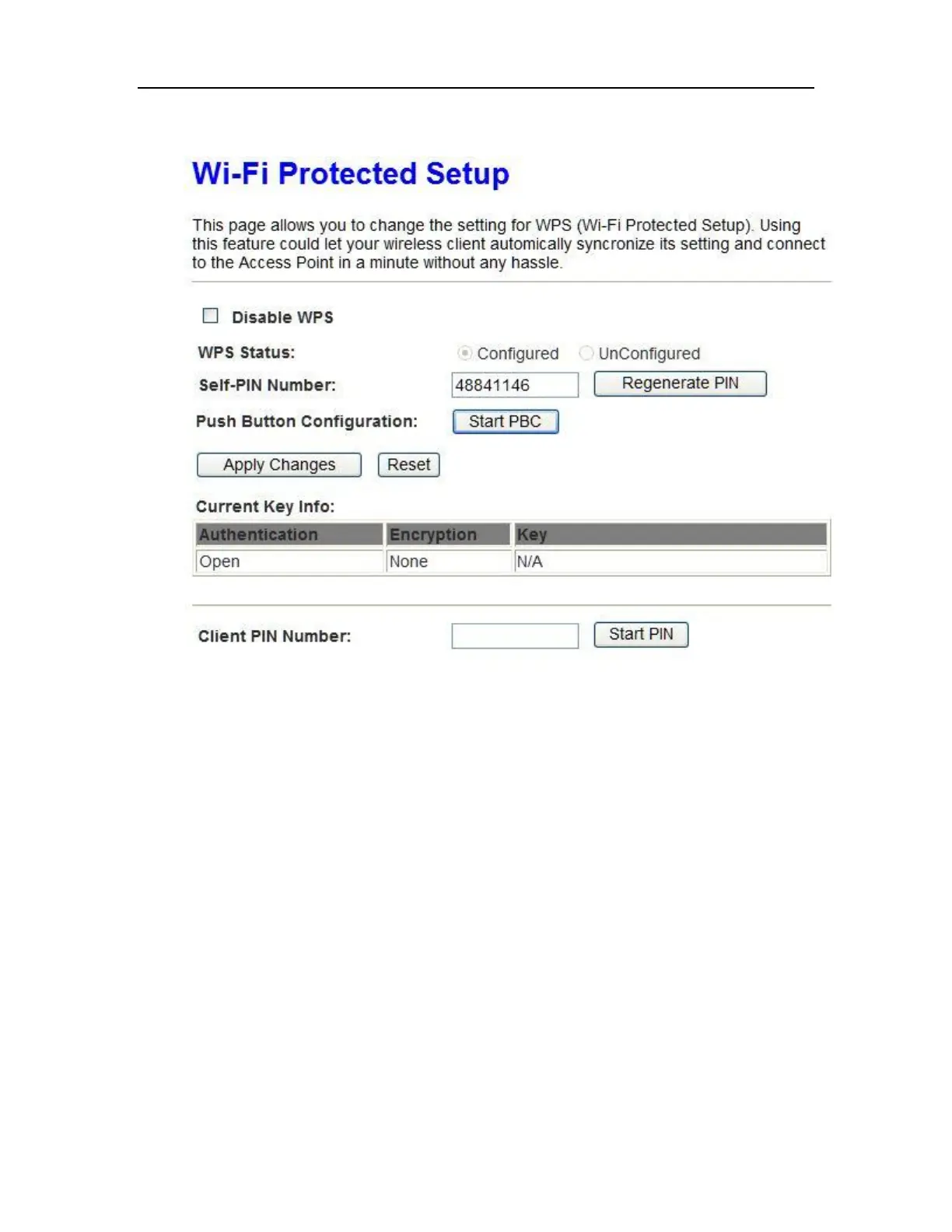
3.Enable WPS as below.
4. Set Start PBC and click Save/Changes.
5.Now you can use a wireless adaptor with WPS function and the WPS button to
connect to access the Internet.
6. To configure security features for the Wireless interface, please open Security
item from Wireless menu. This web page offers nine authentication protocols for user to
secure user’s data while connecting to networks. There are four selections including
Open, Shared, 802.1X,WPA, WPA-PSK, WPA2, WPA2-PSK, Mixed WPA-WPA2, Mixed
WPA-WPA2-PSK. Different item leads different web page settings. Please read the
following information carefully.
The wireless security page allows user to configure the security features of user’s
wireless network.



 To Next Page