Need help?
Do you have a question about the Kasparov CONQUISTADOR and is the answer not in the manual?
Covers initial setup, performing moves, and how the computer moves.
Covers getting advice, checking piece locations, and setting up custom positions.
Details different coach modes (G, F, E, H) and their functions.
Explains ACL key, device care, and technical specs.
Offers solutions for common problems and symptoms.
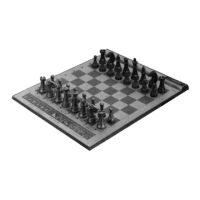
The Kasparov Team-Mate Conquistador is a unique chess computer designed to be both a playing partner and a coach. It features a built-in sensor chessboard that automatically registers moves, 17 levels of skill, and fast response times. Its coaching features make it ideal for beginners and casual players looking to improve their game.
The Conquistador is programmed to play chess and teach users more about the game. In normal games, the computer monitors moves to ensure they comply with chess rules, helps users learn different openings, and suggests moves when assistance is needed. For beginners, it warns when pieces are threatened or when a blunder is about to be made. The computer allows users to take back moves to correct mistakes and can show the best move it considers, along with its evaluation of the position.
The computer offers various levels of skill, including handicap, casual, tournament, and special levels for analysis and problem-solving. It's important to remember that, like a human, the computer's strength increases with more time to think about its moves. Levels can be changed at any time during a game.
To begin, insert four "C" type AM2/R14 alkaline batteries into the battery compartment. Set up the chess pieces in the opening position and press the GO key to switch on the computer. The computer is then ready to play. If the computer fails to react, a static discharge might have caused it to lock up. In such cases, activate the ACL switch located at the bottom of the set with a pin or sharp object to clear the memory and reset the computer. To switch off the computer, press STOP.
To make a move, press down on the piece you wish to move (a short beep will sound), place it on its destination square, and press down again (a second beep will sound). The computer will then begin to compute its reply.
The computer indicates its moves by sounding a beep and illuminating two lights on the side of the chessboard, indicating the horizontal row and vertical column of the piece it wants to move. Press down on this piece's square. The computer will then show where the piece must go. Move the piece to the indicated square and press down to complete the move.
If an illegal move is attempted, the computer will refuse it, sounding a double beep (high-low), and the board lights will stay on, indicating the piece's origin. The piece can be placed on a legal square or its original square, or another piece can be moved. An error beep will also sound if a computer move is not executed correctly or an improper panel key is pressed.
To retract a move, press TAKE BACK during your turn. The computer will assist by showing which pieces were moved and their origins. Up to eight moves (four for each side) can be retracted.
To change sides with the computer, press PLAY instead of making your move. The computer will make the next move for you, allowing you to play for the other side. This can be done as often as desired, even making the computer play against itself by pressing PLAY after every move.
To play as Black, set up the pieces at the bottom of the board (nearest to you). Then press NEW GAME, COLOR, and PLAY. The computer will make the first move for White, moving down from the top of the board.
To start a new game, press NEW GAME and set up the pieces in the starting position.
A game can be interrupted at any stage, even when the computer is thinking, by pressing STOP. Play is interrupted, and all lights turn off to conserve battery power. The computer saves the position for up to 24 months and is ready to resume play when turned on by pressing GO. The level and all other parameters remain unchanged.
If the computer is taking too long to make a move, press PLAY to interrupt its thought process. This will cause it to stop computing and play the best move found so far. This is particularly useful on analysis level G, where the computer continues thinking until interrupted or a forced mate is found.
Press NON AUTO to enter a special mode where the computer will not compute a reply but will track entered moves, ensuring they are legal. This is useful for trying special openings or forcing specific continuations. Press NON AUTO a second time to return to normal play. The NON AUTO light will be on in this mode. Pressing NEW GAME always cancels this function. This mode also allows the computer to act as a referee and advisor when playing against a friend.
While the computer is thinking, pressing INFO will show the best move found so far. Pressing INFO a second time will display the computer's evaluation of the current position on a scale of 1 to 8 (8 = White winning, 1 = Black winning). Pressing INFO a third time cancels the display. When it's your turn to move, pressing INFO provides advice from the computer.
To verify the position of pieces on the board, press one of the piece keys. The board lights will show where that piece is located. Pressing the same piece key again will show other pieces of the same kind. Use the COLOR key to switch colors and ensure the WHITE/BLACK lights indicate the correct side.
Press SET UP to enter set-up mode (the SET UP light will turn on).
The Conquistador offers unique coaching features to help beginners improve their skill.
The computer includes eight historical chess games described in a special booklet. Users can load and play through these games, pausing to guess best moves in critical positions. The computer evaluates performance based on correct guesses.
The computer is a precision electronic device. Avoid rough handling, extreme temperatures, or moisture. Do not use chemical agents to clean the set, as they may damage the plastic. Weak batteries should be replaced promptly to prevent leakage and damage to the computer.
If the computer "locks up" due to static discharge or electrical disturbance, use a pencil to activate the ACL key on the back of the cabinet for a few seconds. This resets the computer and clears its memory. Alternatively, removing the batteries for about a minute can also reset the computer.
 General
| Type | Chess Computer |
|---|---|
| Manufacturer | Saitek |
| Model | CONQUISTADOR |
| Display | LCD |
| Processor | 8-bit |
| Skill Levels | 64 |
| Voice Output | No |
| Languages | English |
| Power | 4 x AA batteries or AC adapter |


 To Next Page