CA59 MIDI Settings Manual
7
MIDI Settings
5
Multi-timbral Mode
The Multi-timbral Mode setting determines whether or not the CA59 digital piano is able to receive MIDI information
on more than one MIDI channel simultaneously. This allows the instrument to play back multi-track, multi-timbral
performance data sent from an external MIDI device.
Multi-timbral Mode setting
Multi-timbral Mode Selected sound
O (default) The sound shown in the left column is selected*.
On1 The sound shown in the left column is selected*.
On2 The sound shown in the right column is selected*.
* Please refer to the “Program Change Number List” on page 9.
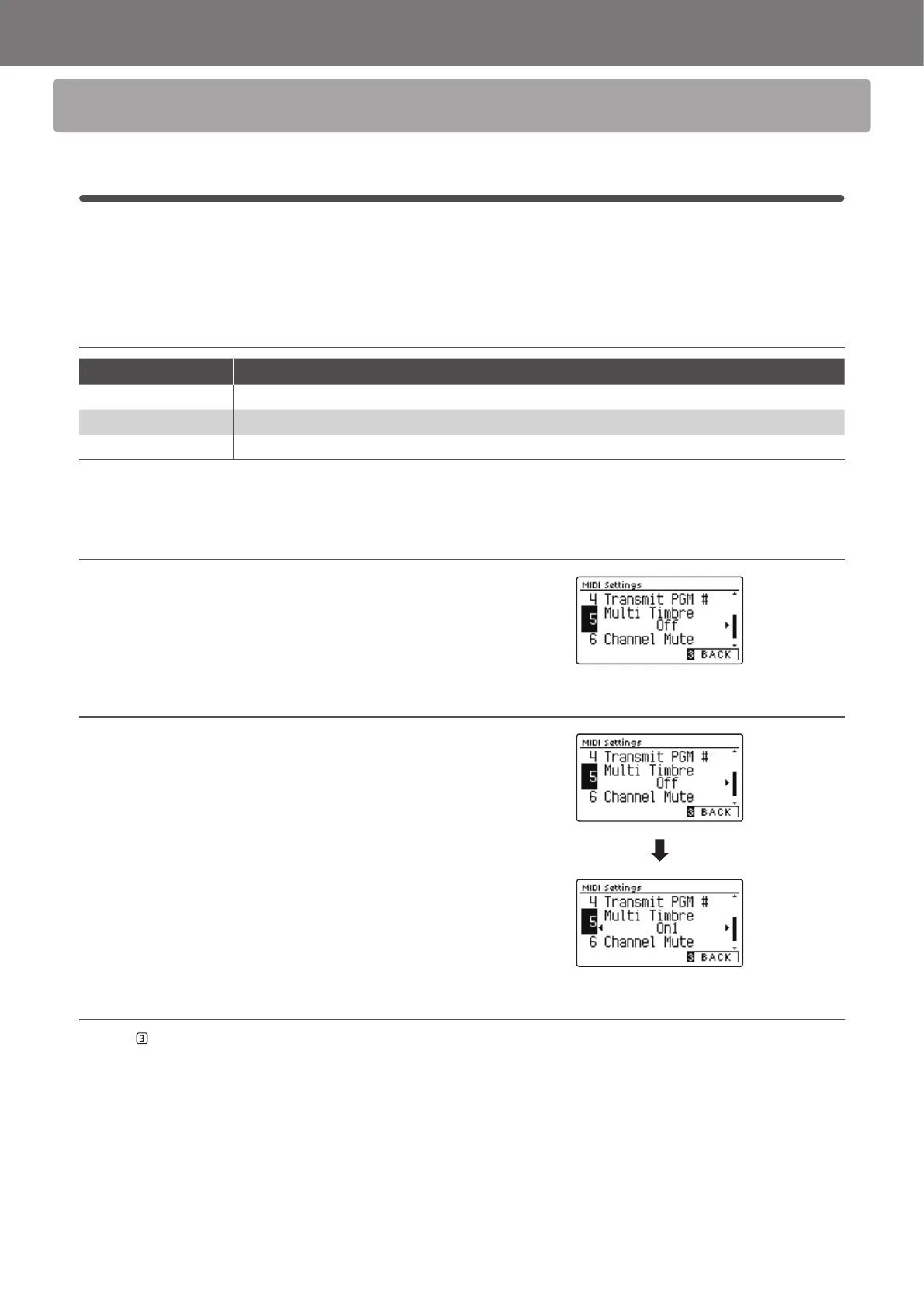
1. Selecting the Multi-timbral Mode setting
After entering the MIDI Settings menu (page 2):
Press the
or
buttons to select the Multi-timbral Mode
setting.
2. Changing the Multi-timbral Mode setting
Press the
or
buttons to change turn the Multi-timbral
Mode setting.
* To reset the Multi-timbral Mode setting to the default setting, press
the
and
buttons simultaneously.
* Any changes made to the Multi-timbral Mode setting will remain until
the power is turned o.
* Preferred Multi-timbral Mode settings can be stored to a Registration
Memory for convenient recall, or to the Startup Setting memory for
automatic selection when the instrument is turned on. Please refer to
CA59 Owner’s Manual pages 35 and 77 for more information.
3. Exiting the Multi-timbral Mode setting
Press the FUNCTION button (BACK) to exit the Multi-timbral
Mode setting and return to the Function Menus screen.


 To Next Page
 Loading...