CA59 MIDI Settings Manual
8
MIDI Settings
6
Channel Mute
The Channel Mute setting determines which MIDI channels (1-16) are activated to receive MIDI information when
Multi-timbral mode is enabled.
* This setting is only available when the Multi-timbral Mode setting is set to “On1” or “On2”.
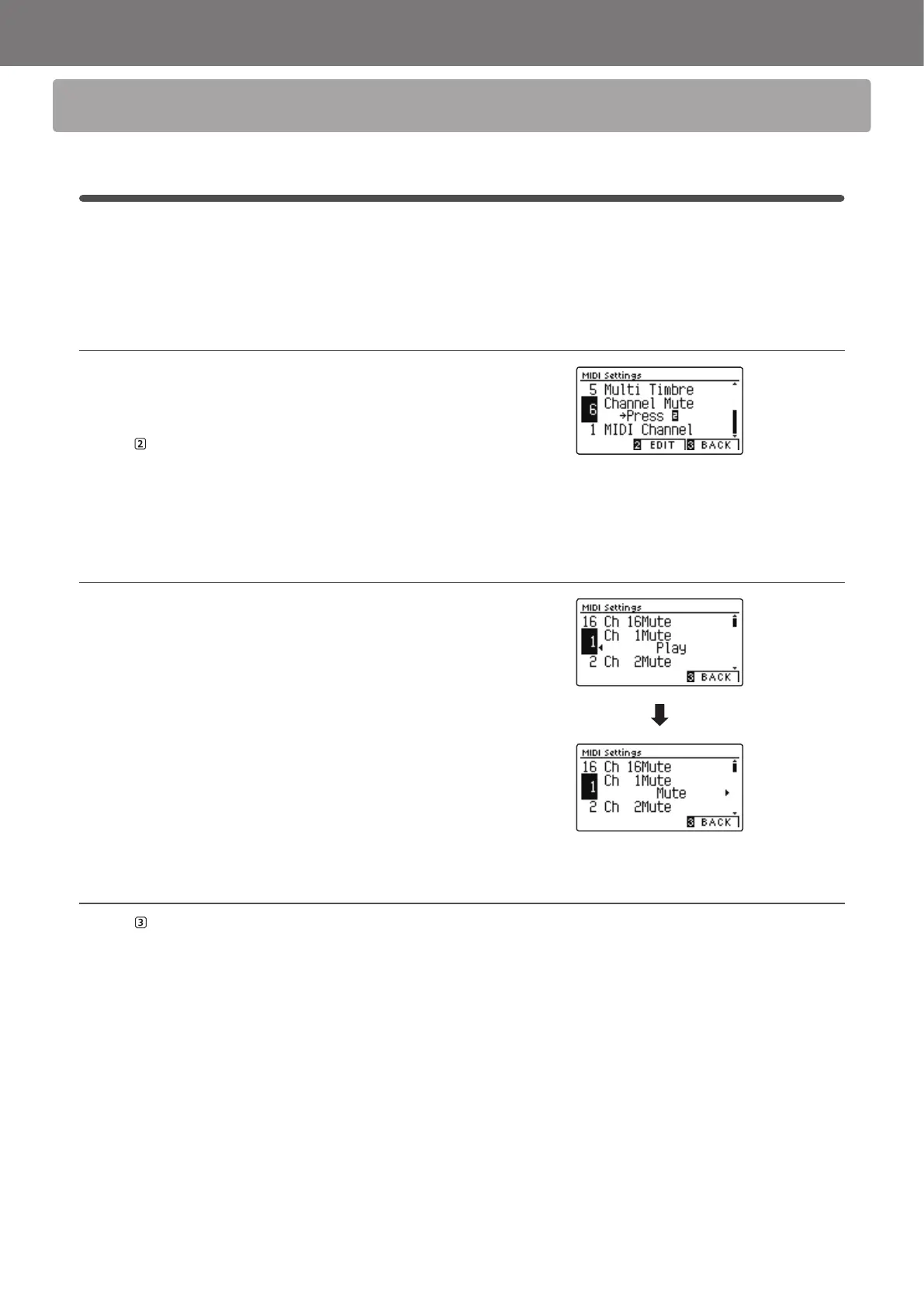
1. Selecting the Channel Mute setting
After entering the MIDI Settings menu (page 2):
Press the
or
buttons to select the Channel Mute setting.
Press the
FUNCTION button (EDIT).
The Channel Mute selection screen will be shown in the LCD
display.
2. Selecting and playing/muting channels
Press the
or
buttons to select the desired MIDI channel.
Press the
or
buttons to alternate between “Play” and
“Mute” states.
* To reset the Channel Mute setting to the default value, press the
and
buttons simultaneously.
* Any changes made to the Channel Mute setting will remain until the
power is turned o.
* Preferred Channel Mute settings can be stored to a Registration
Memory for convenient recall, or to the Startup Setting memory for
automatic selection when the instrument is turned on. Please refer to
CA59 Owner’s Manual pages 35 and 77 for more information.
3. Exiting the Channel Mute function
Press the FUNCTION button (BACK) to exit the Channel Mute
adjustment screen and return to the MIDI Settings menu.


 To Next Page