This document is a user and care manual for a Kayami portable air conditioner, model AFC-9000, designed to provide air conditioning, dehumidification, independent fan operation, and heating functions. It is a multi-functional room air exchanging and air-processing appliance.
Function Description
The Kayami AFC-9000 is a portable air conditioner that can be moved from room to room and set up quickly. It offers several operating modes:
- Automatic Mode: The unit automatically selects the desired operation mode based on the room temperature. If the ambient temperature is ≥24°C, it will automatically select cooling mode. If the ambient temperature is <24°C, it will automatically select fan mode.
- Dehumidification Mode: In this mode, the upper centrifugal fan runs at a low speed, which cannot be adjusted. The compressor and the lower centrifugal fan will stop after 8 minutes of operation and then restart after 6 minutes. The unit maintains a constant temperature, and temperature adjustment is not effective.
- Cooling Mode: The compressor starts when the room temperature is higher than the set temperature. When the room temperature falls below the set temperature, the compressor stops, and the upper fan operates at its original set speed.
- Fan Mode: The upper centrifugal fan runs at the set speed, while the compressor and lower centrifugal fan do not operate. Temperature adjustment is not effective in this mode.
- Heating Mode: When the room temperature is higher than the set temperature, the unit stops heating. If the room temperature is lower than the set temperature, the unit starts heating. It includes a cold wind defending function to prevent cold air from blowing out from the indoor air outlet.
The unit features a control panel and a remote controller for operation.
Control Panel Features:
- Stand-by button: To turn the unit on or off.
- Speed button: To adjust fan speed.
- Timer/Temperature up button (+): To increase time or temperature.
- Timer button: To set the timer.
- Mode button: To select the operating mode (Automatic, Cool, Dehumidify, Fan, Heat).
- Timer/Temperature down button (-): To decrease time or temperature.
- Sleep button: Activates sleep mode.
- Fan speed indicator: Shows low and high fan speeds.
- Mode indicators: Shows Automatic, Cool, Dehumidify, Fan, and Heat modes.
- Lock button: To lock the control panel.
Remote Controller Features:
- Power button: To turn the appliance on or off.
- Mode button: To select the operation mode.
- Fan speed button: To select fan speed (low, medium, high).
- Temperature adjustment buttons (up/down): To adjust room temperature and timer settings.
- Sleep mode button: To set or cancel sleep mode.
- Timer button: To set automatic off and automatic on times.
The unit has a memory function on its main control board, which memorizes the last working mode when the unit is in a stopped state. When turned on again, it will operate in the same mode as last time, except when in "Automatic" mode.
Important Technical Specifications
- Model: AFC-9000
- Cooling capacity: 9000 Btu/h / 2600W
- Heating capacity: 8500 Btu/h / 2500W
- Dehumidification capacity: 1.1 l/h
- Power / current cooling input: 950W / 4.3 A
- Power / current heating input: 900W / 4.1 A
- Volume of air flow: 350 m³/h
- Rated voltage / frequency: 220-240V~/50Hz
- Sound level: LPA ≤54dB (A), LWA ≤65dB (A)
- Nominal energy efficiency index (EER classification): 2.6
- Global warming potential (kg CO2): 2100
- EER class: A
- Net weight: 24 Kg
- Dimensions (WXDXH): Body: 416 x 300 x 671 mm; Package: 475 x 360 x 880 mm
- Refrigerant: R410A
- Applying Space: 18 m²
- Miniature Fuse: 3.15 A 250V Φ5xL20mm
Usage Features
Installation:
The appliance comes with an air exhaust duct, a connector for the air exhaust duct, a window exhaust adapter, a remote control, and a baffle plate.
- Location: Should be placed next to a window, door, or French window. Maintain at least 60 cm distance from walls or other obstacles for the return air outlet.
- Exhaust Hose: Extend the air exhaust duct by pulling out both ends, screw it into the connector, and then connect the connector to the unit. Ensure the other end of the hose has clearance through a window, door, or wall hole. Air inlet or outlet must not be blocked.
Operating Conditions and Protection:
The protective device may stop the appliance if:
- Indoor air temperature is over 43°C (109°F) in cooling mode.
- Room temperature is below 15°C (59°F) in cooling or dehumidifying mode.
- Restarting immediately after stopping or changing mode requires a 3-minute wait.
- If the plug is removed, the unit will return to its original mode upon restart, and the timer settings will need to be reset.
- If the air conditioner runs in cooling or dry mode with a door or window open for a long time when relative humidity is above 80%, dew may drip from the outlet.
Troubleshooting:
The manual provides a troubleshooting guide for common issues:
- Unit does not run: Check if the protector trip or fuse is blown, wait 3 minutes, check remote control batteries, or ensure the plug is properly inserted.
- Runs for a short while only: Lower the set temperature if it's close to room temperature, or remove any obstacles blocking the air outlet.
- Runs but not cooling: Check if doors/windows are open, if other heat-producing appliances are running, clean the air filter, ensure air outlets/intakes are not blocked, or lower the set temperature.
- Water leak during moving: Drain the condensate before moving and place the unit on a flat surface.
- Unit does not run and "E4" indicator lights up (water full): Pull out the rubber plug to drain water. If this occurs frequently, contact a qualified service technician.
Maintenance Features
Appliance Maintenance:
- Power Disconnection: Always turn off and unplug the appliance before any maintenance.
- Cleaning: Wipe with a soft, dry cloth. For heavy dirt, use lukewarm water (below 40°C/104°F). Do not use volatile substances like gasoline or polishing powder. Never sprinkle water directly onto the main unit to avoid electric shock.
Air Filter Maintenance:
- Frequency: Clean the air filter after approximately 100 hours of use. Clean every two weeks if operating in a very dusty environment.
- Procedure: Stop the appliance, push up and remove the air filter. If very dirty, wash with a mild detergent solution in lukewarm water. Dry in a shaded, cool place before reinstalling.
Maintenance After Use (Long-term Storage):
- Drainage: Pull out both primary and secondary rubber plugs from the drain port to completely drain water.
- Drying: Run the appliance in fan-only mode for half a day on a sunny day to dry the interior and prevent mold.
- Storage: Stop the appliance, unplug it, remove remote control batteries, and store properly. Clean and reinstall the air filter. Remove and store air hoses, and tightly cover the hole.
Cautions:
- Keep the unit at least 1 meter away from TVs or radios to avoid electromagnetic interference.
- Do not expose to direct sunlight to prevent color fading.
- Do not tilt more than 35° or upside down during transport.
- Place on a flat surface with less than 5° inclination.
- Empty the condensed drainage pan before storage to prolong unit lifetime.
- Do not use chemical solvents for cleaning.
- Cut off power before disassembling or installing the air-inlet fence.
- Empty the water tank if moving the machine.
- Remove and safely dispose of batteries before scrapping the appliance.
- Remove the plug before cleaning, maintaining, or filling the appliance.
Warranty Information:
The manufacturer provides a warranty in accordance with the legislation of the customer's country of residence, with a minimum of 1 year (Germany: 2 years), starting from the date of sale to the end user. Repairs must be carried out by an authorized service center. The original bill of purchase is required for warranty claims. The warranty does not cover normal wear and tear, incorrect use, damage from external influences, non-observance of the user manual, or partially/completely dismantled appliances.

 Need help?
 General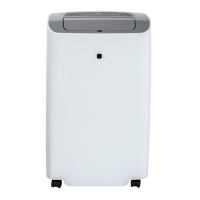

 To Next Page