EasyManua.ls Logo

Kaysun KCT-03 SRPS - User Manual

Kaysun KCT-03 SRPS
68 pages
Print Icon
To Next Page IconTo Next Page
Loading...
Thank you for purchasing the remote controller.
This manual describes the safety precaution requirement of using this product.
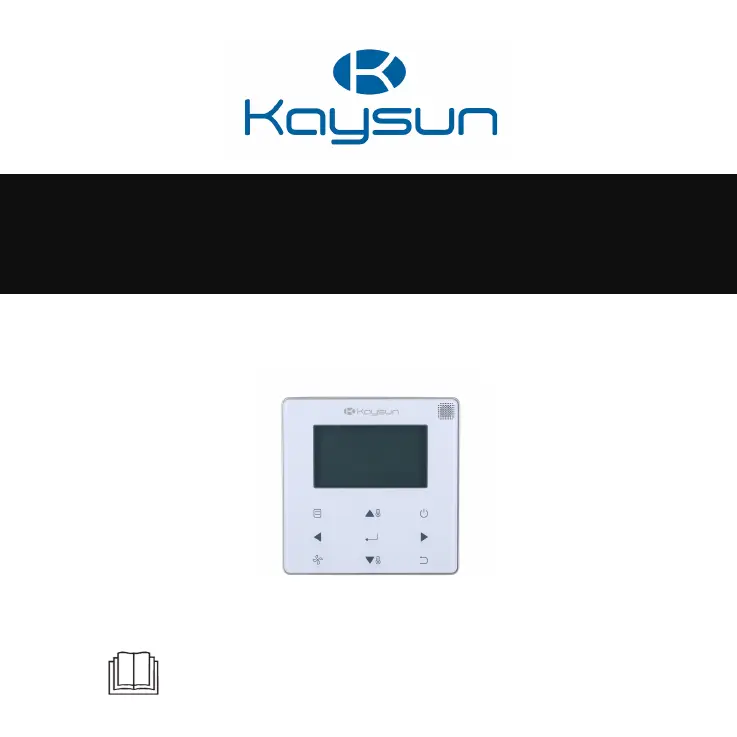
Wired Remote Controller
KCT-03 SRPS
INSTALLATION AND OWNER’S MANUAL

Questions and Answers

  • W
    Wayne JohnsonAug 5, 2025
    What to do if Kaysun KCT-03 SRPS Remote Control displays E9 error?
    • A
      Andrew LaraAug 5, 2025
      If your Kaysun Remote Control displays the error code E9, indicating a communication fault between the wired controller and the IDU, it could be due to several reasons. First, ensure that the IDU has an address set and that there are no duplicate addresses within the system. If you're using two wired controllers, designate one as the secondary controller. Also, verify that the D1/D2 line sequence of the secondary wired controller matches that of the main controller; if not, exchange them. If the issue persists, the wired controller or the IDU board might be damaged, requiring replacement.
  • C
    Claudia HillAug 12, 2025
    Why the number of IDUs in a Kaysun Remote Control group is inconsistent?
    • S
      sarah75Aug 12, 2025
      If you find that the number of IDUs in any “Group” on your Kaysun Remote Control does not match the actual number of connected IDUs, begin by checking the D1/D2 communication wiring for errors or poor connections in individual IDUs. Ensure each IDU address is correctly set, avoiding any duplicates within the system. If using main and secondary wired controllers, verify that one is properly designated as the secondary controller. Lastly, a board failure in an individual IDU could be the cause, necessitating replacement of the affected IDU's board.
  • E
    ethan87Aug 19, 2025
    How to fix no display on Kaysun Wired Controller?
    • M
      Megan CampbellAug 19, 2025
      If your Kaysun wired controller shows no display, there could be several reasons. First, ensure that the IDU is powered on. If it is, check the wired controller connection for any errors. If the connection is correct and there's still no display, the wired controller itself might be damaged and need replacement. Alternatively, the power supply of the IDU board may have failed, requiring replacement of the IDU board.
  • D
    Denise WhiteAug 27, 2025
    What to do if Kaysun KCT-03 SRPS Remote Control displays F7 error?
    • M
      Mrs. Carrie CurryAug 27, 2025
      If your Kaysun Remote Control displays the error code F7, indicating a wired controller EEPROM fault, try resetting the wired controller by pressing “MODE” + “MENU” + “TEMP UP” + “TEMP DOWN” for more than 3 seconds until the default status appears. This will address potential EEPROM data errors. If the problem persists, the wired controller might be damaged and require replacement.

Summary

Installation and Owners Manual

Wired Remote Controller

Manual detailing the installation and operation of the Kaysun KCT-03 SRPS wired remote controller.

Safety Precautions

Warning and Caution Statements

Explains the meaning of warning, caution, and important identifiers related to potential risks.

Installation Safety Guidelines

Provides critical safety instructions for installation work, covering electrical safety and proper material usage.

Installation

Installation Procedure Overview

Outlines the step-by-step process for installing the wired remote controller.

Installing Wires and Connections

Instructions for connecting the wiring, emphasizing important safety and connection notes.

Connection Mode Selection

Guide to selecting appropriate communication modes based on the IDU generation.

Multi-IDU Connection

How to connect multiple indoor units (up to 16) using one or two wired controllers.

Field Settings

IDU Addresses and Communication

Setting IDU communication addresses and viewing operating data like software version.

Setting the IDU Address

Confirming IDU Address Setting

Steps to send the selected IDU address to the unit and confirm the setting.

Checking Error History

Basic Operation: Buttons

Button Locations and Descriptions

Identifies each button on the wired controller and provides a brief description of its function.

Detailed Button Descriptions

Provides comprehensive explanations for all buttons on the wired controller interface.

Display Description

Display Icon Explanations

Detailed meanings of various icons and indicators shown on the controller's display.

Basic Operation: Core Functions

Turning Unit On;Off

Instructions on how to power the indoor unit on and off using the controller.

Setting the Operating Mode

Guide on how to select the desired operating mode (e.g., Auto, Cool, Dry, Heat, Fan).

Setting Fan Speed

How to adjust the fan speed for different operating modes and fan speed options.

Setting the Temperature

How to adjust the target temperature for cooling and heating modes.

Key Lock Function

How to lock and unlock the controller's buttons to prevent unauthorized operation.

Menu Options and Navigation

Schedule Configuration

How to set up and configure the weekly schedule, including patterns and daily settings.

Setting Schedule Parameters

Configuration of time points, actions, fan speeds, and temperatures for daily schedules.

Troubleshooting Common Issues

Kaysun KCT-03 SRPS Specifications

General IconGeneral
BrandKaysun
ModelKCT-03 SRPS
CategoryRemote Control
LanguageEnglish

Related product manuals