
 Need help?
Do you have a question about the KBL megaSun P9 and is the answer not in the manual?
Details on software licensing and source code availability.
Information on export restrictions for tanning devices.
Defines the intended users and purpose of the operating manual.
Explains safety symbols, signal words, and their meanings.
Defines roles and responsibilities of different user types.
Advises on hazards and precautions during transport.
Guidelines for safe transportation using various methods.
Instructions for eco-friendly disposal of tanning devices.
Specifies conditions for dry rooms, ventilation, and temperature.
Warns about obstruction of airflow and overheating.
Highlights unsuitability and hazards in mobile environments.
Advises waiting before operation after temperature changes.
Directs users to contact their dealer for service inquiries.
Defines who can and cannot use the tanning device.
Lists actions or users that constitute misuse of the device.
Ensuring users are informed and device safety is maintained.
Responsibility for staff training and adherence to procedures.
Device for commercial use; follow all instructions and regulations.
Guidelines on installation, prohibition of modifications, and operational condition.
Importance of observing all safety signs and bench pane load limits.
Studio operator must train staff on instructions and regulations.
Covers operating, safety, misuse, and cleaning instructions.
Requires annual inspections and record-keeping for safety.
Details on updating software and risks of power interruption.
Device requires an external timer meeting specific standards.
Essential to adhere to tanning times and schedules.
Lists applicable standards for the tanning device.
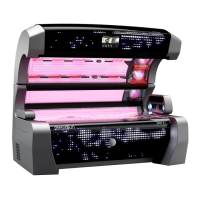
Details the main parts and features of the tanning device.
Adjusting the studio music signal level via potentiometer.
Using internal MP3 player and external audio sources.
Steps for pairing and connecting Bluetooth devices.
Information on automatic disconnection and compatibility.
Description of the wireless charging feature in the device base.
Details on initial setup and operator responsibilities.
Crucial steps before the first activation, including safety signs.
Explains the different operational states of the device.
Describes the fan operation after a tanning session.
Guidelines for achieving and maintaining a tan safely.
Information on potential health effects of UV exposure.
Actions to take before, during, and after each tanning session.
Schedules for tanning duration based on skin type and session number.
Maximum number of tanning sessions allowed per year.
Overview of the touch screen for selecting functions.
How to choose tanning preferences in advance.
Interaction principles for the touch screen.
Details on pre-selecting tanning level, audio, voice, aircon, aroma, and aquaCool.
Understanding the visual indicators for function status.
Using presets for desired tanning intensity and effect.
Choosing and changing audio sources during tanning.
Switching the voice guidance system on or off.
Switching the air-conditioning unit on or off.
Switching the aroma function on or off.
Switching the aquaCool function on or off.
Procedures for starting the tanning session automatically or manually.
Using the interior panel for basic and advanced functions.
Understanding button operations and display information.
Functions of the STOP and START buttons.
Direct access to essential functions like volume, fan, and facial tanners.
Details on operating facial tanners and body fan.
Navigating through and selecting subordinate functions.
Details on controlling specific system functions.
Steps for choosing and activating Studio, MP3 external, or MP3 internal audio.
Controlling music, lighting, and triggering aquaCool test in standby.
Directs users to specific documentation for service mode information.
LED boosters as decorative lights; testing different levels.
Information on selecting lighting programs for dynamic light.
Pressing logo to access service menu start window.
Lists directly switchable standby functions.
Setting connection times for decorative lighting.
Essential for safety; warnings on improper maintenance.
Mandatory recurring inspections, 10-year overhaul, and post-non-use inspection.
Using OEM parts and correct lamp replacement procedures.
Critical safety step before performing maintenance.
Securing the device against accidental reactivation.
Handling infection risks and proper use of cleaning agents.
Advice on avoiding surface damage and jewelry removal.
Correct way to apply cleaning agents.
Detailed cleaning procedures and intervals for various device parts.
Distinguishes tasks performable by staff versus those requiring certified technicians.
Intervals for tasks performed by staff.
Intervals for tasks performed by service technicians.
Schedule for component maintenance based on operating hours.
Details on 12-month, 10-year, and startup inspections.
Identifies tasks for staff within these instructions.
Refers to separate documentation for technician tasks.
Lists required tools and details the process for unlocking the bench.
Procedure for tilting and securing the bench pane.
Procedure for tilting and securing canopy/side panes.
Caution to prevent panes from falling during opening.
Guidelines for installing tubes and resetting operating hours.
Steps for removing tubes and diagrams of tube layouts.
Specific procedures for replacing tubes in bench and canopy parts.
Details on filter cartridges, cleaning procedures, and heat exchangers.
Steps for accessing and removing filter inserts from canopy and bench.
Warning against modifying data; steps for removing the SD card.
Procedure for copying or deleting files on the SD card.
Warnings about hygiene and using only KBL-approved products.
Information on low fluid levels and residual amounts.
Detailed procedure for replacing the canister.
Notification and procedure for replacing the Aroma tin.
Procedure to acknowledge error messages after resolution.
Understanding and responding to system information messages.
Specifies environmental requirements for setup.
Details physical measurements, weight, and electrical specifications.
Information on exhaust air connection and flow rate.
Specifications for tubes, tanners, boosters, and power for P9 extraSun.
Specifications for tubes, tanners, boosters, and power for P9 hybridSun.
Specifications for tubes, tanners, boosters, and power for P9 smartSun.
Detailed measurements of the tanning device.
Required distances for proper installation around the device.
Explanation of lamp coding, replacement, and validity of tables.
Details on UV irradiance metrics and reflector classifications.
 General
| Brand | KBL |
|---|---|
| Model | megaSun P9 |
| Category | Medical Equipment |
| Language | English |

 To Next Page