Base Station v4 Product Guide
Page | 9
3.2 15BDiagnostics
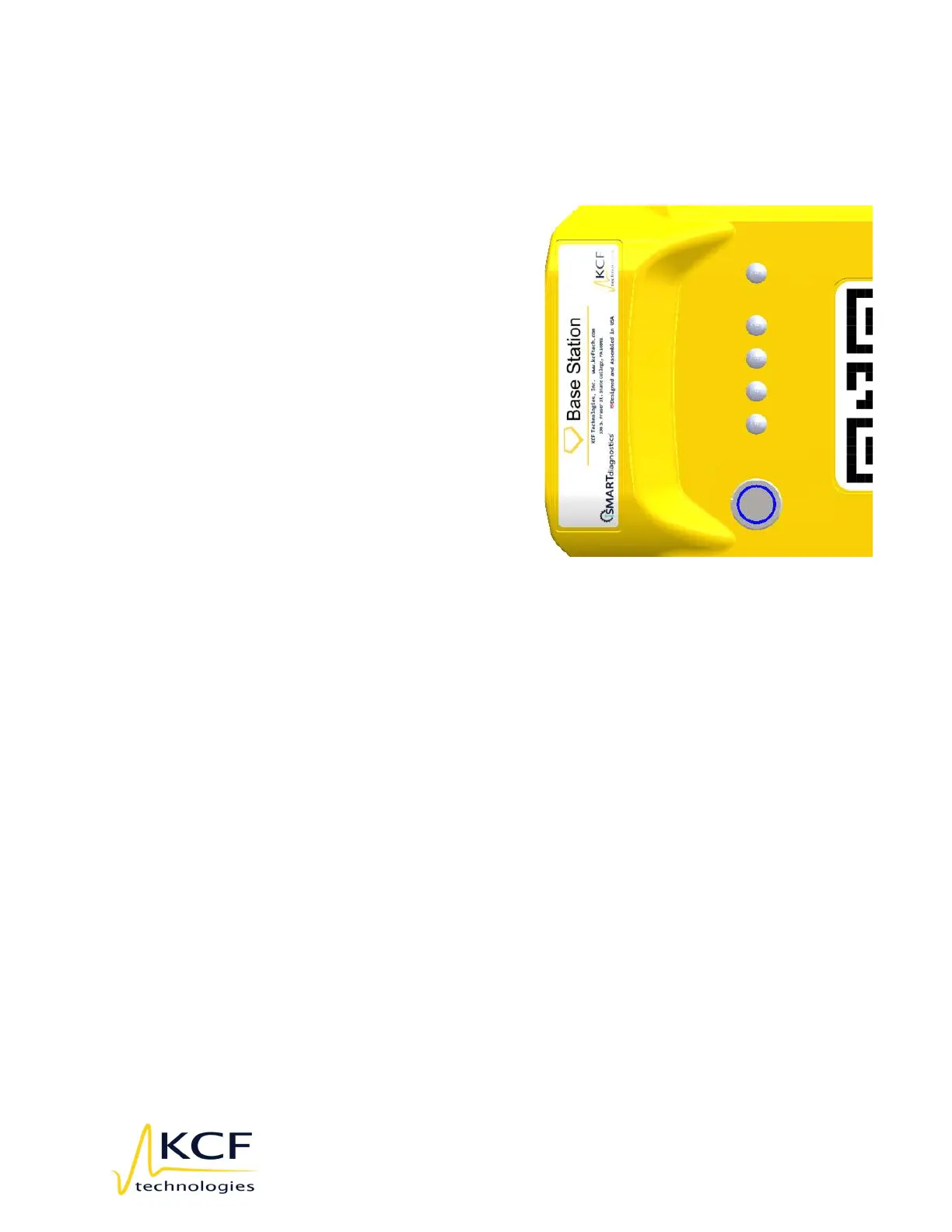
The Base Station has indicators on the front to aid in diagnosis connectivity and
operations. The operation of these indicators is detailed here:
LED1 indicates hardware status
Blue, solid: Base Station is booting
Blue, pulsing: Base Station is running
normally
Red, solid or blinking: Error
LED2 indicates the state of data collection
Green, solid: Booting/startup
Blue, solid: Delivering data
Blue, slow blinking: Delivering data,
but also caching
Blue, fast blinking: Unable to deliver
data, caching
Red, solid or blinking: Error
LED3 indicates network connectivity
Green, solid: Booting/startup
Blue, solid: Can reach SmartDiagnostics
Red, solid or blinking: Error
LED4 indicates connectivity to Mesh Network
Green, solid: Booting/startup
Blue, solid: Mesh Network is up and can see other BSv4s
Blue, blinking: Mesh Network is up but cannot see other BSv4s
Red, solid or blinking: Error
LED5 indicates environmental health of base station
Green, solid: Booting/startup
Blue, solid: Good
Blue, pulsing: A health indicator is getting close to an extreme
Red, solid: A health indicator is out of range
Red, blinking: Error



 To Next Page