Kurio Parental Area Overview
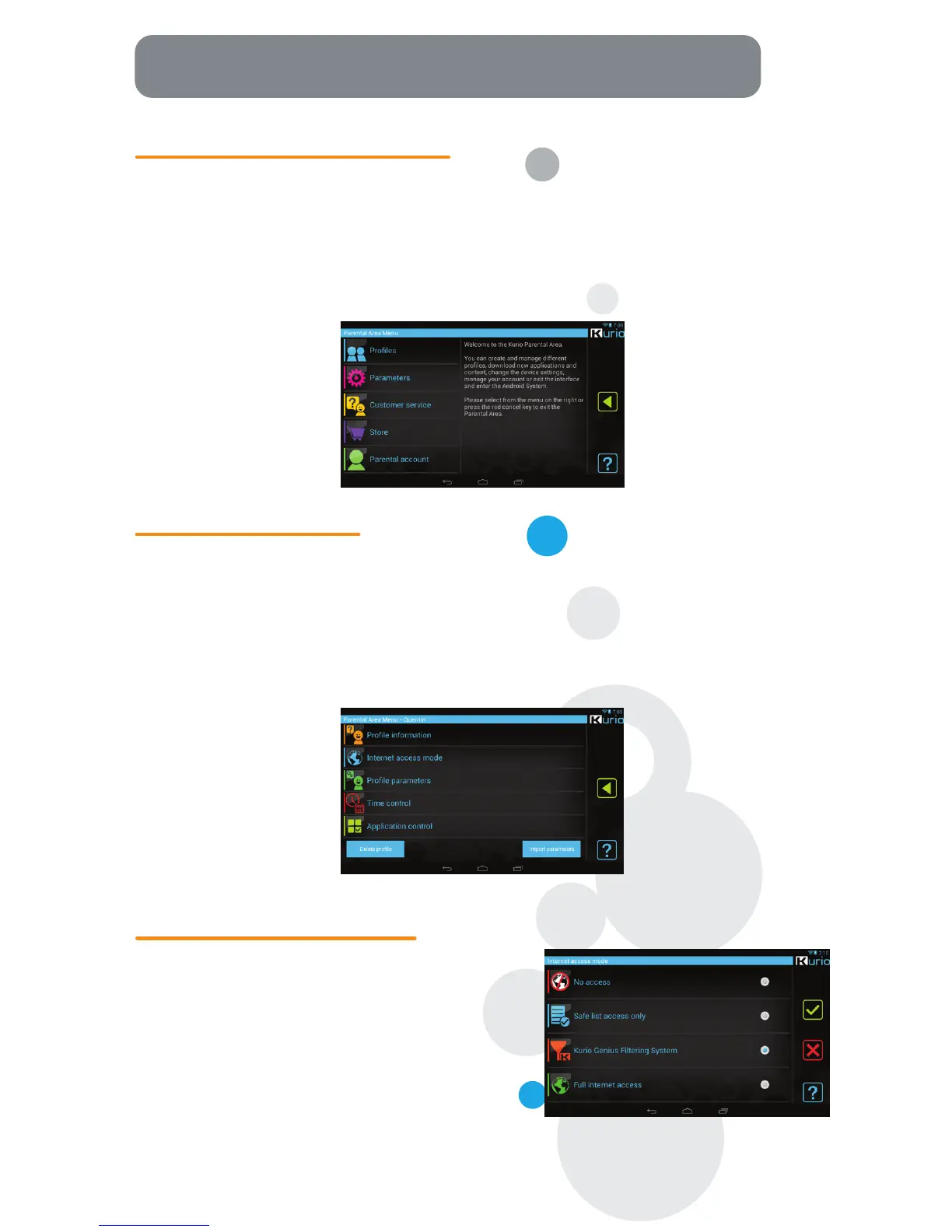
On the Parental Area dashboard, you can access:
• Profiles: Manage all user profiles on Kurio (modify, add, or delete)
• Settings: Adjust the main tablet settings (date, list of apps on Kurio, language, etc.)
• Customer Service: Read our FAQ, report a bug, and contact us.
• Store: Search, purchase, and download more apps from the Kurio Store or download alternate
Android™ app stores
• Parental Account: Change your Parental Account password or email, and view your Kurio Serial Number.
Parental Area Main Menu
To modify a profile, use the following settings:
• Profile information: Edit the user's birthdate, name, & gender.
• Internet Parameters: Adjust the security level from No Internet Access, Restrict Web Browsing
to Specific Sites, Kurio Genius™ Internet Filtering System, Full Internet Access
• Profile Settings: Review and change the profile's general settings.
• Time Management: Adjust the time control settings.
• App Management: Review and change which applications can be used by the profile.
Profile Main Menu
• No Internet Access: No Internet access is allowed
from the tablet. Apps can still access online content
if an Internet connection is active.
• Restrict Web Browsing to Specific Sites: Restricts
Internet browsing only to websites that appear on
the Safe List of this profile. All other sites will be
blocked.
• Kurio Genius™ Filtering System: Our advanced
filtering system allows users to browse the Internet
safely by blocking websites that may contain
inappropriate content.
• Full Internet Access: Removes any and all restrictions
to web browsing. Not recommended for a child
user profile.
Internet Access Modes



 To Next Page