
 Need help?
Do you have a question about the KD interactive Kurio 7 and is the answer not in the manual?
Lists the accessories included with the Kurio tablet.
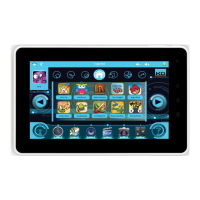
Provides a general overview of the Kurio tablet's features and ports.
Explains how to charge the Kurio tablet using different methods.
Describes the automatic locking function and how to unlock the device.
Details the icons and elements visible on the Kurio tablet's home screen.
Explains how the tablet switches between portrait and landscape modes.
Describes the use of the multi-touch capacitive screen for control.
Details the front and rear cameras and their functions.
Explains how to connect the Kurio tablet to a computer for data transfer.
Describes how to use external storage devices like USB keys and Micro SD cards.
Explains saving data from external storage to the tablet's internal storage.
Guides on how to access the underlying Android operating system from the Kurio interface.
Details how to connect the tablet to a TV using an HDMI cable.
Guides the user through selecting the preferred language for the setup.
Instructs on setting the correct date and time for accurate system operation.
Details the process of connecting the Kurio tablet to a Wi-Fi network.
Explains how to enter the serial number for device verification.
Guides on creating a parent account with password and security question.
Details how to create a user profile, including personal info and avatar.
Allows setting the internet access mode for a user profile.
Configures website categories and keywords for content filtering.
Controls how long and when the user can use the tablet.
Manages which applications are authorized for a user profile.
Confirms the initial setup is finished and the device is ready.
Explains the login interface and access options for the parental area.
Details how to change settings for each user profile.
Configures startup behavior, USB connection, and system settings.
Accessing the online store for apps and content.
Manages parental account parameters like email and password.
How to exit Kurio interface and go to the Android system.
Instructions on how to update the Kurio system via the Kurio Store.
Lists important warnings and precautions for using the device.
Provides contact information and details about the product's warranty.
Information on using the device on aircraft and airplane mode.
Offers solutions for common problems and troubleshooting steps.
Information regarding radio frequency emissions and compliance.
Guidelines for recycling electronic waste and batteries.
States compliance with relevant European directives and standards.
Lists copyright information for software and content.
 General
| Brand | KD interactive |
|---|---|
| Model | Kurio 7 |
| Category | Tablet |
| Language | English |

 To Next Page

