Maintenance
Bảo dưỡng
1
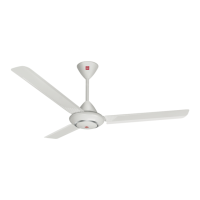
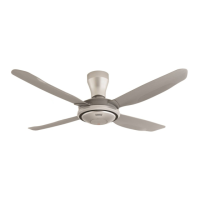
Check the Ceiling Fan condition
annually. If a problem occurs, stop
using the Ceiling Fan. Then refer to
authorized dealer.
Check point:
Loosened screws, safety wire
condition, motor shaft damage, etc.
2
Ensure Safety Switch in good
condition.
If a problem occurs, stop using the
Ceiling Fan. Then refer to authorized
dealer.
3
Keep the Ceiling Fan clean. Wipe
away dirt with a clean soft cloth, ordinary soap and water. Wipe it
again to dry it. Do not use solvents
(gasoline, petroleum, thinner,
benzine, alcohol, cleaning powder,
alkaline detergent) or any other chemicals.
• Do not bend the Blade while cleaning.
4
Do not paint the Blades. If damaged,
order a new set of Blades (5 pieces)
from an authorized dealer.
5
When referring to an authorized
dealer, show these instructions to
them and maintain correctly.
6
If the product is broken or damaged,
remove it from the ceiling and
replace with new. This is to avoid the Ceiling Fan drops.
7
The Ceiling Fan suspension system
should be examined at least once every two years.
8
Do not modify or repair the LED
light. If a problem occurs, refer to
authorized dealer.
Switch Lever / Gờ Công Tắc
Safety Switch / Công Tắc An Toàn
Wrong Position /
Vị trí sai
Correct Position /
Vị trí đúng
Note:
• SLEEP MODE function is disabled at
Speed 1 and 1 hour setting.
• SLEEP MODE function is deactivated if
change TIMER SETTING.
Lưu ý:
• Chức năng CHẾ ĐỘ NGỦ không hoạt
động khi quạt chạy ở Tốc độ 1 và cài
đặt1 giờ.
• Chức năng CHẾ ĐỘ NGỦ ngừng hoạt
động nếu thay đổi CÀI ĐẶT THỜI GIAN.
8
■
LED Brightness Control
■
LED độ sáng điều khiển
■
Note:
• LED light is automatically switched ON
when the Wall Switch is turned ON.
• LED light intensity might be different
between same model number products.
■
Lưu ý:
Đèn LED sẽ tự động được chuyển
sang BẬT khi Công Tắc Tường được bật BẬT.
Cường độ đèn LED có thể khác giữa các sản phẩm có cùng số kiểu máy.
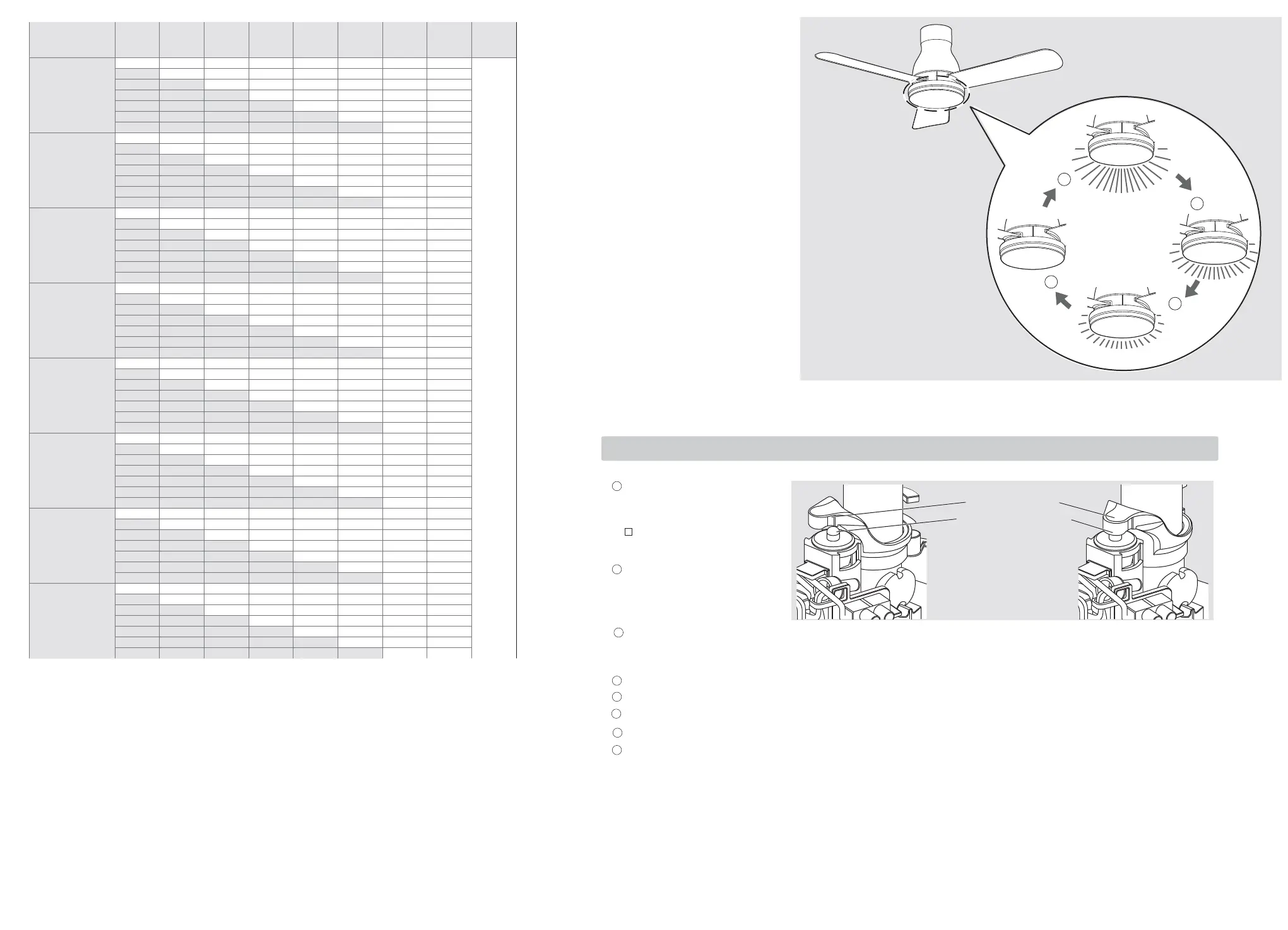
Figure below show the selected
brightness when the “LIGHT MODE”
button is pressed.
activated at the High brightness level
2
Press for the fi rst time to set for the
Medium brightness level
3
Press for the second time to set for
the Low brightness level
4
Press for the third time to turn OFF
the LED light.
• Pressing the “LIGHT MODE” button
after the third times, the LED light
brightness level will start over again
(Refer back to Diagram Step 1).
1
Công tắc tường BẬT và đèn LED được kích
hoạt ở mức sáng sáng Cao
2
Bấm lần thứ nhất để đặt mức ánh
sáng Trung Bình
3
Bấm lần thứ hai để đặt mức ánh sáng Thấp
4
Nhấn nút cho lần thứ tư để tắt đèn LED
• Nhấn nút “LIGHT MODE” sau khi lần
thứ tư, mức độ sáng đèn LED
sẽ bắt đầu lại một lần nữa (Xem hình
minh họa Bước 1).
Hình dưới đây cho thấy độ sáng đã chọn
khi nút “LIGHT MODE” được nhấn.
1
Wall switch is ON and LED light is
Timer /
Đồng hồ hẹn giờ
8h 7h 6h
5h 4h 3h 2h 1h 0h
Speed 9 /
Tốc độ 9
9 → 7 → 5 →
3
→
OFF /
TẮT
9 →
7
→
5
→
3
9 → 7 → 5 →
9
→
7
→
5
9 → 7 →
9
→
7
9 →
Speed 8 /
Tốc độ 8
8 → 6 → 4 → 2 →
8 →
6
→
4
→
2
8 → 6 → 4 →
8
→
6
→
4
8 → 6 →
8
→
6
8 →
Speed 7 /
Tốc độ 7
7 → 5 → 3 → 1 →
7 →
5
→
3
→
1
7 → 5 → 3 →
7
→
5
→
3
7 → 5 →
7
→
5
7 →
Speed 6 /
Tốc độ 6
6 → 4 → 2 → 1 →
6 →
4
→
2
→
1
6 → 4 → 2 →
6
→
4
→
2
6 → 4 →
6
→
4
6 →
Speed 5 /
Tốc độ 5
5 → 3 → 1 → → →
5 →
3
→
1
→ →
5 → 3 → 1 →
5
→
3
→
1
5 → 3 →
5
→
3
5 →
Speed 4 /
Tốc độ 4
4 → 2 → 1 → → →
4 →
2
→
1
→ →
4 → 2 → 1 →
4
→
2
→ 1
4 → 2 →
4
→
2
4 →
Speed 3 /
Tốc độ 3
3 → 1 →→→→ →
3 →
1
→→→ →
3 → 1 → → →
3
→
1
→ →
3 → 1 →
3
→
1
3 →
Speed 2 /
Tốc độ 2
2 → 1 →→→→ →
2 →
1
→→→ →
2 → 1 → → →
2
→
1
→ →
2 → 1 →
2 → 1
2 →
13
14
OFF /
TẮT
1
2
3
4


 To Next Page
 Loading...