EasyManua.ls Logo

KEB 2MF5280-2032 - User Manual

KEB 2MF5280-2032
16 pages
Print Icon
To Next Page IconTo Next Page
Loading...
COMBIVERT
GB
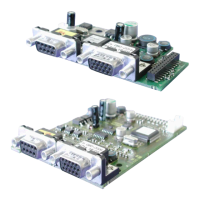
Instruction Manual Encoder Interface
Channel 1 EnDat
Channel 2 variabel
Mat.No. Rev.
DEF5ZEM-K001 1F
Question and Answer IconNeed help?

Do you have a question about the KEB 2MF5280-2032 and is the answer not in the manual?

Summary

Safety Instructions

Document Validity and Disclaimer

Information provided without responsibility, applies to user-specific advice and tests.

Personnel Qualification for Operations

Operations require skilled personnel familiar with dangers and relevant standards.

Product Description

General Interface Information

Document covers installation, connection, and setup for KEB interface cards with two interfaces.

Material Numbering Scheme

Explains the coding of material numbers based on interface type and housing size.

Scope of Delivery

Lists items included in the encoder interface package, such as manuals and fixing bolts.

Description of the Interface

Voltage Supply Details

Describes internal/external voltage supply for COMBIVERT and encoder interfaces, including current calculations.

Channel 2 Interface Information

Notes that Channel 2 description depends on the encoder interface and is in a separate manual.

Channel 1 Encoder Interface

Channel 1 Interface Specifications

Lists technical parameters for the X3A interface, including type, channels, and frequency.

X3 A Connector Description

Details the pinout and connection guidelines for the X3A SUB-D15 socket.

Input Signals and Encoder Data

Covers process data signals, encoder signal descriptions, and breakage recognition logic.

Encoder Connection and Cabling

Provides guidelines for encoder cable connection, shielding, and specifications.

Encoder Line Length and Tested Models

Details maximum cable length calculation and lists tested EnDat encoder models.

Start-up and Configuration

EnDat Parameter Configuration

Explains how EnDat parameters are stored and managed within the encoder.

Encoder 1 Status Monitoring (Ec.37)

Describes status messages and error codes displayed by parameter Ec.37 for encoder operation.

EnDat Encoder Error Messages

Explains how to interpret EnDat encoder errors and lists common bit-coded error messages.

Read;Write Encoder Parameters (Ec.38)

Details the use of parameter Ec.38 for reading and writing encoder settings.

Summary

Safety Instructions

Document Validity and Disclaimer

Information provided without responsibility, applies to user-specific advice and tests.

Personnel Qualification for Operations

Operations require skilled personnel familiar with dangers and relevant standards.

Product Description

General Interface Information

Document covers installation, connection, and setup for KEB interface cards with two interfaces.

Material Numbering Scheme

Explains the coding of material numbers based on interface type and housing size.

Scope of Delivery

Lists items included in the encoder interface package, such as manuals and fixing bolts.

Description of the Interface

Voltage Supply Details

Describes internal/external voltage supply for COMBIVERT and encoder interfaces, including current calculations.

Channel 2 Interface Information

Notes that Channel 2 description depends on the encoder interface and is in a separate manual.

Channel 1 Encoder Interface

Channel 1 Interface Specifications

Lists technical parameters for the X3A interface, including type, channels, and frequency.

X3 A Connector Description

Details the pinout and connection guidelines for the X3A SUB-D15 socket.

Input Signals and Encoder Data

Covers process data signals, encoder signal descriptions, and breakage recognition logic.

Encoder Connection and Cabling

Provides guidelines for encoder cable connection, shielding, and specifications.

Encoder Line Length and Tested Models

Details maximum cable length calculation and lists tested EnDat encoder models.

Start-up and Configuration

EnDat Parameter Configuration

Explains how EnDat parameters are stored and managed within the encoder.

Encoder 1 Status Monitoring (Ec.37)

Describes status messages and error codes displayed by parameter Ec.37 for encoder operation.

EnDat Encoder Error Messages

Explains how to interpret EnDat encoder errors and lists common bit-coded error messages.

Read;Write Encoder Parameters (Ec.38)

Details the use of parameter Ec.38 for reading and writing encoder settings.

Overview

This document describes the COMBIVERT EnDat Encoder Interface, a component designed to integrate EnDat encoders with KEB inverters/servos, providing precise position and speed feedback for various industrial applications. The interface card supports two channels, with Channel 1 specifically configured for EnDat encoders.

Function Description

The EnDat Encoder Interface facilitates synchronous serial communication with EnDat encoders, allowing for the acquisition of absolute position data without the need for a reference point search during start-up. It supports both incremental signals (A+, A-, B+, B-) for counter and direction detection, and serial data channels (Data+, Data-) for absolute position and other encoder information. The interface card is designed to be installed within the COMBIVERT inverter/servo, drawing its internal voltage supply from the main unit and providing regulated voltage outputs (24V and 5.25V) for encoder power.

A key feature is the continuous monitoring of encoder signals and communication. During start-up, and subsequently every 30 ms, the interface queries the encoder for its absolute position. The system tracks position differences and triggers an error (Ec.37=69) if the difference increases too rapidly or exceeds a maximum value, indicating a potential encoder breakage or malfunction. The incremental track is monitored approximately every 16 ms for signal level integrity, while the absolute track (serial communication) is continuously checked for responsiveness. If the encoder fails to respond or communication is not possible, a corresponding state message is transmitted to the inverter.

The interface also incorporates encoder breakage recognition, a software function that activates during encoder rotation. Initialization of this feature begins by writing to parameter Ec.0. After successful initialization, the correct position data is transmitted. The response time for encoder communication errors can vary, potentially exceeding 100 ms depending on the encoder type.

Important Technical Specifications

Channel 1 (X3A - EnDat Interface):

  • Interface Type: EnDat Version 2.1
  • Parameter Channel: EIA RS485 half duplex, synchronous serial
  • Process Data Channel: 1 Vss typical (0.6...1.2V)
  • Limiting Frequency: 200 kHz
  • Increments per Revolution: 1...2048 Inc (Recommendation: 1024 Inc at rotary speed < 4500 rpm)
  • Input Resistance: 120 Ω
  • Clock Signal Output: EIA RS485

Voltage Supply:

  • Internal Voltage Supply (Uint): 24 VDC from COMBIVERT
  • Internal Current (Iint): 120 mA (at Hiperface, Sin/Cos, EnDat, SSI-Sin/Cos, UVW)
  • External Voltage Supply (Uext): 24...30 VDC (from COMBIVERT control terminal strip X2A)
  • Encoder Voltage Output (X3A/X3B): 24V and 5V
  • Encoder Current Output (I5V): 300 mA (at Hiperface, Sin/Cos, EnDat, SSI-Sin/Cos, UVW)

Encoder Cable Specifications (KEB encoder cables):

  • Signal Lines: 4 x (2 x 0.14 mm²)
  • Supply Lines: 2 x (0.5 mm²)
  • Characteristics: Trailing capable, oil resistant
  • Temperature Range: Constant up to 80°C
  • Color: Green RAL 6018
  • Material Number: 00.F5.0C1-4xxx
  • Maximum Line Length: 50m (calculated based on voltage drop)
  • KEB Encoder Cable Resistance (R): 0.036 Ω/m at 0.5 mm²

Tested EnDat Encoders (examples):

  • ECN 1313 single-turn (EnDat-reference Ec.36: 49)
  • ECI 1317 Singleturn (EnDat-reference Ec.36: 49)
  • ROQ 425 multi-turn (EnDat-reference Ec.36: 50)
  • EQI 1329 Multiturn (EnDat-reference Ec.36: 50)
  • Linear measurement system LC 481 (EnDat-reference Ec.36: 51)

Usage Features

Mechanical Installation: The interface card is installed by authorized personnel following EMC and safety rules. This involves de-energizing the inverter, waiting for capacitor discharge, removing the operator and plastic cover, fixing the interface board straightly from the socket connector, screwing in the fixing bolt, and reattaching the plastic cover.

Encoder Connection (SUB-D15): The encoder cable should be double-shielded and twisted in pairs. The exterior shielding must be connected to PE/GND at both ends, while interior shieldings are connected to COM at one side. It is crucial not to interconnect exterior and interior shielding. The document provides a detailed pinout for the SUB-D15 connector (Socket X3A) and the motor encoder plug, including signal names, pin numbers, and core colors for proper wiring.

Start-up and Parameter Adjustment: After installation, specific adjustments are required in the inverter/servo software. This includes switching on the inverter, selecting the application mode, and setting ud.2 to F5-S for synchronous motors. Key parameters to configure are:

  • Ec.0: Confirm "EnDat" as the encoder type.
  • Ec.10: Configure for the second encoder interface if applicable.
  • Ec.1: Adjust increments per revolution.
  • Ec.38: Read/write encoder data. Bit 0 reads parameters, Bit 1 stores parameters (with supervisor password and nOP status), and Bit 2 enables automatic reading of parameters when a new encoder is connected (default for F5-S).
  • Ec.37: Monitor encoder status.

EnDat Parameters: The EnDat encoder stores various parameters that are automatically or manually read/written via Ec.38. These include parameters for synchronous motors (dr.23...dr.28, dr.30...32), asynchronous motors (dr.0...dr.7), encoder parameters (Ec.1...3, In.31...32), and controller parameters (cS.19).

Maintenance Features

Encoder Status Monitoring (Ec.37): Parameter Ec.37 provides comprehensive status messages for the encoder and interface, aiding in troubleshooting.

  • Value 16: Indicates correct operation (position values transferred, encoder and interface working).
  • Values 64-78: Indicate various errors, such as unknown encoder (64), incorrect incremental signals (67), incorrect absolute track signals (68), high position deviation (69), mismatch in increments per revolution (70), unknown interface type (71), high encoder temperature (75), high rotary speed (76), signals outside specification (77), or internal encoder defect (78). Errors 64-78 trigger "Error Encoder Change" (E.EncC) and require resetting via Ec.0, except for value 70 which resets automatically if corrected.
  • Value 92: Indicates the encoder will be formatted due to memory structure differences, which can take several seconds.
  • Value 96: New value detected, indicating a different encoder is attached.
  • Value 98: Interface is busy.
  • Value 97: KEB-reference is undefined, meaning the encoder's memory structure does not match KEB-definition. This triggers "Error Encoder 1" (E.Enc1) and can be resolved by writing a position to Ec.2 or performing a system position trimming.
  • Values 0, 255: Trigger "Error Hybrid" (E.HYb), indicating no communication between the interface and control card.
  • Values >128: Directly display error messages from the EnDat encoder, which can be decoded by subtracting 128 from Ec.37. These bit-coded messages (e.g., bit 2 = 1 for "position value incorrect") are detailed in the EnDat protocol description and cover issues like failure of lightening, signal amplitude, overvoltage, undervoltage, overcurrent, and battery change.

Read/Write Encoder 1 (Ec.38): This parameter allows for reading and writing encoder parameters, which is crucial for configuration and maintenance.

  • Bit 0 (Value 1): Reads out parameters and resets the parameter.
  • Bit 1 (Value 2): Stores parameters in the encoder (requires supervisor password and nOP status).
  • Bit 2 (Value 4): Enables automatic reading of parameters when a new encoder is connected, loading default values after acknowledgment with Ec.0. This is a default setting for F5-S but not for F5-M and F5-G.

The comprehensive error reporting and parameter management features ensure efficient diagnosis and resolution of issues, contributing to the reliable operation of the drive system.

KEB 2MF5280-2032 Specifications

General IconGeneral
BrandKEB
Model2MF5280-2032
CategoryRecording Equipment
LanguageEnglish

Related product manuals