EasyManua.ls Logo

Keeler Cryomatic MKII - User Manual

Keeler Cryomatic MKII
33 pages
Print Icon
To Next Page IconTo Next Page
Loading...
Next
Next
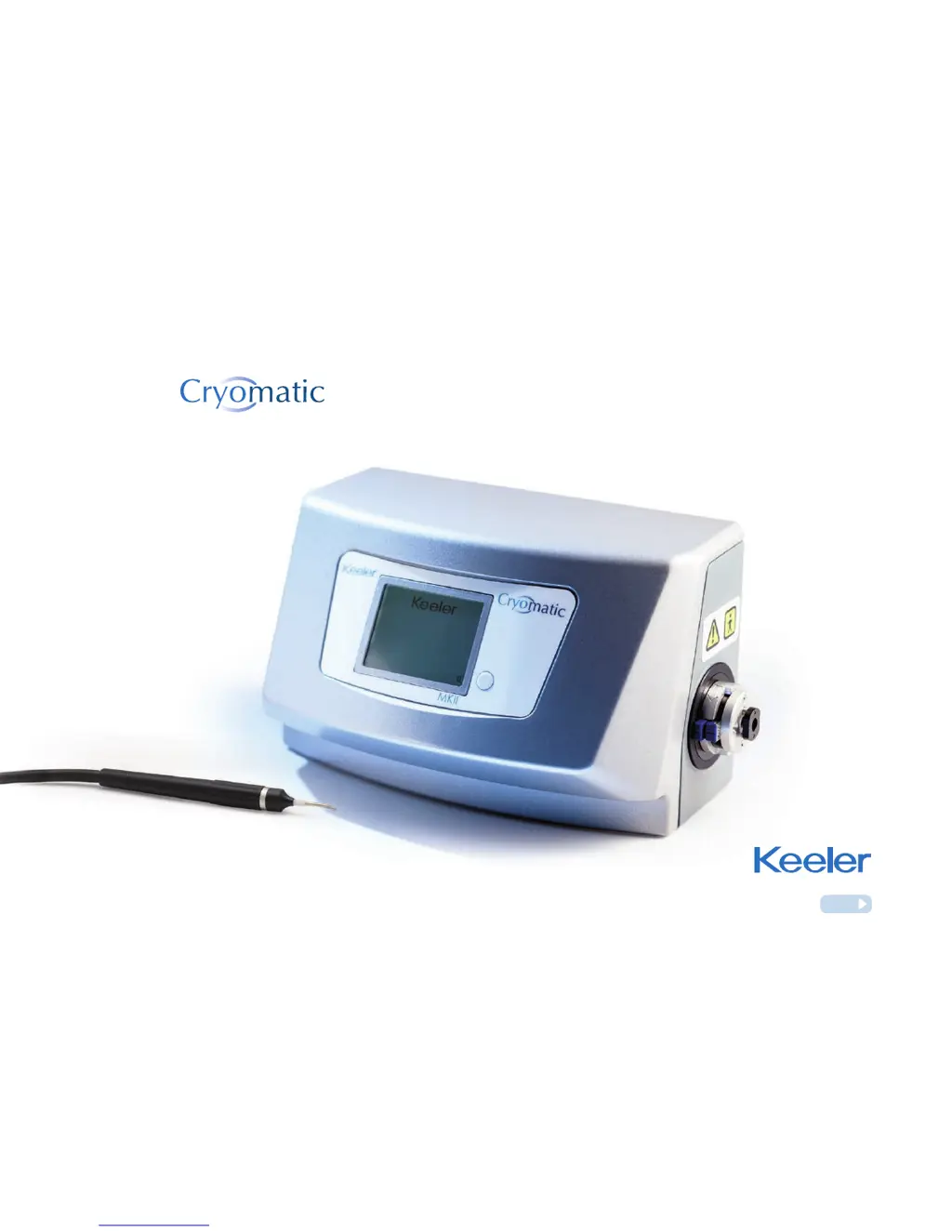
Cryosurgical console
Instructions for use
Keeler MKII

Questions and Answers

  • C
    Christina FoleySep 4, 2025
    What does F-008 Over Pressure mean on Keeler Laboratory Equipment?
    • J
      James HoustonSep 4, 2025
      If your Keeler Laboratory Equipment shows an 'F-008 Over Pressure' error, it indicates that the cylinder pressure is too high. Contact your distributor or the manufacturer for assistance. Check that the cylinder pressure does not exceed the recommended maximum of 83 bar. Keeler recommends fitting a pressure regulator if the cylinder pressure cannot be maintained below the maximum.
  • C
    Chloe SimmonsSep 18, 2025
    Why does auto defrost take longer than usual on Keeler Medical Equipment?
    • A
      Ashley MurphySep 18, 2025
      If the auto defrost on your Keeler Medical Equipment takes longer than usual, it could be due to possible leaking internal hose connectors. Return the console and probe for repair.
  • C
    Casey StephensonSep 16, 2025
    Why won't my Keeler Medical Equipment probe coupling connect?
    • E
      Eric SpenceSep 16, 2025
      If the Keeler Medical Equipment probe coupling will not connect correctly, the probe may still be too hot after sterilisation, causing expansion of some coupling components. Allow the probe to cool to room temperature before trying to connect it.
  • S
    Scott DelgadoSep 14, 2025
    What to do if there is a gas leak from Keeler Medical Equipment probe coupling?
    • J
      Jessica YoungSep 14, 2025
      If you notice a gas leak around the probe coupling connection of your Keeler Medical Equipment, inspect the probe for damaged ‘O’ ring seals and return the probe for replacement of the seals.
  • S
    sguzmanSep 12, 2025
    How to fix a blank front panel on Keeler Medical Equipment?
    • M
      Mr. Travis Barry MDSep 13, 2025
      If the front panel of your Keeler Medical Equipment is blank and the equipment appears dead, it is possible that the mains fuse has blown. Disconnect the equipment from the mains supply and replace the blown fuses with fuses of the correct rating.
  • M
    Michael WrightSep 12, 2025
    How to troubleshoot poor freezing performance of Keeler Medical Equipment reusable probe?
    • J
      Joanna SanchezSep 12, 2025
      If the Keeler Medical Equipment reusable probe freezes but its performance is poor, it might be due to a partial blockage, possibly caused by excess moisture after sterilisation. Ensure that correct sterilisation procedures are followed, including a drying cycle. Disconnect and reconnect the probe to force another purging cycle. If this doesn't work, allow the probe to dry completely before use. Check the front panel for any associated fault codes.
  • J
    Joseph OrtizSep 9, 2025
    Why is my Keeler Medical Equipment probe not freezing?
    • A
      Amber HamiltonSep 9, 2025
      If your Keeler Medical Equipment probe does not freeze at all, it could be due to an insufficient gas supply or improperly opened cylinder valves; the cylinder symbol on the front panel will flash empty in this case. Replace the empty gas cylinder with a full one and ensure the cylinder valve is opened correctly. Also, check if the footswitch has become disconnected and reconnect it to the console.
  • S
    Sydney Christensen MDSep 7, 2025
    What to do if Keeler Medical Equipment probe freezes then stops?
    • E
      Erika GibsonSep 7, 2025
      If the Keeler Medical Equipment probe freezes initially but then performance is reduced or it stops freezing, the probe might be blocked. Try releasing the footswitch to allow the console to back-flush the probe before attempting another freeze. Also, check if the gas supply has run out by looking at the cylinder symbol on the front panel and replace the gas cylinder if needed, ensuring the cylinder valve is opened correctly. Finally, inspect the exhaust hose for any blockages or occlusions and replace it if necessary.
  • K
    Kristine JordanSep 5, 2025
    What does F-04 Probe Blocked mean on Keeler Laboratory Equipment?
    • D
      David MoralesSep 6, 2025
      If your Keeler Laboratory Equipment displays the error 'F-04 Probe Blocked', it indicates a partial or complete blockage in the probe. Try re-purging the probe or use an alternative probe. If the issue persists, contact your distributor or the manufacturer for assistance.
  • C
    Chelsea JohnsonAug 21, 2025
    What to do if Keeler Laboratory Equipment probe freezes initially but then stops freezing?
    • W
      William BrownAug 21, 2025
      If the Keeler Laboratory Equipment probe freezes initially but then the performance decreases or the probe stops freezing, this could be due to a blocked probe. To resolve this, release the footswitch and allow the console to back-flush the probe before attempting another freeze. Another possible cause is that the gas supply has run out. Check the cylinder symbol on the front panel and replace the gas cylinder if needed, ensuring the cylinder valve is opened correctly. If the issue persists, contact your supplier for repair. Also, the exhaust hose might be blocked or occluded; check the exhaust hose for blockages and replace it if necessary.

Summary

Introduction to the Keeler Cryomatic MKII

Intended Use of the Cryomatic MKII

The Keeler Cryomatic MKII System and probes are for use in ophthalmic surgery.

Product Description

Describes the system components: control console and interchangeable Cryo probes.

Safety Precautions and Guidelines

Device Classification and Warnings

Specifies device classification and highlights critical warnings for safe operation.

Controls, Indicators, and Connections

Console Controls and Connections

Identifies and describes controls, indicators, and connection ports on the Cryomatic MKII console.

Installation and Commissioning

Connecting Gas Supply

Instructions for installing the exhaust hose, connecting the footswitch, gas hose, and cylinders.

Operating the Cryomatic MKII

System Initialisation

Steps for initialising the Cryomatic MKII system before use, including probe connection checks.

Cryo Probe Connection Procedure

Detailed steps for connecting a Cryo probe to the console, including sterilization and purging.

Performing Freeze;Defrost Cycles

Explains how to manually control freezing and defrosting using the footswitch.

Cryo Probe Disconnection

Instructions on how to safely disconnect the Cryo probe from the console.

Cleaning and Sterilization of Cryo Probes

Warnings and Precautions for Probes

General warnings and precautions for handling and reprocessing Cryo Probes.

Sterilization Instructions and Parameters

Provides instructions on drying, maintenance, packaging, and sterilization parameters.

Servicing and Preventative Maintenance

Scheduled Annual Maintenance

Outlines annual inspection by Keeler trained personnel for performance and safety checks.

Troubleshooting Guide for Cryomatic MKII

Troubleshooting Common Problems

A guide to identifying and resolving common operational issues with the Cryomatic MKII system.

Troubleshooting Error Messages

Lists system error messages, their possible causes, and corrective actions.

Specifications and Electrical Ratings

Keeler Cryomatic MKII Specifications

General IconGeneral
BrandKeeler
ModelCryomatic MKII
CategoryLaboratory Equipment
LanguageEnglish