Home
Keep Out
Mouse
X5PRO
Page 71 (Macro Assignment to Buttons)
Keep Out X5PRO - Macro Assignment to Buttons
251 pages
Manual
Go to English
Save Page as PDF
To Next Page
To Next Page
To Previous Page
To Previous Page
Loading...
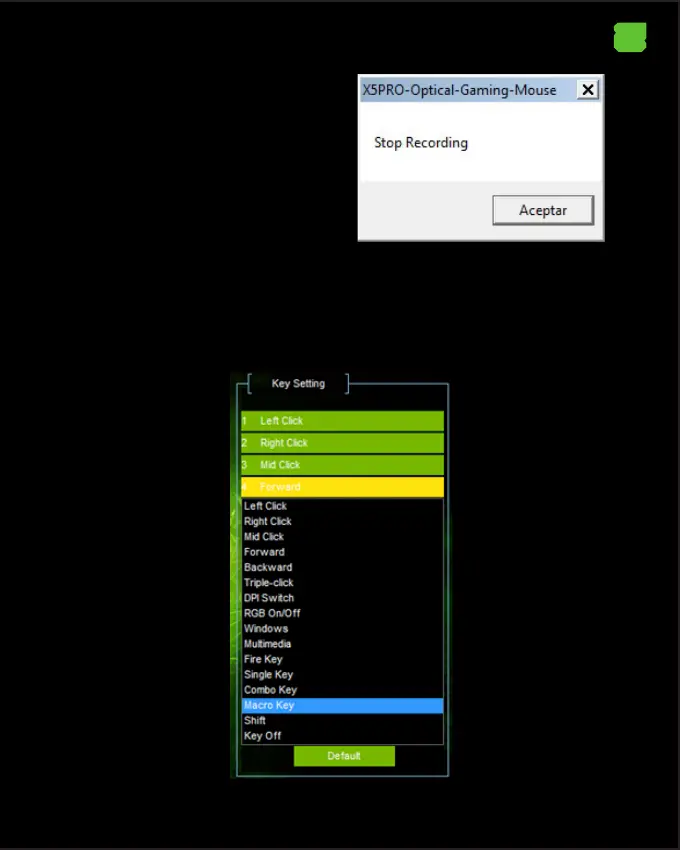
Press the St
op Recording button to nish
creating the macro
.
The following message will appear
.
Finally pr
ess the button Conrm
12. Macro Programming on Butt
on
In Basic Settings, select the desired button, click Macro Key
.
EN
70
72
Table of Contents
Main Page
Техническа Поддръжка
19
Popis Produktu
20
Obsah Balení
20
Technická Podpora
33
Installation
34
Technischer Support
47
Περιγραφη Προϊοντοσ
48
Περιεχομενα Συσκευασιασ
48
Product Description
62
Package Contents
62
Installation
62
Technical Support
75
Descripción del Producto
76
Contenido del Embalaje
76
Instalación
76
Soporte Técnico
89
Contenu de L'emballage
104
Support Technique
117
Opis Proizvoda
118
Műszaki Támogatás
145
Descrizione del Prodotto
146
Contenuto del Pacco
146
Installazione
146
Supporto Tecnico
159
Opis Produktu
174
Pomoc Techniczna
187
Descrição Do Produto
188
Conteúdo Do Pacote
188
Suporte Técnico
201
Descrierea Produsului
202
Conținutul Pachetului
202
Obsah Balenia
216
Ürün Açiklamasi
230
Ec Declaration of Conformity
246
Related product manuals
Keep Out X8
48 pages



 To Next Page