EN
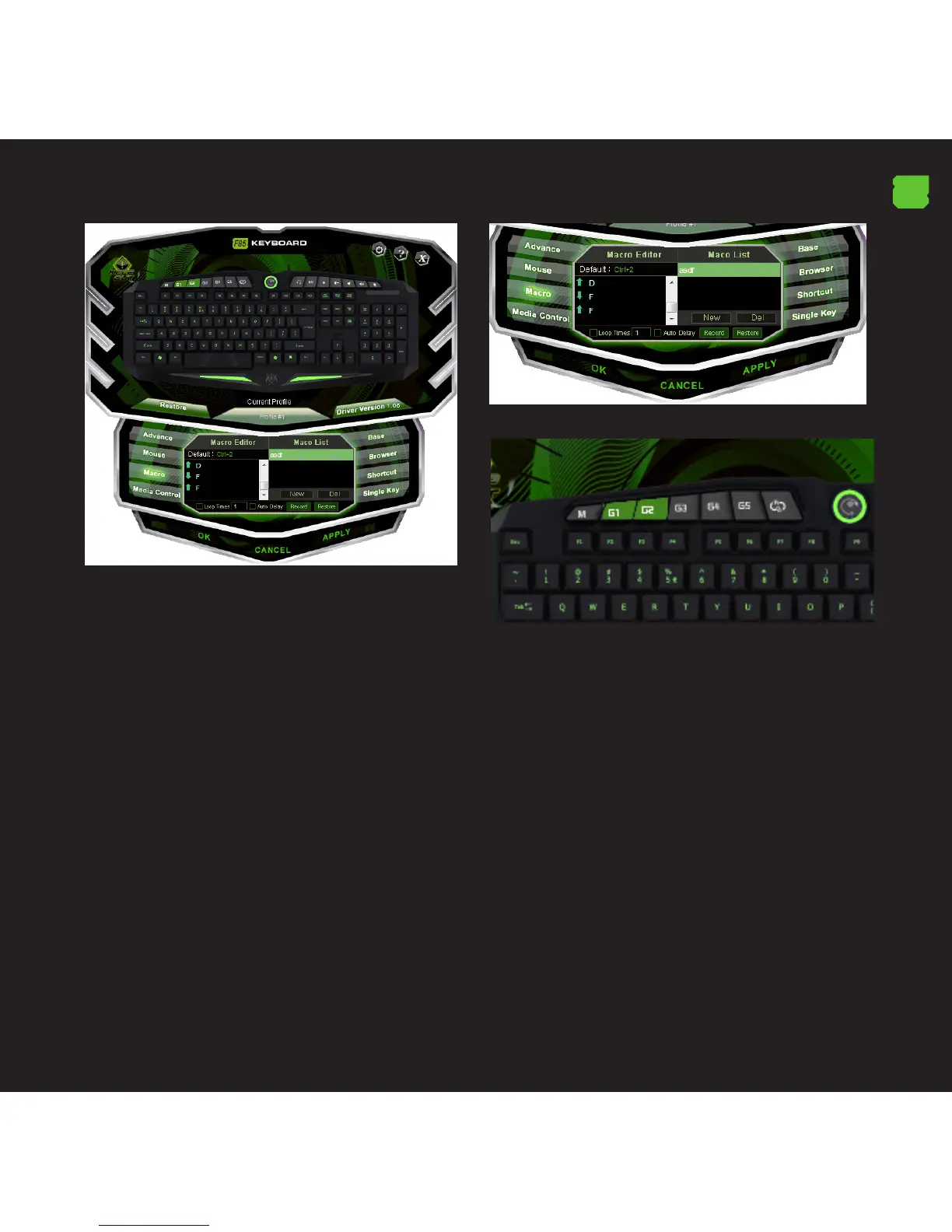
3. If you click on “Record”, it will start recording the “Macro”.
For example, if you want to burn the letter combination
“WASD”, press “Record” and then press on your keyboard
the letters “WASD”. When nished, click “STOP”. (You can
also check the “loop time” and ll in the time loop that
also want to set or check the “Auto Delay” ‘)
3.1 The option “loop time” means how many times you
will repeat the macro. For example, if you want the key
“G1” to repeat the command “WASD” a certain number of
times (only 1-5 times), check “loop time” and change from
“1” to “5” times you want to repeat this macro.
3.2 The “Auto Delay” is the delay between the keystrokes
that are entered in the macro. It is measured in
milliseconds.
3.3 Once you have the macro to your liking, click on
“Apply”. The software will automatically show the key “G1”
in green, which means that we have congured correctly.
Now every time you press the button “G1”, you will be
writing the command “WASD”.
4. MULTIMEDIA KEYS
- If these are not scheduled, the media keys perform the
function which marks its symbol.
-The media keys include macro recording and multimedia
function.
-If you want to return to the multimedia conguration of
these keys, just click on the button in the software and click
on “Media Center”. Where you can go back to the default
values by clicking on “Restore Default”



 To Next Page