EN
2.Pro les
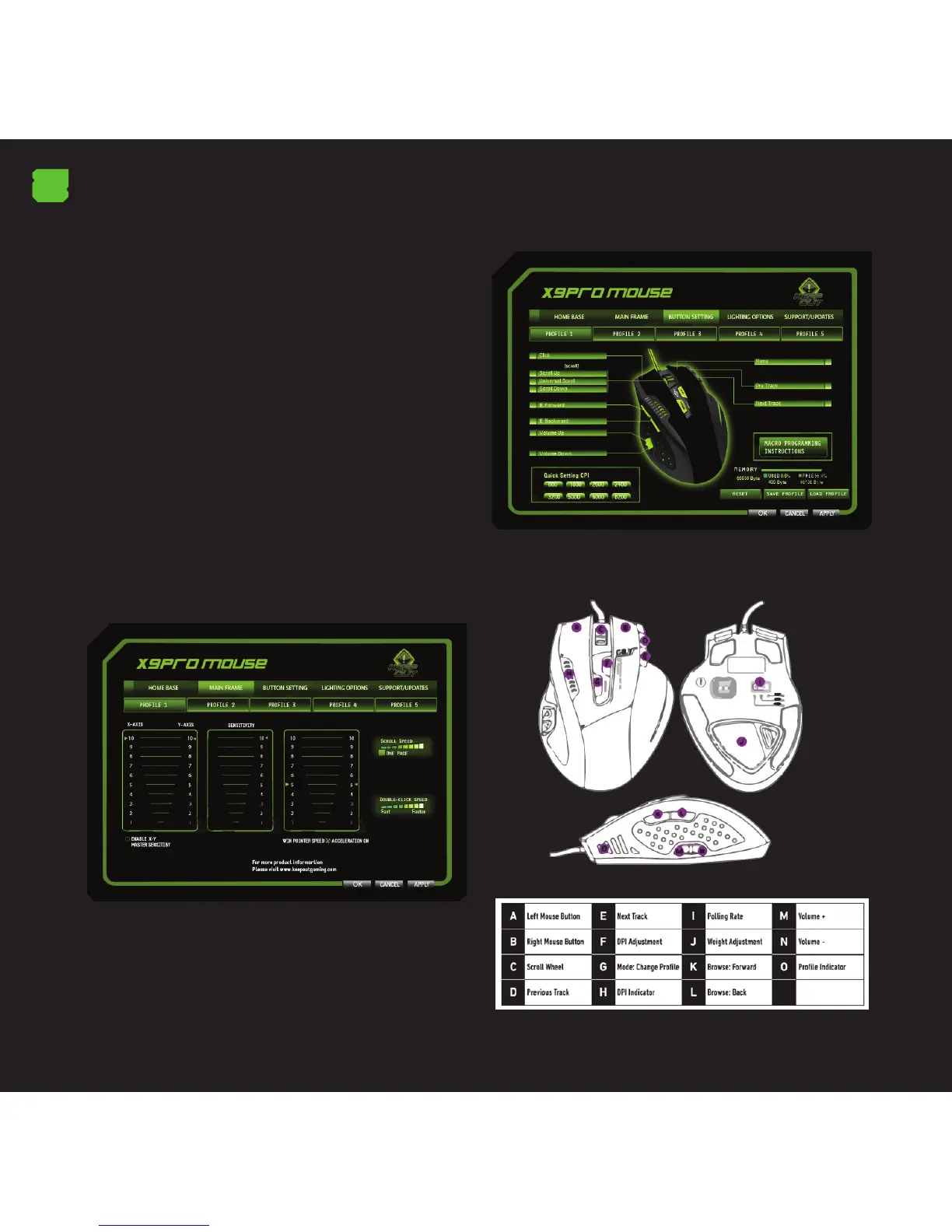
In X9PRO we can save 5 di erent pro les. To switch
pro les, you just have to press the “Mode” button and you
will change to the pro le you want to. A LED will indicate
which pro le you are in. You can also activate a pro le by
clicking on it and “Apply”.
You can create a backup of your pro le by clicking the
“Save” option.
You can restore backups of your pro le by clicking the
“Load” option.
3.Menu “Main Control
This will allow you to change the mouse sensitivity, speed,
and acceleration. Here you can also change the speed at
which the wheel button works “Scroll” and the double-click
speed.
The “X” and “Y” axis can be adjusted independently.
4.Menu “Button Setting”
In this section we will modify and create macros to t our
needs.
We may also change the DPI level, the default mouse reset
load or save a pro le.
The X9PRO has set 11 default actions con gured in
accordance with the letter indicating its function. Any of
these buttons can be con gured.



 To Next Page