
 Need help?
Do you have a question about the KEETEC RIDER and is the answer not in the manual?
The KEETEC RIDER is an advanced immobilizer system designed to enhance vehicle security by preventing unauthorized use. It operates by blocking the start/stop button or other critical circuits in vehicles with a 12/24V electrical network. The system's primary function is to deter theft by ensuring that only authorized individuals can operate the vehicle.
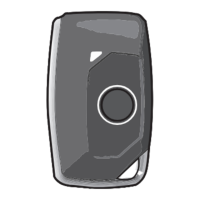
The core of the KEETEC RIDER's operation relies on user authorization, which is primarily achieved contactlessly via the RC SMART 2 controller. This controller is automatically recognized when it enters the system's coverage zone, granting immediate authorization. For emergency situations or specific operational modes, the system also incorporates an owner's card with a unique PIN code. This PIN code is crucial for emergency deactivation and for entering the service mode. It's important to note that the PIN code from the owner's card cannot be changed or duplicated, emphasizing the need to keep the card in a secure location.
The immobilizer is designed for installation in all motor vehicles with a 12/24V electrical network and must be connected to 12/24V and grounded with a negative pole. The manufacturer and seller explicitly state that they are not responsible for any damages resulting from improper installation, use, or operation that deviates from the instructions in this manual. Professional intervention in the device or its modification voids the warranty and risks damage to the device itself or the vehicle's electrical network. Therefore, professional installation is strongly recommended for correct and error-free operation.
Installation involves removing plastic covers from the vehicle dashboard to access the necessary wiring. A digital multimeter is essential for verifying wire functions. Once the correct wires are identified, the battery is disconnected, and the immobilizer wiring harness is connected according to the provided wiring diagram. All connections must be soldered and insulated. After installation, the vehicle battery is reconnected, and the immobilizer's fuse is inserted. The system's functionality is then tested, and the dashboard covers are replaced.
The control unit should be placed in a hidden and hard-to-reach location, such as within the vehicle's original wiring, while the service button should be positioned in an easily accessible spot.
Authorization is automatic when the RC SMART 2 remote control is present in the vehicle. In the absence of the remote control, emergency authorization can be performed using the service button and the PIN code.
The service mode can be activated either by the remote control or the service button. To activate service mode, at least one of two conditions must be met: the remote control is present in the vehicle, or the system was authorized in an emergency by entering the PIN code.
Deactivation can also be done via the remote control or the service button.
Emergency deactivation is a critical feature for one-time driver authorization when the remote control is unavailable (e.g., lost or dead battery). The validity of emergency deactivation is limited to 1 minute, requiring the vehicle to be started within this timeframe.
The system supports programming up to 10 remote controls. Remote control programming mode can be activated within the first minute after entering service mode. It's important to note that initiating the pairing process for new drivers will automatically remove existing paired remote controls from the system; therefore, all original remote controls must be paired again.
A critical battery voltage level in the remote control is signaled by 3 beeps from the buzzer when the ignition is switched on or the engine is started. To replace the battery, carefully open the remote control cover with a flat screwdriver, remove the old battery, and insert a new CR2450 type battery, paying attention to its polarity.
The system provides clear acoustic and optical feedback for various states and actions:
The immobilizer operates using NC (Normally Closed) blocking logic. With valid authorization, contacts NC 1 are connected to COM 1, and NC 2 to COM 2. It is crucial to observe the maximum permissible current load of the blocking relay, which is 1A. For controlling larger current loads, additional equipment must be used.
 General
| Brand | KEETEC |
|---|---|
| Model | RIDER |
| Category | Automobile Accessories |
| Language | English |

 To Next Page