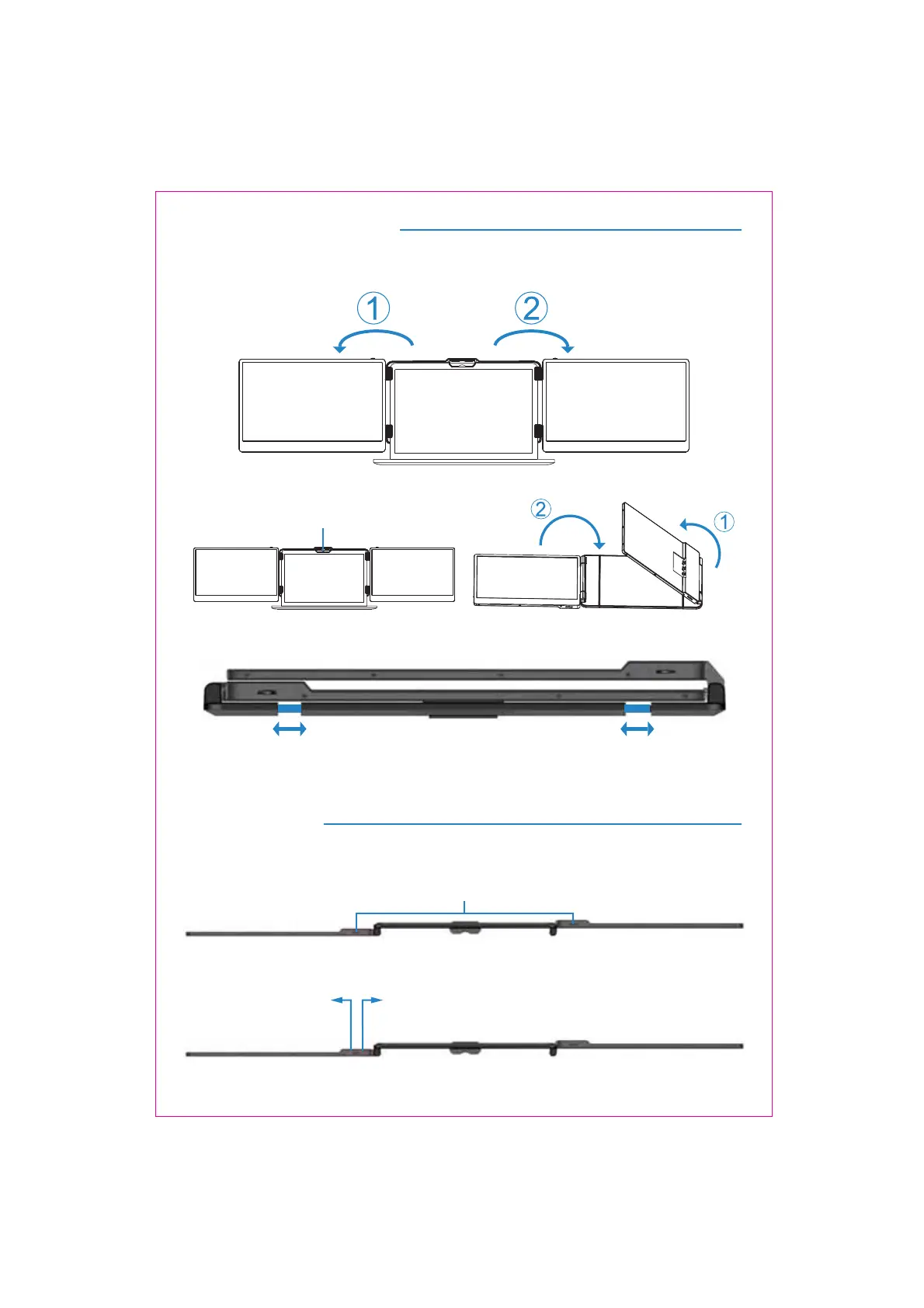
Installation and Storage
4. Opening Sequence
5. Closing Sequence
Note: Please follow the sequence of opening and closing to avoid damage of the device.
When folding the screen, pull the bracket out to the appropriate position, and fix the screen in
the silicone of the bracket. Otherwise,forcibly closing it will damage the screen!
3
Key Definitions
Menu/Selection/Confirmation Button
Press and hold for 2 seconds to return. Press and hold for 3 seconds to shut down
Toggle left "Minus”
Backlight Adustment
Toggle right "Plus”
Volume Adjustment
Fold the top buckle



 To Next Page