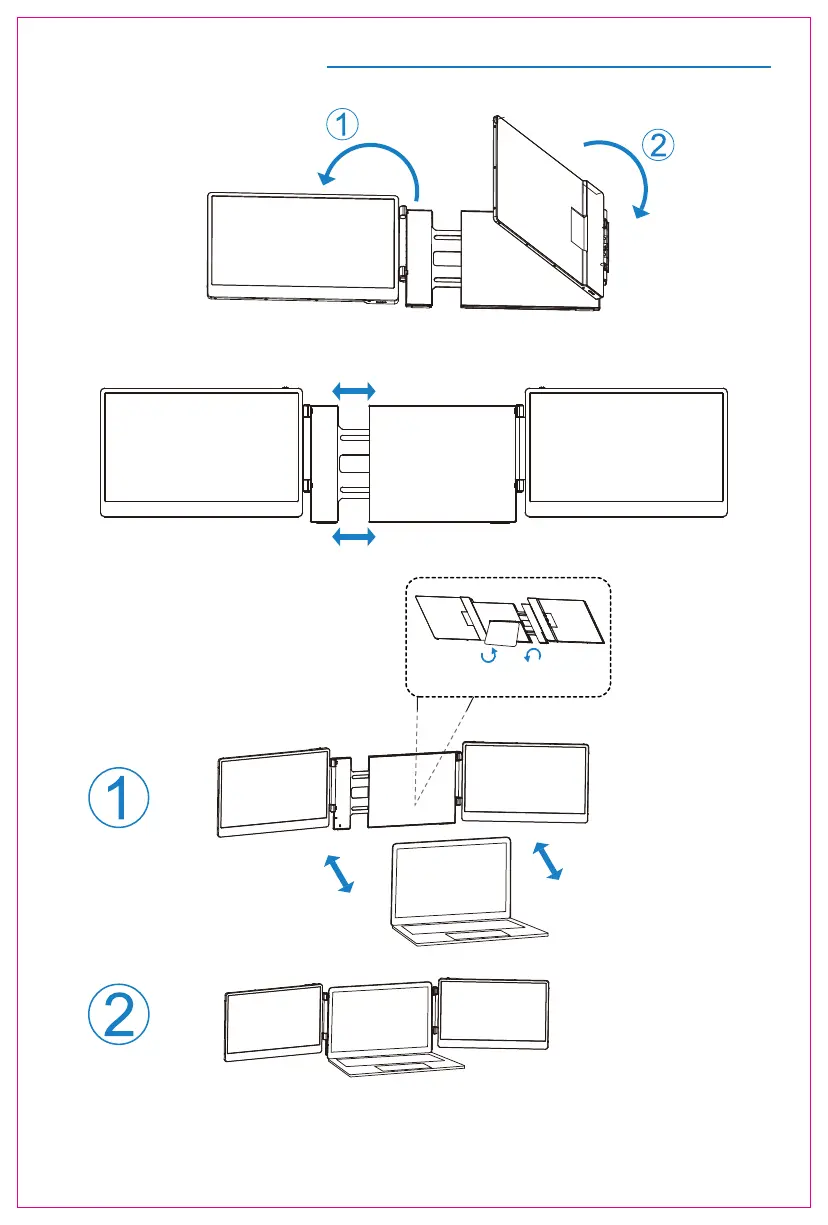
Installation and Storage
1. Expand the monitor
2. Stretch the frame
3. Adjust the stand
*Note:Open the stand, adjust it to the appropriate supporting angle, place it behind the computer
screen,and complete the installation of the dual-screen support.
2
*Note: Please expand the monitors in order to avoid damage.
The maximum folding Angle
of the support is 90 degrees.
FLIP TO OPEN FLIP TO CLOSE



 To Next Page