6
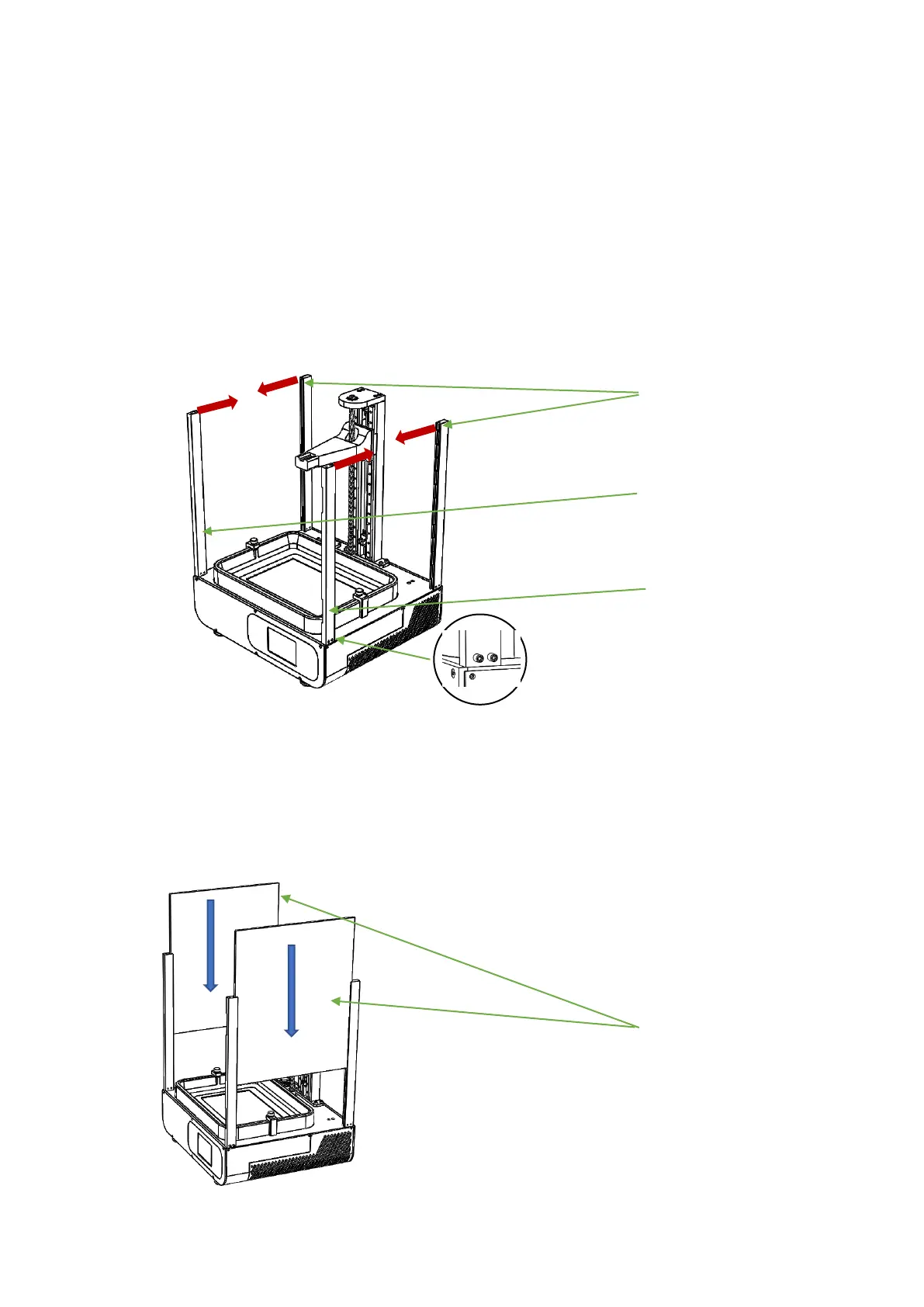
4、 Take out the four B1, B2, and B3 columns. The groove on the column
is inserted into the main plate of the main unit in the direction
of the red arrow (if you can't insert it, loosen the machine screw
on the column) and lock the four columns. The machine screw shown
in the partial enlarged view (there are screws in the hole)
5、 Remove the two acrylic A1, tear open the protective film on the
acrylic, and insert the groove on the machine from top to bottom
according to the blue arrow.


 To Next Page