2
2 Operation instructions
2.1 Start-up and automatic start-up zero setting
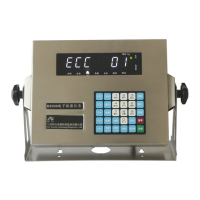
Connect to power supply and turn on the power switch. The indicator begins self-checking. After successful
self-checking, the indicator enters the weighing status.
During the start-up, if the zero point is off-set but still in the range preset, the indicator will automatically.
Refer to manual of calibration for the range of start-up zero setting.
2.2 Manual zero setting
Zero setting function is only valid when stability light is on.
The key【ZERO】will not work when the off-set is over the range of manual zero setting. Refer to manual of
calibration for the range of start-up zero setting.
Press the key【ZERO】and the indicator will return to zero and the zero light will be on.
2.3 Tare
D20 offers 2 types of taring.
Under the weighing status.
A: Common taring:
When the weight data is over 0 and stable, press the key【Tare】and the value displayed will be deducted as
tare weight. At this time, the indicator will display value of net weight. Tare indicating light will be on and
gross indication light will be off.
B: Preset the tare weight
Press the key【Preset】and the indicator will display【P*****】. Then input the tare weight, press【ENTER】
and indicator will display original tare weight.
2.4 Zero tare
There are 2 modes:
A. Under the status of taring, press【ZERO】to clear the tare weight and the tare indicating light will be off.
This operation will be limited by Pn parameter
B. Press 【Preset】,set the tare weight is 0.
2.5 Date and time check and setting
Mark: if open the timing function, can not modify
the date
3. The save and print of weigh result
3.1.The save of weigh record


 To Next Page
 Loading...