The KEMI MOTO B0117-00601BK All-Terrain Sound System is a robust audio solution designed for outdoor and vehicle use, offering versatile connectivity options and a durable build. This system is engineered to provide an immersive audio experience across various terrains and environments.
Function Description
The B0117-00601BK is primarily a sound system capable of playing audio from multiple sources, including Bluetooth-enabled devices, USB drives, and auxiliary input. It features an integrated amplifier and speakers, delivering a powerful audio output suitable for open-air settings. The system is designed for easy installation on vehicles, such as UTVs or other off-road vehicles, utilizing a bracket-based mounting system.
Usage Features
Powering On and Off:
To power on the B0117-00601BK, simply plug the male cigarette lighter adapter into a female cigarette lighter receptacle. The system will automatically enter pairing mode or reconnect to the last paired device.
Bluetooth Operation:
The core functionality of the B0117-00601BK revolves around its Bluetooth connectivity.
- Pairing: When powered on, the system automatically enters pairing mode. For Android users, navigate to the device's Settings Menu, then Bluetooth Menu, turn on Bluetooth, and scan for "KEMIMOTO-UTV." For iOS users, follow a similar path: Settings Menu, Bluetooth Menu, turn on Bluetooth, and select "KEMIMOTO-UTV." If prompted, the passcode is "0000." A 2-minute window is provided for pairing before the procedure needs to be restarted. If "KEMIMOTO-UTV" is not visible, repeat the steps to refresh the device list. Once connected, music can be streamed from your preferred media player.
- Reconnection: The system is designed for automatic reconnection. If the B0117-00601BK and a previously paired Bluetooth device are powered on, they will automatically reconnect. If the device was previously paired but not the last one, ensure no other devices are currently paired, then enter the Bluetooth Menu on your device, and select "KEMIMOTO-UTV" from the available devices. If the device goes out of range, it will disconnect automatically but will reconnect once back in range.
Streaming Music (Bluetooth Mode):
Once connected via Bluetooth, music playback is straightforward.
- Play/Pause: Press the PLAY/PAUSE button on the control panel or use the PLAY button on your device's touchscreen to start or pause music.
- Track Navigation: Use the NEXT TRACK button to skip songs or advance to the next track. To select the previous song, press the PREVIOUS TRACK button.
- Volume Control: The system offers both physical and device-based volume control. Press the VOLUME UP button to increase the volume or use your device's controls. Similarly, press the VOLUME DOWN button to decrease the volume or use your device's controls. For optimal audio performance, it is recommended to set your Bluetooth device's volume to a minimum of 75% before stowing it.
The B0117-00601BK also supports auxiliary input for non-Bluetooth devices.
- Activation: After powering on the system, press the mode button to switch to AUX mode.
- Connection: Connect the integrated 3.5mm AUX-IN cable to your device's headphone jack.
- Routing: Route the wire back to the B0117-00601BK and secure your device.
- Volume Control: Volume adjustments in AUX mode are similar to Bluetooth mode, using the VOLUME UP and VOLUME DOWN buttons on the control panel or your device's controls. Again, for maximum audio performance, ensure your device's headphone volume is set to a minimum of 75% before stowing.
For playing music from a USB drive, the system offers dedicated functionality.
- Activation: Power on the system and press the mode button to switch to USB mode.
- Insertion: Insert a U disk into the USB jack. The system will automatically begin playing music.
- Play/Pause: Press the PLAY/PAUSE button on the control panel or use the PLAY button on your device's touchscreen.
- Track Navigation: Use the NEXT TRACK button to skip songs or advance, and the PREVIOUS TRACK button to select the previous song.
- Volume Control: Volume can be controlled using the VOLUME UP and VOLUME DOWN buttons on the control panel or your device's controls.
- Supported Formats: The USB input supports MP3 and WMA music formats.
- Charging: The USB port can also provide 1A of current, allowing for basic device charging.
Remote Control Operation:
The B0117-00601BK comes with a remote control for convenient operation from a distance.
- Receiver: The remote control operates via a receiver window on the main unit.
- Functions: The remote control duplicates many of the functions available on the control panel, including power, mode selection (BT, USB, AUX), play/pause, track navigation, and volume control.
- EQ Button: The EQ button on the remote control is specifically designed for use in USB and Bluetooth modes to adjust equalization settings.
Installation:
The installation process involves securing the sound system to a roll bar or similar structure on a vehicle.
- Insert the nut into the lower slot of the slider and push the slider onto the slide rail of the speaker.
- Secure Bracket-2 to the slider using a short bolt and washer.
- Place the rubber pads on the roll bar. Assemble Bracket-1 and Bracket-2 with two long bolts and two spring washers.
- Repeat steps 1-3 for the other side of the installation to ensure secure mounting.
Maintenance Features
Troubleshooting:
The manual provides a comprehensive troubleshooting guide for common issues:
- Unit will not turn on: Check/replace the fuse, ensure the main ACC switch is engaged (turned to the ON position).
- No sound is heard: Check if the device volume is low/muted, or if the device is paused/muted. Verify your device's playing/volume status.
- Cannot pair Bluetooth: Ensure the Bluetooth function of your device is enabled. Refer to your device's user manual for instructions.
- Poor audio quality (Bluetooth): Move the device closer to the audio system or remove any obstacles between the devices, as Bluetooth reception might be poor.
- Unit unresponsive: If the unit becomes unresponsive due to a power glitch or interference, disconnect power for 10 seconds to reset it.
Battery Management:
- Battery Exhaustion: To prevent battery exhaustion, it is advised to occasionally run the vehicle's engine while using the sound system. Prolonged use without the engine running can drain the battery.
Fuse Replacement:
- Power Adaptor Fuse: The fuse is located inside the power adaptor. To access it, turn counter-clockwise to open. Replace it with a 10A AGC fuse type only.
- Optional Direct Battery Wiring Circuit Fuse: For direct battery wiring, a 15A fuse and fuse holder (not included) are recommended for protection.
The KEMI MOTO B0117-00601BK All-Terrain Sound System is designed for ease of use and durability, making it a reliable choice for enhancing your outdoor adventures with quality sound.

 Need help?
 General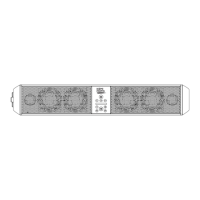

 To Next Page