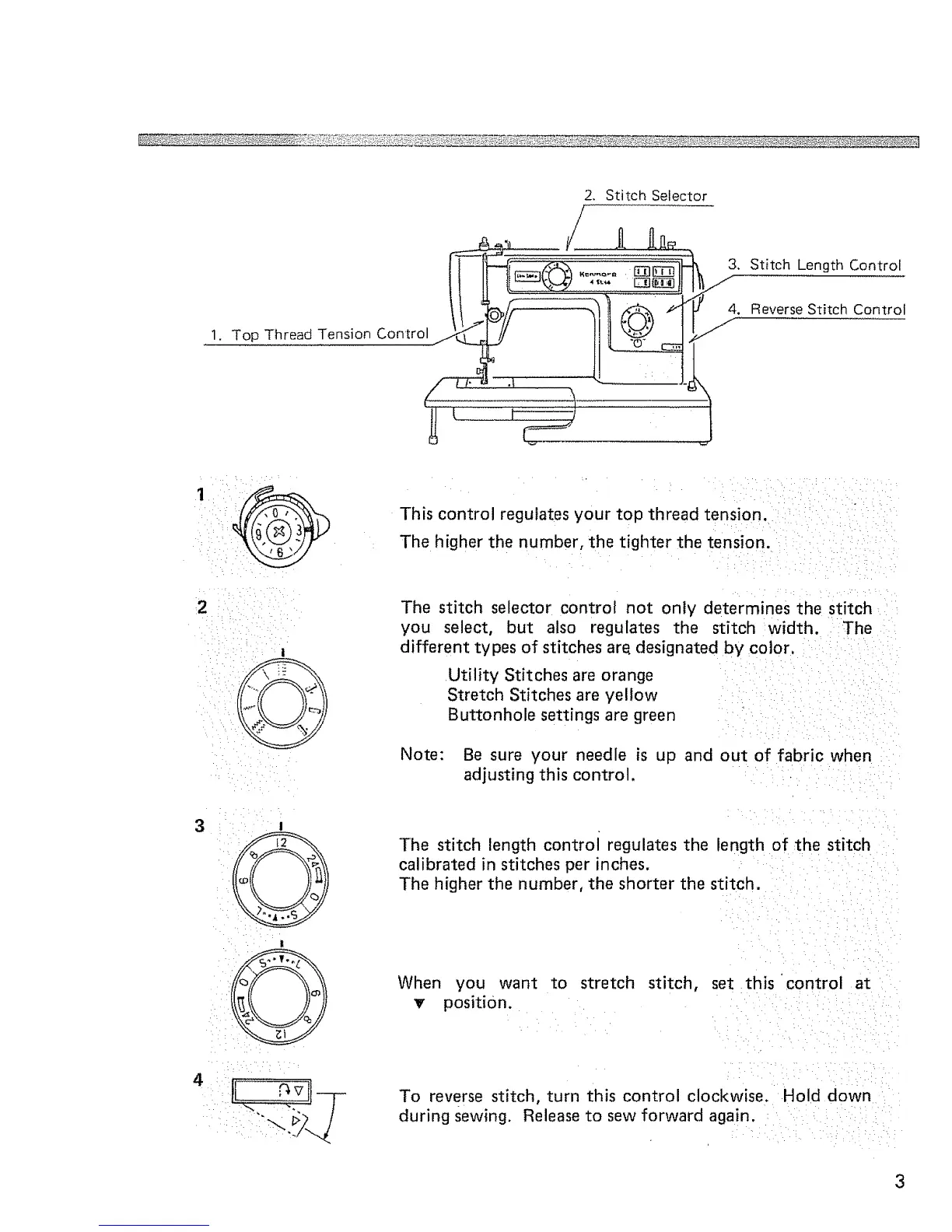
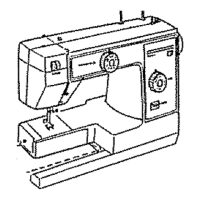
2. Stitch Selector
1. Top ThreadTension Control
[
\
3. Stitch Length Control
4. Reverse Stitch Control
J
•••: _!
• :7! : :: -•_/
:,iii ::_ i ,,/_
3
This control regulates your top thread tension.
The higher the number, the tighter the tension.
The stitch selector control not only determines the stitch
you select, but also regulates the stitch width. The
different types of stitches are, designated by color.
Utility Stitches are orange
Stretch Stitches are yellow
Buttonhole settings are green
Note: Be sure your needle is up and out of fabric when
adjusting this control.
The stitch length control regulates the length of the stitch
calibrated in stitches per inches.
The higher the number, the shorter the stitch.
When you want to stretch stitch, set this control at
_r position.
To reverse stitch, turn this control clockwise. Hold down
during sewing. Release to sew forward again.



 To Next Page