, ,,, i,,,,,,, =
Upper panel
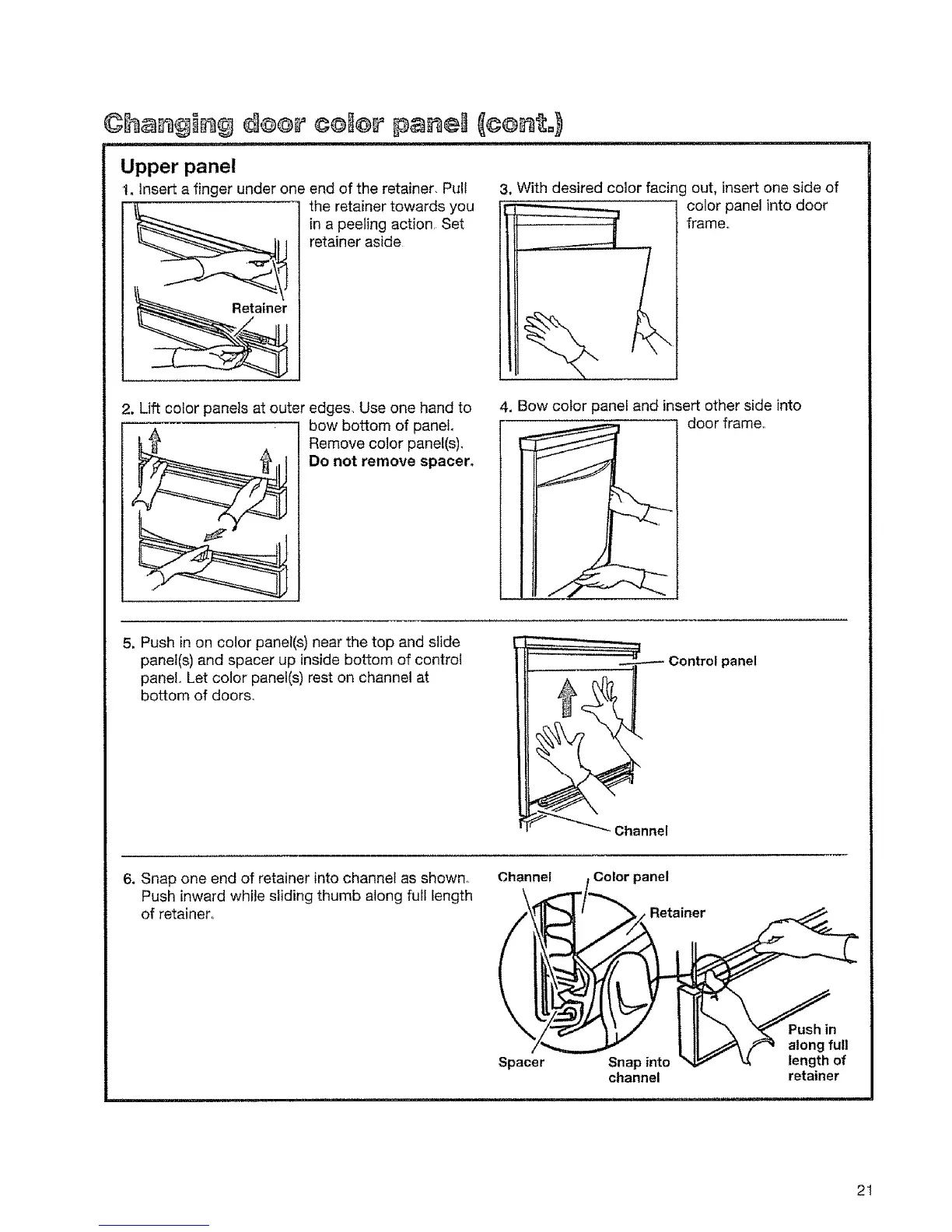
t. Insert a finger under one end of the retainer, Pull
the retainer towards you
in a peeling action. Set
retainer aside
3, With desired color facing out, insert one side of
color panel into door
frame,.
2, Lift color panels at outer edges. Use one hand to
• bow bottom of panel
Remove color panel(s)_
Do not remove spacer,
4, Bow color panel and insert other side into
! door frame..
5, Push in on color panel(s) near the top and slide
panel(s) and spacer up inside bottom of control
panel. Let color panel(s) rest on channel at
bottom of doors.
panel
Channel
6, Snap one end of retainer into channel as shown. Channel
Push inward while sliding thumb along full length
of retainer.,
Color panel
Retainer
Spacer Snapinto
channel
in
along full
length of
retainer
2t



 To Next Page