EasyManua.ls Logo

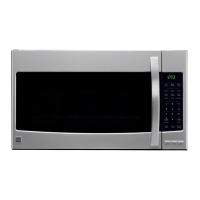
Kenmore 790.8036 - User Manual

Kenmore 790.8036
42 pages
Print Icon
To Next Page IconTo Next Page
Loading...
Use & Care Guide
Manual de uso y cuidada
English / Espa5ol
Models / Modelos: 790.8036*
Ke
@ @ @
P/N 316495109
Sears Brands Management Corporation
Hofl:man Estates, IL 60179 U.S.A.
www.kenmore.com
www.sears.com
www.kmart.com
®
Question and Answer IconNeed help?

Do you have a question about the Kenmore 790.8036 and is the answer not in the manual?

Summary

Microwave Oven Safety

IMPORTANT SAFETY INSTRUCTIONS

Basic safety precautions for electrical appliances.

Electrical Requirements

GROUNDING INSTRUCTIONS

Proper grounding methods for electrical safety.

Getting to Know Your Microwave Oven

HOW YOUR MICROWAVE OVEN WORKS

Explanation of how the microwave oven generates and uses energy.

RADIO INTERFERENCE

Information on potential interference with other electronic devices.

COOKING COMPARISON GUIDE

Compares Microwave, Convection, and Combination cooking methods.

Cookware Guide

FOR THE BEST COOKING RESULTS

Tips for achieving optimal cooking outcomes.

Microwave Cooking

Cookware suitability for microwave-only cooking.

Convection Cooking

Cookware suitability for convection cooking.

Combination Cooking

Cookware suitability for combination cooking.

How to Use Accessories

OPERATING SAFETY PRECAUTIONS

Specific safety precautions during operation.

Electrical Connection

Specifications

MICROWAVE OVEN FEATURES

Overview of the main components and features of the oven.

Control Panel Features

Microwave Cooking Tips

Amount of Food

How food quantity affects cooking time.

Composition of Food

How food density and ingredients affect heating.

Stirring and Turning Foods

Importance of stirring and turning food during cooking.

Using Aluminum Foil

Cooking you should not do in your microwave oven

Prohibited cooking methods or items to avoid.

Using Your Microwave Oven

CLOCK & SETTINGS (Control Panel Feature 18)

How to access and use clock and setting functions.

SETTING CONTROL LOCK ON;OFF (Control Panel Feature 18)

Instructions for enabling or disabling the control lock.

SETTING CLOCK (Control Panel Feature 18)

Step-by-step guide to setting the clock.

USING CLEAN (Control Panel Feature 18)

How to use the oven's self-cleaning feature.

Turning Sound On;Off

Setting Weight Ib;kg

Setting Demo Mode On;Off

Using Vent Fan

Using Vent Delay

Using Cooktop Light

Setting Turntable On;Off

Using One Touch Start

Using Add 30 Sec.

Interrupting Cooking

Setting Timed Cooking with Power Level

Setting Two-Stage Cooking

Microwave Power Levels

Using Auto Defrost

OPERATING TIPS

Tips for optimal results when using Auto Defrost.

Auto Defrost Table

Auto Defrost Table (Continued)

Defrosting Tips

Sensor Operating Instructions

USING SENSOR COOK (Control Panel Feature 7)

Step-by-step guide for sensor cook.

USING SENSOR REHEAT (Control Panel Feature 6)

Step-by-step guide for sensor reheat.

Sensor Cook Table

SENSOR REHEAT TABLE

Table with categories, directions, and amounts for sensor reheat.

Using Quick Touch

SETTING POPCORN (Control Panel Feature 9)

How to use the popcorn quick touch feature.

SETTING VEGGIES (Control Panel Feature 12)

How to use the veggies quick touch feature.

FAVORITE (Control panel Feature 11)

How to select from preprogrammed favorite recipes.

Setting Melt;Soften

Tips for Convection Cooking

CONVECTION KEEP WARM (Control panel Feature 2)

How to use the convection keep warm function.

CONVECTION BAKE; ROAST (Control panel Feature 3)

How to preheat and set convection bake/roast.

Convection Baking Guidelines

Meat Roasting Guidelines for Convection Cooking

Tips for Combination Cooking

HELPFUL HINTS FOR COMBINATION COOKING

Practical tips for successful combination cooking.

PRECAUTIONS

Safety precautions specific to combination cooking.

MICRO+CONV COMBICOOK (Control panel Feature 4)

How to use the micro+conv combicook function.

Combination Roast Cooking Guide

COMBINATION BAKE COOKING GUIDE

Guidelines for baking food using combination cooking.

Favorite Recipes

Caring for Your Microwave Oven

Caring for the Filters

Replacing the Cooktop and Oven Cavity Lights

Questions and Answers

Troubleshooting

Sears Service

Summary

Microwave Oven Safety

IMPORTANT SAFETY INSTRUCTIONS

Basic safety precautions for electrical appliances.

Electrical Requirements

GROUNDING INSTRUCTIONS

Proper grounding methods for electrical safety.

Getting to Know Your Microwave Oven

HOW YOUR MICROWAVE OVEN WORKS

Explanation of how the microwave oven generates and uses energy.

RADIO INTERFERENCE

Information on potential interference with other electronic devices.

COOKING COMPARISON GUIDE

Compares Microwave, Convection, and Combination cooking methods.

Cookware Guide

FOR THE BEST COOKING RESULTS

Tips for achieving optimal cooking outcomes.

Microwave Cooking

Cookware suitability for microwave-only cooking.

Convection Cooking

Cookware suitability for convection cooking.

Combination Cooking

Cookware suitability for combination cooking.

How to Use Accessories

OPERATING SAFETY PRECAUTIONS

Specific safety precautions during operation.

Electrical Connection

Specifications

MICROWAVE OVEN FEATURES

Overview of the main components and features of the oven.

Control Panel Features

Microwave Cooking Tips

Amount of Food

How food quantity affects cooking time.

Composition of Food

How food density and ingredients affect heating.

Stirring and Turning Foods

Importance of stirring and turning food during cooking.

Using Aluminum Foil

Cooking you should not do in your microwave oven

Prohibited cooking methods or items to avoid.

Using Your Microwave Oven

CLOCK & SETTINGS (Control Panel Feature 18)

How to access and use clock and setting functions.

SETTING CONTROL LOCK ON;OFF (Control Panel Feature 18)

Instructions for enabling or disabling the control lock.

SETTING CLOCK (Control Panel Feature 18)

Step-by-step guide to setting the clock.

USING CLEAN (Control Panel Feature 18)

How to use the oven's self-cleaning feature.

Turning Sound On;Off

Setting Weight Ib;kg

Setting Demo Mode On;Off

Using Vent Fan

Using Vent Delay

Using Cooktop Light

Setting Turntable On;Off

Using One Touch Start

Using Add 30 Sec.

Interrupting Cooking

Setting Timed Cooking with Power Level

Setting Two-Stage Cooking

Microwave Power Levels

Using Auto Defrost

OPERATING TIPS

Tips for optimal results when using Auto Defrost.

Auto Defrost Table

Auto Defrost Table (Continued)

Defrosting Tips

Sensor Operating Instructions

USING SENSOR COOK (Control Panel Feature 7)

Step-by-step guide for sensor cook.

USING SENSOR REHEAT (Control Panel Feature 6)

Step-by-step guide for sensor reheat.

Sensor Cook Table

SENSOR REHEAT TABLE

Table with categories, directions, and amounts for sensor reheat.

Using Quick Touch

SETTING POPCORN (Control Panel Feature 9)

How to use the popcorn quick touch feature.

SETTING VEGGIES (Control Panel Feature 12)

How to use the veggies quick touch feature.

FAVORITE (Control panel Feature 11)

How to select from preprogrammed favorite recipes.

Setting Melt;Soften

Tips for Convection Cooking

CONVECTION KEEP WARM (Control panel Feature 2)

How to use the convection keep warm function.

CONVECTION BAKE; ROAST (Control panel Feature 3)

How to preheat and set convection bake/roast.

Convection Baking Guidelines

Meat Roasting Guidelines for Convection Cooking

Tips for Combination Cooking

HELPFUL HINTS FOR COMBINATION COOKING

Practical tips for successful combination cooking.

PRECAUTIONS

Safety precautions specific to combination cooking.

MICRO+CONV COMBICOOK (Control panel Feature 4)

How to use the micro+conv combicook function.

Combination Roast Cooking Guide

COMBINATION BAKE COOKING GUIDE

Guidelines for baking food using combination cooking.

Favorite Recipes

Caring for Your Microwave Oven

Caring for the Filters

Replacing the Cooktop and Oven Cavity Lights

Questions and Answers

Troubleshooting

Sears Service

Kenmore 790.8036 Specifications

General IconGeneral
BrandKenmore
Model790.8036
CategoryMicrowave Oven
Capacity1.6 cu. ft.
Wattage1000 Watts
ColorStainless Steel
Cooking Levels10
Turntable Diameter12.4 inches
Sensor CookingYes
Convection CookingNo
Power120V

Related product manuals