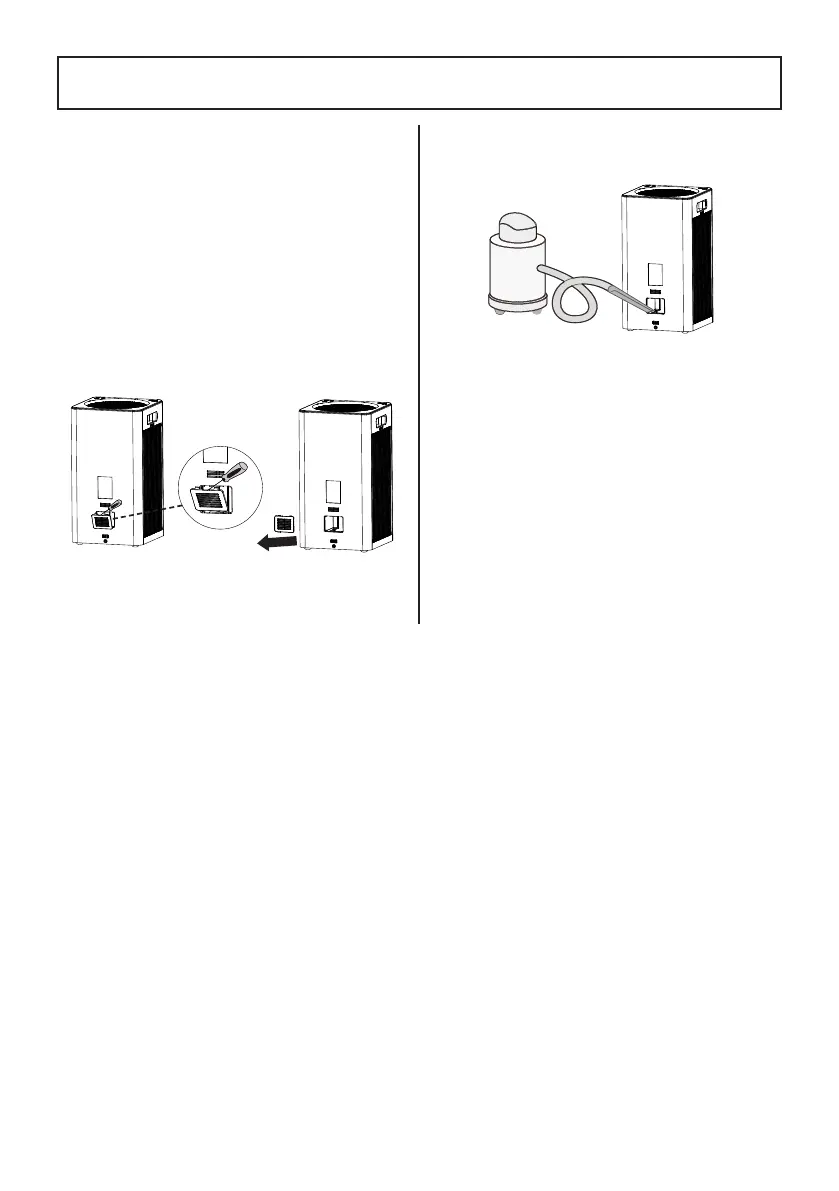
2. Use a vacuum hose to clean out any dust
inside the sensor area.
3. Install the cover back into place.
There is a PM2.5 sensor at the back side
of the air purifier. It can be blocked by
dust, affecting the sensor's accuracy. It is
recommended to clean the sensor every 3
months.
If the air purifier is used in an environment
with more dust, you may need to clean the
sensor more often.
1. Unplug the air purifier. Carefully pry the
sensor cover with a flat head screwdriver
and remove the cover.
- 14 -
CLEANING THE SENSOR




 To Next Page