
 Need help?
Do you have a question about the Kensington MD120U4 and is the answer not in the manual?
Ensure your laptop's USB-C port supports Alt Mode and Power Delivery for proper functionality.
Details a USB-C 3.2 Gen2 port on the docking station, offering 10Gbps speeds.
A minimum of 80W PD is required from your USB-C power adapter for optimal operation.
Connect USB-A devices to the docking station's USB-A 3.2 Gen2 ports for 10Gbps data transfer.
Details supported video resolutions and refresh rates via USB4 and HDMI connections.
Specifies the speed for the Ethernet port, supporting up to 2500 Mbps.
Ensures additional products powered by the station comply with IEC 60950-1 or IEC 62368-1 standards.
Provides website for support and information regarding the docking station.
Includes FCC, CE, UKCA, and VCCI-B compliance marks and statements.
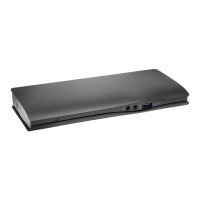
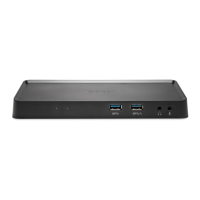
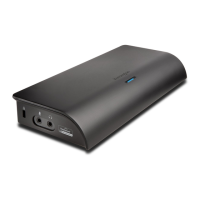
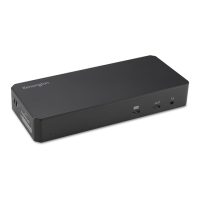
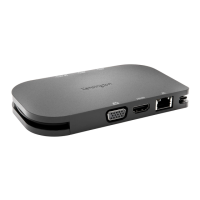
The Kensington MD120U4 USB4 Portable Docking Station is a versatile and compact solution designed to expand the connectivity and power delivery capabilities of your USB-C enabled laptop or device. This portable docking station is engineered to enhance productivity by offering a wide array of ports and features, making it ideal for professionals who need to connect multiple peripherals, external displays, and ensure their device remains charged, whether in the office, at home, or on the go. Its design emphasizes portability, allowing users to easily carry it with them, ensuring a consistent and powerful workstation experience wherever they are.
At its core, the MD120U4 serves as a central hub for your USB-C enabled device, transforming a single USB-C port into a comprehensive array of connections. The primary function of this docking station is to provide robust video output capabilities, supporting multiple external displays with high resolutions and refresh rates. It leverages USB4 technology, which is crucial for achieving these advanced display configurations, including support for 8K resolution at 60Hz, 4K at 120Hz, and even 4K at 144Hz, depending on the host device's capabilities (HBR3+DSC1.2, HBR3, or HBR2). This makes it an excellent choice for graphic designers, video editors, gamers, or anyone requiring a multi-monitor setup with crisp, fluid visuals.
Beyond video, the MD120U4 significantly expands data transfer options. It includes two USB-A 3.2 Gen2 ports, each capable of delivering 10Gbps data transfer speeds and 5V/0.9A power output. These ports are perfect for connecting a variety of USB peripherals such as external hard drives, SSDs, keyboards, mice, and other accessories, ensuring rapid data synchronization and efficient peripheral operation. Additionally, it features a dedicated USB-C 3.2 Gen2 port, also offering 10Gbps data transfer and 5V/0.9A power, which can be used for connecting modern USB-C devices or for pass-through charging if the host device supports it.
Another critical function of this docking station is its network connectivity. It integrates a 2.5 Gigabit Ethernet port, supporting speeds of 10/100/1000/2500 Mbps. This provides a stable, high-speed wired internet connection, which is often more reliable and faster than Wi-Fi, especially for tasks requiring significant bandwidth like large file transfers, online gaming, or video conferencing.
Power delivery is a key feature, as the MD120U4 is designed to not only power itself but also to deliver power to the connected host device. It requires a minimum of 80W PD from your USB-C power adapter to function optimally and to provide sufficient power to the host device. This means you can connect your laptop's power adapter to the docking station, and the docking station will then pass through power to charge your laptop while simultaneously powering all connected peripherals and external displays. This eliminates the need for multiple power adapters, simplifying your workspace and reducing cable clutter.
The MD120U4 is designed for ease of use and versatility across various environments. Its "plug-and-play" nature means that in most cases, you can simply connect it to your USB-C enabled laptop, and it will immediately begin to function, allowing you to extend your desktop to external monitors, connect peripherals, and access a wired network. The primary connection to your host device is via a single USB-C cable, which simplifies setup and reduces cable management.
One of the standout usage features is its ability to support multiple high-resolution displays. Users can connect two HDMI monitors simultaneously, enabling an extended desktop experience that significantly boosts productivity. The specific resolutions and refresh rates achievable depend on the host device's USB-C port capabilities (Alt Mode and Power Delivery support) and the version of DisplayPort Alternate Mode it supports (HBR3+DSC1.2, HBR3, or HBR2). This flexibility allows users to tailor their display setup to their specific needs, from dual 4K monitors for detailed work to a single 8K display for immersive experiences.
The inclusion of multiple USB-A and USB-C data ports ensures that users can connect a wide range of existing and new peripherals. This is particularly useful for laptops with limited native ports, allowing users to connect external storage, webcams, microphones, and other accessories without constantly swapping cables. The high-speed 10Gbps data transfer rate on these ports ensures that even demanding peripherals, such as external SSDs, perform at their best.
The integrated Ethernet port is a crucial feature for users who require a stable and fast network connection. In environments where Wi-Fi is unreliable, slow, or insecure, the 2.5 Gigabit Ethernet port provides a robust alternative, ensuring uninterrupted internet access and faster data transfers over a local network. This is especially beneficial for business users, gamers, or anyone who frequently deals with large files or bandwidth-intensive applications.
Power delivery through the docking station is a significant convenience. By connecting your laptop's USB-C power adapter to the docking station, you can charge your laptop and power all connected peripherals through a single connection. This streamlines your setup, reduces the number of cables on your desk, and ensures that your laptop remains charged throughout the day, even with multiple power-hungry peripherals connected. The requirement for a minimum of 80W PD from your USB-C power adapter ensures that sufficient power is available for both the docking station and the host device.
The compact and portable design of the MD120U4 makes it an excellent companion for mobile professionals. Its small footprint and lightweight construction mean it can easily be slipped into a laptop bag or backpack, allowing users to set up a full workstation wherever they go. This portability ensures that users can maintain their productivity and access all their essential peripherals, regardless of their location.
The Kensington MD120U4 USB4 Portable Docking Station is designed for minimal maintenance, focusing on reliability and durability. As an electronic device, its maintenance primarily involves ensuring proper handling and environmental conditions to prolong its lifespan and ensure optimal performance.
One key aspect of maintenance is keeping the device clean. Periodically, users should gently wipe the exterior of the docking station with a soft, dry cloth to remove dust and fingerprints. Avoid using harsh chemicals or abrasive materials, as these can damage the finish or internal components. Keeping the ports free of dust and debris is also important to ensure reliable connections. A can of compressed air can be used to carefully clear out any accumulated dust from the port openings.
Proper cable management is another important maintenance consideration. While the docking station helps reduce cable clutter, ensuring that all connected cables are neatly organized and not excessively bent or strained can prevent damage to the cables and the ports on the docking station. Avoid pulling cables by the wire; always grasp the connector when plugging or unplugging.
Environmental factors play a role in the longevity of any electronic device. The MD120U4 should be used in a well-ventilated area to prevent overheating, although its low power consumption and efficient design typically mitigate this concern. Avoid exposing the docking station to extreme temperatures, high humidity, or direct sunlight. It is also advisable to keep it away from liquids to prevent electrical damage.
Firmware updates, if available from Kensington, would be a form of maintenance that enhances performance, adds new features, or addresses potential issues. Users should periodically check the Kensington support website for any available firmware updates for their specific model. Following the provided instructions carefully during any update process is crucial to avoid bricking the device.
In terms of compliance and safety, the docking station is designed to meet various international standards, including IEC 60950-1 or IEC 62368-1 for fire enclosures. This indicates a commitment to safety and reliability in its construction. Users should ensure that any additional products powered by the docking station also comply with these safety standards to maintain a safe working environment. If there are any concerns about compliance, contacting the manufacturer of the host device is recommended.
The device also comes with a warranty, which is an important aspect of its long-term maintenance and support. Users should retain their proof of purchase and familiarize themselves with the warranty terms and conditions. In case of any malfunction or defect, the warranty provides recourse for repair or replacement, ensuring continued usability of the device.
Finally, proper registration of the product on kensington.com/register is a simple yet effective maintenance step. Registration can facilitate warranty claims, provide access to support resources, and ensure users receive important updates or notifications regarding their device. This proactive step helps ensure that users can leverage all available support and maintenance resources throughout the product's lifecycle.
 General
| Brand | Kensington |
|---|---|
| Model | MD120U4 |
| Category | Docking Station |
| Connectivity Technology | Wired |
| Host Interface | USB-C |
| Compatibility | Windows, macOS, Chrome OS |
| Video Output | HDMI, VGA |
| Ethernet | Yes |
| Power Delivery | Up to 85W |
| Product Type | Docking station |
| Audio Port | 3.5mm |
| Ethernet Port | 1 x RJ-45 |
| Weight | 0.2 kg |
| Audio Ports | 3.5mm Audio In/Out |


 To Next Page