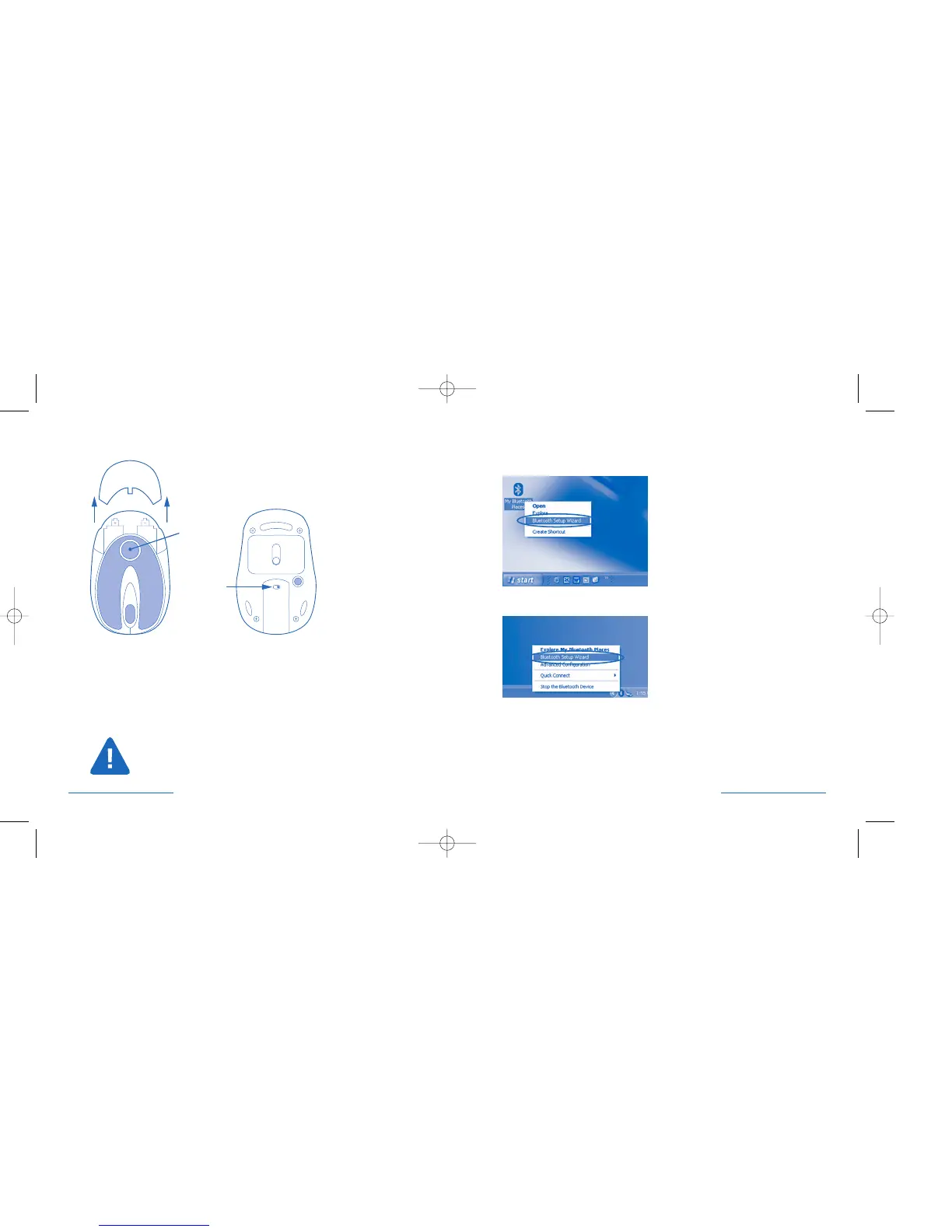
Pairing and Connecting your Device—in Windows XP
Right click on either the Bluetooth® Desktop icon
or the Bluetooth® Icon in the System Tray
Select Bluetooth
® Setup Wizard from the pop-up menu.
Battery Installation
Press battery cover release area (1) and the battery cover pops loose. Remove
the battery cover and insert batteries, then replace the cover.
To save battery power, turn off the mouse when not in use by sliding the
on/off switch (2).
The mouse goes into standby mode after several minutes of inactivity. This
extends the battery life of the mouse. To wake the mouse up again, simply
click any button.
Turn off PilotMouse Bluetooth® Mini and/or remove the AA batteries
before boarding an airplane. The extended wireless range of the
Bluetooth
® radio signal could cause harmful interference.
4 • PilotMouse Bluetooth® Mini PilotMouse Bluetooth® Mini • 5




 To Next Page