Align the edges of the adapter with the edges of the Surface Pro, ensuring that the
USB connection tab on the adapter and the USB port on the Surface Pro are aligned.
The adhesive tape tabs that you peeled back should be facing the front and rear
of the Surface Pro.
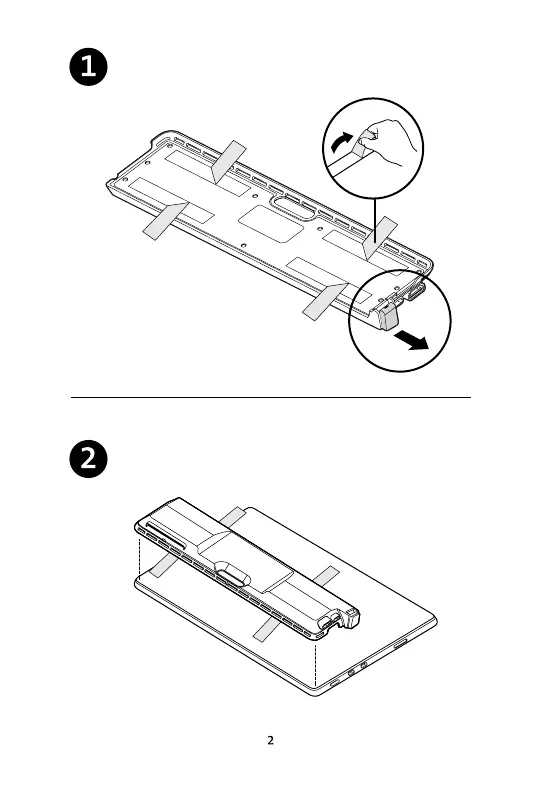
On the bottom of the adapter, peel half of each adhesive tape strip and fold it over
itself, perpendicular to its original direction. Take note of the USB connection tab, as
this will need to align with the USB port on the Surface Pro.



 To Next Page