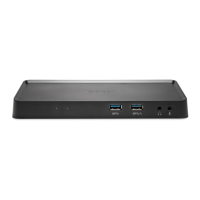
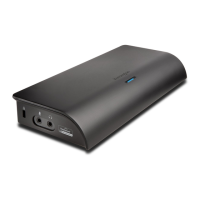
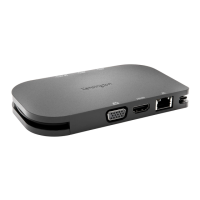
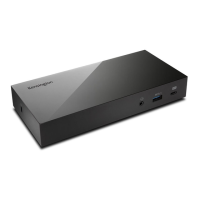
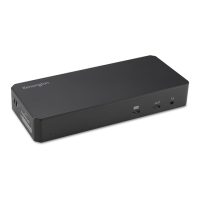
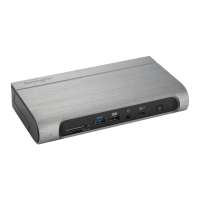
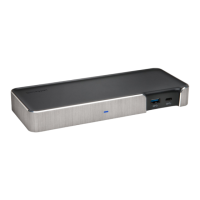
The Kensington SD2600T Thunderbolt™ 4 Nano Dock is a versatile docking station designed to enhance connectivity and expand the capabilities of Thunderbolt™ 4 enabled laptops and other devices. This compact dock offers a comprehensive solution for users seeking to connect multiple peripherals, external displays, and power their devices through a single Thunderbolt™ 4 connection.
Function Description:
The SD2600T Thunderbolt™ 4 Nano Dock serves as a central hub for connecting various devices to a host laptop, streamlining the workspace and reducing cable clutter. It leverages the high bandwidth of Thunderbolt™ 4 to provide robust data transfer, video output, and power delivery. The dock is designed to be compatible with a range of operating systems, including Windows, macOS, and iPadOS, offering flexibility for different user environments.
Key Features and Connectivity:
The dock features a variety of ports to accommodate diverse peripheral needs:
- Thunderbolt™ 4 Ports: The dock includes multiple Thunderbolt™ 4 ports, which are central to its functionality. These ports support high-resolution display output (up to 8K or 6K, depending on the host device and monitor capabilities), high-speed data transfer, and power delivery. Two of the Thunderbolt™ 4 ports are designated as DisplayPort Function (DFP) with 5V/3A power output, enabling connection to external monitors.
- USB-A 3.2 Gen2 Port: One USB-A 3.2 Gen2 port provides 10Gbps data transfer speeds and 5V/1.5A power output, supporting BC 1.2 for fast charging of compatible devices. This port is ideal for connecting high-speed USB peripherals like external hard drives or SSDs.
- Ethernet Port: An Ethernet port ensures a stable and fast wired network connection, which is often more reliable than Wi-Fi, especially for demanding tasks or in environments with congested wireless networks.
- SD Card Reader: An integrated SD card reader allows for convenient transfer of photos and videos from cameras and other devices, eliminating the need for external card readers.
- Audio Jack: A 3.5mm audio jack provides connectivity for headphones, speakers, or microphones.
Power Delivery:
The SD2600T dock provides power delivery up to 65W to the host laptop via the Thunderbolt™ 4 connection. This means that compatible laptops can be charged directly through the dock, eliminating the need for a separate power adapter and further simplifying cable management. The dock itself is powered by an external DC 20V power adapter, which comes with interchangeable plugs for different regions (NA, EU, UK, AP, JP).
Display Output Capabilities:
The dock supports a wide range of display configurations and resolutions, depending on the host device's capabilities and operating system:
- Windows (Thunderbolt™ 3/4, USB4):
- Single Display: Up to 8K (7680 x 4320) @ 60Hz (with DSC support) or 4K (3840 x 2160) @ 120Hz.
- Dual Display: Up to 4K (3840 x 2160) @ 60Hz for each display.
- Triple Display: Up to 1080p (1920 x 1080) @ 120Hz for each display.
- macOS (Thunderbolt™ 3/4, USB4):
- Single Display: Up to 6K (6016 x 3384) @ 60Hz.
- Dual Display: Up to 4K (3840 x 2160) @ 60Hz for each display.
- MacBook M-series Pro / Max (USB-C Alt Mode):
- Single Display: Up to 6K (6016 x 3384) @ 60Hz (with DSC support) or 4K (3840 x 2160) @ 60Hz.
- Dual Display: Up to 6K (6016 x 3384) @ 60Hz for each display (with DSC support).
- iPad & MacBook M-series:
- Single Display: Up to 6K (6016 x 3384) @ 60Hz.
Note: Support for Display Stream Compression (DSC) is dependent on the host device and monitor capabilities.
Usage Features:
- Easy Setup: The manual provides clear, step-by-step instructions for connecting the dock. First, connect the power adapter to the dock and then to a power outlet. Next, connect the Thunderbolt™ 4 cable from the dock to the host laptop.
- Plug and Play (with initial setup): For Windows users, an initial setup process is required to approve Thunderbolt™ devices. A prompt will appear stating "New Thunderbolt™ device have been attached," and users will need to click "OK" to run the Thunderbolt™ software with administrator privileges. This ensures secure and proper functioning of the dock. After the initial approval, users can manage Thunderbolt™ devices and settings through the system interface.
- Compact Design: The "Nano Dock" designation implies a compact form factor, making it suitable for various desk setups and potentially for travel, though it requires an external power supply.
- Regional Power Adapters: The inclusion of NA, EU, UK, AP, and JP power plugs ensures global compatibility for the power adapter.
Maintenance Features:
While the manual does not explicitly detail maintenance features, general best practices for electronic devices apply:
- Keep Clean: Regularly wipe the dock with a soft, dry cloth to prevent dust buildup.
- Proper Ventilation: Ensure the dock is placed in an area with adequate airflow to prevent overheating.
- Cable Management: Organize cables to prevent strain on ports and accidental disconnections.
- Software Updates: Keep the Thunderbolt™ drivers and firmware updated on the host device for optimal performance and compatibility.
Included Accessories:
The product package includes:
- Kensington SD2600T Thunderbolt™ 4 Nano Dock
- Power adapter with interchangeable regional plugs (NA, EU, UK, AP, JP)
- Thunderbolt™ 4 cable
- Welcome Card
- Compliance Information
- Warranty Information
The product bears several compliance marks, including FCC, CE, UKCA, VCI, and symbols for recycling (PAP, 종이, 紙), indicating adherence to various international standards for safety, electromagnetic compatibility, and environmental responsibility.
In summary, the Kensington SD2600T Thunderbolt™ 4 Nano Dock is a powerful and versatile docking solution designed to expand the connectivity and display capabilities of modern laptops, offering a clean and efficient workspace with robust performance and broad compatibility.

 Need help?
 General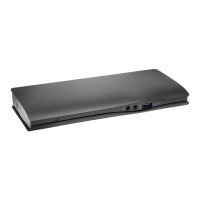


 To Next Page