Need help?
Do you have a question about the Kensington W2050 Pro and is the answer not in the manual?
Illustrates the available USB connection types for the webcam.
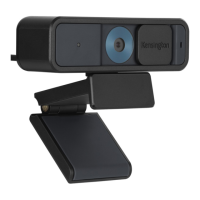
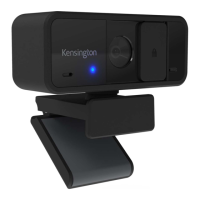
Labels for the webcam's main features and components.
Indicates the status of the webcam's operation.
High-definition lens with automatic focus adjustment.
Physical cover to obscure the webcam lens for privacy.
Integrated microphone for audio capture.
Adjustable clip for mounting the webcam on various displays.
Step-by-step guide on how to attach the webcam to a monitor.
How to position the webcam for optimal viewing.
Information on downloading and installing the Konnect software.
 General
| Resolution | 1920 x 1080 |
|---|---|
| Frame Rate | 30 fps |
| Field of View | 95° |
| Connection Type | USB-A |
| Connectivity | USB 2.0 |
| Compatibility | Windows, macOS, Chrome OS |
| Privacy Cover | Yes |
| Max Video Resolution | 1080p |
| Focus Type | Fixed |
| Mounting | Universal clip fits laptops, monitors, and tripods |
| Microphones | Dual noise-canceling microphones |


 To Next Page