EasyManua.ls Logo

Kenwood C-707I - User Manual

Kenwood C-707I
84 pages
Print Icon
To Next Page IconTo Next Page
Loading...
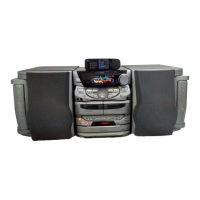
C-707I
LIFE STYLE HI-FI COMPONENT SYSTEM
INSTRUCTION MANUAL
© B60-5700-08/00 (E/X) AB
D
ecl
a
Declaration of Conformity with regard to
the EMC Directive 2004/108/EC
Manufacturer:
Kenwood Corporation
2967-3 Ishikawa-machi, Hachioji-shi, Tokyo, 192-8525 Japan
EU Representative’s:
Kenwood Electronics Europe BV
Amsterdamseweg 37, 1422 AC UITHOORN, The Netherlands
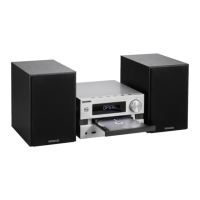
This model consists of a main unit (RD-C707) and a pair of speakers (LS-C707).
en01_c-707i.indd 1en01_c-707i.indd 1 1/10/2008 9:48:51 AM1/10/2008 9:48:51 AM

Table of Contents

Questions and Answers

  • C
    Crystal RamirezAug 20, 2025
    How to improve radio reception on my Kenwood C-707I?
    • D
      Donald JacksonAug 20, 2025
      To improve radio reception on your Kenwood Stereo System: * Connect the antennas. * Select the correct band (reception mode). * Tune the radio to the frequency of the desired station. * Move the main unit, antenna, and AC adapter away from each other.
  • H
    harrisnicholeAug 22, 2025
    What to do if there is no sound output from my Kenwood Stereo System?
    • J
      Jennifer WilsonAug 22, 2025
      If there is no sound coming from your Kenwood Stereo System, try the following: First, check all the connections. Next, increase the volume. Also, ensure that the MUTE setting is off. Finally, make sure there are no headphones plugged into the main unit.
  • J
    johnsonrichardAug 25, 2025
    Why is the remote control not working with my Kenwood C-707I Stereo System?
    • B
      Beverly ReyesAug 25, 2025
      If the remote control isn't working with your Kenwood Stereo System, try loading new batteries. Also, ensure you are using the remote control within its effective range.
  • W
    wwallaceAug 26, 2025
    What to do if a CD does not play on my Kenwood C-707I Stereo System?
    • L
      Lisa BowenAug 26, 2025
      If a CD does not play on your Kenwood Stereo System, make sure the disc is loaded correctly with the label side facing towards the front of the main unit. Also, try cleaning the disc. Allow any condensation to evaporate. Ensure that the slide door is closed.
  • T
    Tyler WashingtonAug 28, 2025
    How to reduce interference (noise) in my Kenwood C-707I?
    • K
      Kimberly Ford PhDAug 28, 2025
      To reduce interference (noise) in your Kenwood Stereo System: * Install an outdoor antenna away from roads. * Turn off any electrical appliances that may be causing interference. * Move the system away from the TV. * Move the main unit, antenna, and AC adapter away from each other.
  • M
    Marcus HensleyAug 30, 2025
    What to do if the CD does not eject from my Kenwood C-707I?
    • R
      Rachel AllenAug 30, 2025
      If the CD does not eject from your Kenwood Stereo System, slide the slide door towards the back of the main unit to stop playback and eject the disc. Check that the source is CD. If music is playing, press the [F] key to stop playback. Slide the slide door towards the back of the main unit to open it. Hold down the main unit’s [F] key for more than two seconds. Press and hold the [F] key until the CD comes all the way out of the main unit. If this does not eject the CD, request servicing.
  • H
    harold27Sep 1, 2025
    Why is there no sound from the headphones connected to my Kenwood Stereo System?
    • A
      Amanda MaddoxSep 1, 2025
      If you're not getting any sound from the headphones connected to your Kenwood Stereo System, make sure the headphone plug is inserted correctly. Also, increase the volume and cancel the MUTE setting.
  • N
    Nathan DavenportSep 3, 2025
    What to do if my Kenwood C-707I Stereo System has a microcomputer malfunction?
    • L
      Lauren AndersonSep 3, 2025
      To reset the main unit of your Kenwood Stereo System: Turn off the power (press the [K] key to enter Standby mode). While holding down the [H] and [STOPF] keys on the main unit, hold down the main unit's power [K] key until the message “CLEAR ALL” appears on the display. Keep in mind that resetting erases any stored information and restores the system's default settings.
  • J
    John LarsonSep 5, 2025
    Why is my iPod not being recognized by my Kenwood C-707I Stereo System?
    • A
      Angela LiuSep 5, 2025
      If your iPod is not being recognized by your Kenwood Stereo System, connect it with a PNC-iP120 iPod connection cable (optional accessory) securely. Also, check that the iPod model is compatible for playback by the system.
  • J
    Jerry RojasSep 7, 2025
    What to do if I cannot control the iPod through my Kenwood C-707I Stereo System?
    • J
      johnsonrobertSep 7, 2025
      If you cannot control the iPod through your Kenwood Stereo System, disconnect the iPod from the system, disconnect all devices from the iPod, and then re-connect it to the system. Also, check that the iPod model is compatible for playback by the system.

Summary

Safety and Precautions

Before Applying Power

Crucial instructions for safe operation before powering the unit on.

General Safety Warnings and Symbols

Essential warnings to prevent fire/shock, and explanations of safety symbols.

Important Safety Guidelines

Key operational and maintenance safety guidelines for the system.

Antenna Grounding and Equipment Disposal

Proper antenna grounding and guidance on recycling electronic equipment.

Getting Started and Setup

Understanding the Manual and System Features

Explains manual conventions, system capabilities, and included accessories.

System Installation and Connections

Guidelines for installing, connecting components, and speaker placement.

Component Identification and Basic Operations

Identifies unit parts, remote, display, and basic system functions.

Media Handling and System Transportation

Precautions for handling discs, devices, and safely moving the system.

Using Input Sources

CD, USB, and Radio Operations

Procedures for playing CDs, USB devices, and tuning radio broadcasts.

Digital Audio, iPod, and External Component Playback

Connecting and playing digital audio players, iPods, and external sources.

Advanced Playback Modes

How to use folder, program, random, and repeat playback modes.

Radio Tuning and RDS Features

Tuning radio, setting presets, using RDS, and PTY search.

Settings and Customization

Audio Settings

Adjusting bass, treble, and sound quality for optimal listening.

System Clock and Timer Setup

Procedures for setting the system clock and program timers.

Display and Power Saving Options

Adjusting display brightness and configuring auto power save.

Maintenance and Support

Troubleshooting and Error Messages

Guides on resolving system issues and understanding error messages.

Glossary, Care, Storage, and Specifications

Defines terms, provides care instructions, and lists technical specifications.

Kenwood C-707I Specifications

Main Unit (RD-C707)

Amplifier IconAmplifier
effective output power (stereo)10 W + 10 W RMS (1 kHz, 10 % T.H.D., 6Ω)
ex.bass+4 dB (70 Hz, Vol. 20)
input terminals sensitivity/impedance600 mV / 47 kΩ
output terminals level/impedance (high)2.2 V / 10 kΩ
output terminals level/impedance (low)1 V / 10 kΩ
subwoofer preout2.2 V / 10 kΩ
CD Player IconCD Player
scanning methodSemiconductor laser
d/a conversion24 bit
oversampling8 fs (352.8 kHz)
frequency characteristics20 Hz to 20 kHz
mp3/wma max. folders512
max. folder nesting8 levels
mp3/wma max. files512
Tuner IconTuner
fm reception frequency range87.5 MHz to 108.0 MHz
fm antenna impedance75 Ω unbalanced
am reception frequency range531 kHz to 1, 602 kHz
USB IconUSB
usable usb deviceUSB Mass storage class
interfaceUSB 2.0 (Full speed) USB 1.1 compatible
file systemFAT 16/32
mp3 sampling frequency8 kHz to 48 kHz
bitrate (cbr/vbr)32 kbps to 320 kbps
wma sampling frequency32 kHz to 48 kHz
wma bitrate (cbr/vbr)64 kbps to 192 kbps
id3 tagVersion 1.0/ 1.1/ 2.2/ 2.3
max. folders255
max. folder nesting8 levels
max. files65280 (FAT 32)
supply currentMax. 500 mA
Power Supply IconPower Supply
power consumption12 W
standby power consumptionLess than 0.5 W
supplied ac adapter (australia)12 V DC (240 V AC, 50 Hz)
supplied ac adapter (europe)12 V DC (230 V AC, 50 Hz)
Weight and Dimensions IconWeight and Dimensions
dimensions width210 mm (8-1/4")
dimensions height228 mm (9")
dimensions depth187 mm (7-3/8")
weight (net)2.2 kg (4.9 Ib)

Speakers (LS-C707)

Speaker System IconSpeaker System
systemFull-range speaker system (Magnetically shielded)
enclosureBass-reflex
loudspeaker80 mm (3-1/8") Cone type
nominal impedance6 Ω
nominal input power10 W
max input power20 W
Weight and Dimensions IconWeight and Dimensions
dimensions width149 mm (5-7/8")
dimensions height191 mm (7-1/2")
dimensions depth128 mm (5-1/16")
weight (net)1.2 kg (2.7 Ib) (each)

Related product manuals