To Next Page
T
thomasadamSep 9, 2025
Why does playback not start on my Kenwood Car Receiver?
- CCharles ScottSep 9, 2025
Playback does not start because the format of files is not supported by the unit.

Why does playback not start on my Kenwood Car Receiver?
Playback does not start because the format of files is not supported by the unit.
What to do if Kenwood Car Receiver USB Device Error?
If your Kenwood Car Receiver displays a “USB Device Error”, it means the USB power voltage is abnormal. Try turning the unit off and then on again. If the issue persists, connect another USB device.
Why is there no sound from my Kenwood DDX35 Car Receiver speakers?
If no sound is coming from the speakers of your Kenwood Car Receiver, first, adjust the volume to an optimum level. If that doesn't work, check the cords and connections to ensure they are properly connected.
What does 'Authorization Error' mean on my Kenwood DDX35 Car Receiver?
The “Authorization Error” on your Kenwood Car Receiver indicates that the connected iPod/iPhone may not be compatible with the unit. Check the compatibility of your device.
Why is my Kenwood DDX35 Car Receiver showing 'No Signal'?
If your Kenwood Car Receiver displays a “No Signal” message: • Start playback on the external component connected to AV-IN1 or iPod/AV-IN2 input terminal. • Check the cords and connections. • The signal input may be too weak.
Why is there no picture on the external monitor connected to my Kenwood DDX35 Car Receiver?
If no picture appears on the external monitor connected to your Kenwood Car Receiver: • Connect the video cord correctly. • Select the correct input on the external monitor.
Why can't disc be played back on Kenwood Car Receiver?
To resolve disc playback issues on your Kenwood Car Receiver: • Record the tracks using a compliant application on the appropriate discs. • Add appropriate extension codes to the file names.
Why won't my Kenwood Car Receiver copy the phonebook?
The unit does not respond when you try to copy the phonebook to the unit because you may have tried to copy the same entries (as stored) to the unit.
Why won't my iPod/iPhone turn on with Kenwood DDX35?
If your iPod/iPhone does not turn on or work with the Kenwood Car Receiver: • Check the connecting cable and its connection. • Update the firmware version. • Charge the battery. • Check whether the iPod/iPhone control mode is correctly selected. • Reset the iPod/iPhone.
Why is there no sound from my Kenwood DDX35 using iPod/iPhone?
If no sound is coming from the speakers of your Kenwood Car Receiver while using an iPod/iPhone: • Disconnect the iPod/iPhone, then connect it again. • Select another source and then reselect “iPod.”
Resets the unit to factory settings, excluding Bluetooth device registrations.
Covers warnings against installation hazards, driving operation safety, and monitor care guidelines.
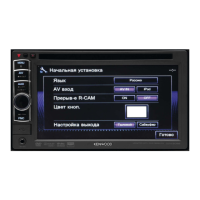
Guides through the initial setup process upon first power-on or reset.
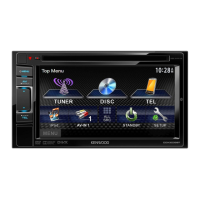
Explains how to choose and display various audio/video sources like NAV, DISC, iPod, USB.
Covers inserting, ejecting, and basic playback of discs.
Details connecting, playing files from, and safely disconnecting USB devices.
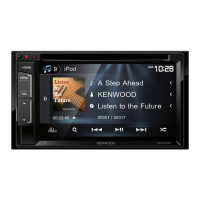
Guides on connecting, setting AV input, and playing music/videos from iPod/iPhone.
Explains how to select preset sound modes and adjust equalizer bands.
Details registering new Bluetooth devices and pairing methods.
Lists common error messages and their remedies for general and Bluetooth issues.
Provides procedures for installing the unit, connecting wires, and safety precautions.
 General
| Brand | Kenwood |
|---|---|
| Model | DDX35 |
| Category | Car Receiver |
| Language | English |