
 To Next Page
V
victorhughesSep 12, 2025
What does “Panel Mecha Error” mean on Kenwood Receiver?
- SSarah TaylorSep 12, 2025
If your Kenwood Receiver displays a “Panel Mecha Error,” it means the panel does not work properly. Reset the unit.

What does “Panel Mecha Error” mean on Kenwood Receiver?
If your Kenwood Receiver displays a “Panel Mecha Error,” it means the panel does not work properly. Reset the unit.
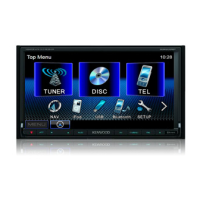
What to do if Kenwood DDX6031BT Receiver does not work at all?
If your Kenwood Receiver is completely unresponsive, try resetting the unit.
What to do if iPod/iPhone does not work with Kenwood DDX6031BT Receiver?
If your iPod/iPhone is not turning on or working when connected to your Kenwood Receiver: - Check the connecting cable and its connection. - Update the firmware version. - Charge the battery. - Check whether the iPod control mode is correctly selected. - Reset the iPod/iPhone.
Why doesn't my Kenwood Receiver respond when copying the phonebook?
You may have tried to copy the same entries (as stored) to the unit.
What does “No Navigation” mean on Kenwood Receiver?
The “No Navigation” message on your Kenwood Receiver indicates that no navigation unit is connected.
Why can't I operate Kenwood Receiver with Artwork track?
If no operations are available when playing back a track containing Artwork on your Kenwood Receiver, operate the unit after the Artwork is loaded.
What does “Connection Error” mean on Kenwood Receiver?
The “Connection Error” message on your Kenwood Receiver means that the device is registered but the connection has failed. Connect the registered device.
What does “NO Voice Device” mean on Kenwood Receiver?
The “NO Voice Device” message on your Kenwood Receiver indicates that the connected mobile phone does not have a voice recognition system.
How to synchronize sound with video on Kenwood DDX6031BT Receiver?
If the sound does not synchronize with the video on your Kenwood Receiver, select for .
What does “Miswiring DC Offset Error” mean on Kenwood DDX6031BT Receiver?
If your Kenwood Receiver shows a “Miswiring DC Offset Error,” a speaker cord has likely shorted or come into contact with the car chassis. Wire or insulate the speaker cord as appropriate, then reset the unit.
Details critical warnings, cautions, and safety advice for unit operation.
Step-by-step instructions on how to reset the unit to factory default settings.
Guides through the initial setup process including language, angle, AV input, and panel color.
Details on how to set a security code to protect the system against theft.
How to activate the security indicator to deter theft.
Guides on choosing different audio/video sources like TUNER, DISC, USB, iPod, etc.
Instructions for connecting and playing files from a USB mass storage device.
How to connect iPod/iPhone and configure the AV input settings.
How to play, pause, select tracks, and set repeat/random modes for iPod/iPhone.
How to browse and select music or video content from the iPod/iPhone menu.
Methods for automatically (AME) or manually saving radio stations to presets.
Connecting and selecting external audio/video sources via the AV-IN terminals.
How to display and exit the navigation system screen.
Adjusting sound profiles (preset modes) and customizing equalization levels.
Detailed adjustment of tone, frequency, level, Q factor, and subwoofer settings.
Adjusting brightness, contrast, black level, color, tint, and sharpness for video quality.
Instructions for activating the rear view camera and displaying its image manually or automatically.
How to assign unit functions to steering wheel remote control buttons.
General guidelines and compatibility information for Bluetooth devices.
Steps for establishing a Bluetooth connection for the first time, including pairing.
How to connect to or disconnect from previously registered Bluetooth devices.
Managing incoming/outgoing calls, adjusting microphone volume, and switching modes.
How to make calls by entering numbers directly or using voice commands.
How to search, select, and view contact details from the phonebook or call lists.
Saving frequently used numbers to presets and copying the phonebook from a mobile.
Operating music playback, track selection, and search functions for Bluetooth audio.
Basic remote functions like source switching, volume control, NAV/V.SEL, and cursor keys.
Step-by-step guide for installing the unit, including crucial safety warnings.
 General