EasyManua.ls Logo

Kenwood DDX635WBT - User Manual

Kenwood DDX635WBT
68 pages
Print Icon
To Next Page IconTo Next Page
Loading...
LVT2515-001A (MN/M2N/XN)© 2014 JVC KENWOOD Corporation
DDX635WBT
DDX635WBTM
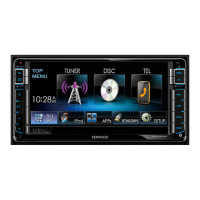
MONITOR WITH DVD RECEIVER
INSTRUCTION MANUAL
This instruction manual is used to describe models listed below. Model availability and features (functions)
may differ depending on the country and sales area.
• Region 2 (DVD Region Code 2 area)
• Region 3 (DVD Region Code 3 area)
• Region 4 (DVD Region Code 4 area)
DDXMidM200mm.indb1 2014/01/2919:30
Question and Answer IconNeed help?

Do you have a question about the Kenwood DDX635WBT and is the answer not in the manual?

Summary

Before Use Safety Warnings

Laser Product Marking

Manual Reading Guide

Monitor Cautions

Vehicle Temperature Impact

Unit Reset Procedure

Initial Setup Process

Setting Security Function

Activate Security Function

Clock Settings

Component Identification

Common Unit Operations

Standby Mode Operation

Screen Off Function

Navigating Unit Screens

Touch Screen Controls

Selecting Playback Source

Disc Playback Operations

Disc Source Screen Controls

Disc Operation Buttons

Disc Playback Modes

Folder and Track Selection

Video Playback Menu

VCD Playback Controls

Selecting Playback Mode

Disc Playback Settings

Parental Lock Setup

Connecting and Operating USB Devices

USB Playback Modes

USB Picture Display Settings

Selecting Tracks from USB Lists

iPod;iPhone Bluetooth Connectivity

Selecting iPod;iPhone Connection Method

iPod;iPhone Playback Preferences

iPod;iPhone Playback Controls

Selecting iPod;iPhone Audio;Video Files

Using Smartphone Apps

Pandora App Preparation

Pandora Playback and Controls

Managing Pandora Stations

Pandora Compatibility Requirements

Radio Tuning Operations

Radio Display Information

Antenna Control Settings

Presetting Radio Stations

Selecting Preset Radio Stations

PTY Search and TI;News Reception

News Standby Reception

Program Tracking and Auto Seek

AV-IN Source Input

Rear View Camera Activation

Rear View Camera Display

Smartphone Screen Mirroring (HDMI;MHL)

Watching TV

External Navigation Unit Integration

Navigation Unit Settings

Bluetooth Device Information

Registering New Bluetooth Devices

Bluetooth Pairing via PIN Code

Bluetooth Setup Screen

Managing Registered Bluetooth Devices

Deleting Registered Bluetooth Devices

Bluetooth Mobile Phone Operations

Handsfree and Phone Mode Switching

Sending Text and Making Calls

Managing Connected Bluetooth Devices

Phone Book and Contact Management

Voice Dialing Operation

Presetting Phone Numbers

Bluetooth Audio Player Control

Bluetooth Device Settings Configuration

Bluetooth Initialization and Modes

Application Setup for iPod;iPhone;Android

App Connection Setup Process

Sound Equalization and Modes

Car Type and Speaker Settings

Speaker Size and Crossover Frequency

Listening Position Sound Adjustment

Digital Time Alignment (DTA) Adjustment

Video Picture Quality Adjustment

Picture Adjustment Details

Aspect Ratio and Zoom Options

Customizing Display Design

Storing Custom Background Images

Customizing the TOP MENU Screen

System Settings Memory Function

Locking Unit Settings

System Update and Touch Panel Adjustment

Setting Menu Items: Audio

Audio System Configuration

Display Settings Management

Input Source and TV Tuner Settings

System Settings Configuration

System Feature Settings

Remote Controller Overview

Remote Controller Battery and Modes

Remote Controller Basic Operations (AUD Mode)

Remote Controller Search Functions

Remote Controller Numeric Keypad and Media Search

Remote Controller Media Playback Controls

Remote Controller Radio Functions

Remote Controller Media Playback (iPod;USB)

Steering Remote Controller Integration

Initializing Steering Remote Settings

Installation Precautions and Warnings

Unit Cooling and Heat Warning

Installation Accessories and Procedure

Mounting the Unit

Wiring Connections for Toyota Cars

Connector Pin Assignments

Connecting USB Devices

Connecting iPod;iPhone Devices

Smartphone Connectivity (HDMI;MHL)

Connecting External Components and Microphone

Unit Maintenance and Disc Handling

File Playback Information

Supported Audio and Video File Formats

Playable Disc Types and Formats

Unplayable Discs and USB Device Notes

USB Data Storage and Usage Precautions

iPod;iPhone Playback Notes

DVD;DVD-VR Language Codes

Error Message List and Troubleshooting

Specific Error Message Explanations

General Troubleshooting Steps

Disc Playback Troubleshooting

USB and iPod;iPhone Troubleshooting

Tuner, AV-IN, Pandora, Bluetooth Troubleshooting

Unit Specifications: Monitor and DVD Player

Unit Specifications: Interfaces and Tuner

Interface and DSP Specifications

Bluetooth and FM Tuner Specifications

Tuner and Audio Specifications

Video and Trademark Information

Video Format Licenses and Trademarks

Software License and Disclaimer

Kenwood DDX635WBT Specifications

General IconGeneral
Display TypeWVGA
Resolution800 x 480 pixels
BluetoothYes
DVD PlayerYes
CD PlaybackYes
Apple CarPlayNo
Android AutoNo
SiriusXM ReadyYes
Built-in AmplifierYes
Preamp Outputs3 pairs (front, rear, subwoofer)
Radio TunerAM/FM
Steering Wheel Control CompatibilityYes
Screen Size6.2 inch
Bluetooth ProfilesA2DP, AVRCP, HFP
Audio Output Power50 watts x 4 channels
InputsAUX input
Compatible Audio FormatsMP3, WMA, AAC
Compatible Video FormatsDivX, MPEG-1, MPEG-2
iPod/iPhone CompatibilityYes (via USB)