EasyManua.ls Logo

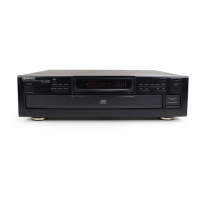
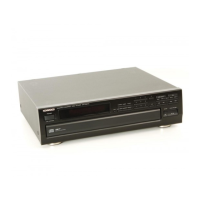
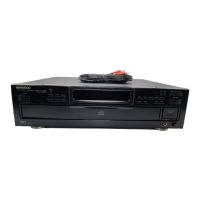
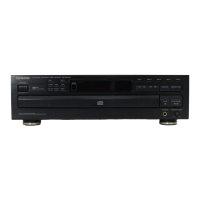
Kenwood DP-R894 - User Manual

Kenwood DP-R894
16 pages
Print Icon
To Next Page IconTo Next Page
Loading...
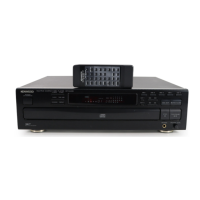
CD
PLAYER
DP-R3060
DP-R894
[ilD§IE
DIGITAL
AUDIO
INSTRUCTION
MANUAL
KENWOOD
CORPORATION
This
instruction
manual
is
used
for
two
models.
Model
availability
and
features
(functions)
may
differ
depending
on
the
country
and
sales
area.
For
your
records
Record
the
serial
number,
found
on
the
back
of
the
unit
in
the
spaces
designated
on
the
warranty
card,
and
in
the
space
provided
below.
Refer
to
the
mode!
and
serial
numbers
whenever
you
call
upon
your
dealer
for
information
or
service
on
this
product.
Model_Serial
Number-
Unpacking
Unpack
the
unit
carefully
and
make
sure
that
all
accessories
are
put
aside
so
they
will
not
be
lost.
Examine
the
unit
for
any
possibility
of
shipping
damage.
If
your
unit
is
damaged
or
fails
to
operate,
notify
your
dealer
immediately.
If
your
unit
was
shipped
to
you
directly,
notify
the
shipping
company
without
delay.
Only
the
consignee
(the
person
or
company
receiving
the
unit)
can
file
a
claim
against
the
carrier
for
shipping
damage.
We
recommend
that
you
retain
the
original
carton
and
packing
materials
for
use
should
you
transport
or
ship
the
unit
in
the
future.
Accessories
Audio
cord........
1
Except
for
U.S
A.,
Mexico,
Canada
end
Australia
Contents
Caution:
Read
the
pages
markedA.car8fully
to
ensure
safe
operation.
Special
features.
2
^Before
applying
power.
2
Asafety
precautions
..
2
Before
operation.
3
System
connections...
4
Controls
and
indicators...
5
Manual
play.6
Playing
a
CD
from
the
beginning
6
Listening
from
the
desired
track...
7
Programnned
play(PGM
mode)..
8
-
Playing
desired
tracks
in
desired
order....
8
Repeated
play.
10
Random
play.11
Playing
tracks
in
a
random
order
..11
Editing...
.
.
..
.
1
2
Normal
EDIT
..
1
2
MULTI
EDIT.13
Timer
operation.15
In
case
of
difficulty.15
Specifications.16
B60-1485-00
(g)®
(K,R,P,M.X,Y)
ES
Question and Answer IconNeed help?

Do you have a question about the Kenwood DP-R894 and is the answer not in the manual?

Summary

Special features

MULTI EDIT

Allows editing and recording of several CDs onto one tape.

Disc Changing During Playback

Mechanism allows changing discs while the unit is stopped or during playback.

Programmed Play Overview

Enables playing desired tracks in a specific order, up to 32 selections.

Before applying power

AC Voltage Selector Switch

Guide for setting the AC voltage selector switch to match the line voltage.

Mains Plug and Fuse Details

Information regarding the fuse and proper handling of the mains plug.

Safety precautions

General Safety Warnings

Warnings about fire, electric shock, and exposing the appliance to rain or moisture.

Internal Hazard Warning

Caution about not removing covers and referring servicing to qualified personnel.

Before operation

Disc Handling and Storage

Guidance on holding, cleaning, and storing discs to prevent damage.

Disc Condition Warning

Warning against playing cracked or warped discs due to high-speed rotation.

Transportation and Movement

Procedure for preparing the unit before transporting or moving it.

Condensation Precautions

Precautions regarding condensation and how to handle it for proper function.

System connections

SYSTEM CONTROL Connection

How to connect to KENWOOD SYSTEM CONTROL terminals for remote operation.

CCRS Recording Function

Explains CCRS recording for cassette decks and its connection.

Controls and indicators

Operation Buttons and Keys

Groupings of keys like POWER, PLAY/PAUSE, STOP, SKIP, DISC SKIP, P.MODE, REPEAT, RANDOM, EDIT MODE.

Display Indicators and Readouts

Lights and display elements showing status like RANDOM, EDIT, REPEAT, P.C., ALL, Program mode, Disc No., Track No., Time.

Manual play

Playing a CD from the Beginning

Step-by-step guide to load and play a CD from the start.

Pausing and Stopping Playback

How to pause playback, resume, and stop playback.

Listening from the desired track

Fast Forward and Backward

How to use fast forward and backward functions to locate specific parts of a track.

Disc Changing Procedures

Instructions for changing discs during playback and when the unit is stopped.

TIME DISP. Key Function

How to use the TIME DISP. key to check elapsed and remaining time.

Programmed play (PGM Mode)

Playing Tracks in Desired Order

Step-by-step process to program tracks from different discs in a specific playback sequence.

Checking the Programmed Order

How to use the CHECK key to review the programmed track sequence.

Resuming Normal Playback

How to exit program mode and return to normal playback.

Stopping Programmed Playback

How to stop playback when a program is active.

Programmed Play Operations

Adding Tracks to Program

Instructions for adding more tracks to an existing programmed sequence.

Changing Tracks in Program

How to modify or replace a track within the programmed sequence.

Clearing Program Tracks

Methods to clear individual tracks or the entire program.

Repeated Play Modes

One-Disc Repeat

How to set the unit to repeat a single disc continuously.

Programmed Track Repeat

Setting the unit to repeat a programmed sequence of tracks.

All-Disc Repeat

How to set the unit to repeat all discs in the tray continuously.

Stopping Repeat Play

Procedure to cancel the repeat playback mode.

Random Play Mode

Playing Tracks Randomly

How to enable random playback for tracks from all loaded discs.

Selecting Tracks During Random Play

Method to manually select a different track while in random play mode.

Cancelling Random Play

How to stop random play and return to normal sequential playback.

Editing Functions

Normal EDIT Function

Function for editing and recording one CD's contents onto a tape.

Editing Completion

Indicates the process of finishing the editing procedure.

MULTI EDIT Function

Recording Edited Content

Instructions for recording edited content with cassette decks.

Edited Program Operations

Checking Edited Contents

How to verify the tracks that have been edited.

Playing Edited Program

How to play back the edited A and B files.

Recording Edited Program

How to record the edited program using CCRS function.

Clearing Edited Contents

Methods to clear edited tracks for Normal EDIT and MULTI EDIT.

Timer operation

Connecting Power and Timer

Instructions for connecting the unit and amplifier to a timer and AC outlet.

Setting Timer Playback

How to set the disc and timer for scheduled playback.

In Case of Difficulty

Troubleshooting Guide

A table listing symptoms, causes, and remedies for common operational problems.

Specifications

System Format & Audio Specifications

Technical specifications for format, D/A converters, audio, and general sections.

Regulatory Information (US)

FCC WARNING and CLASS 1 LASER PRODUCT information for US users.

Summary

Special features

MULTI EDIT

Allows editing and recording of several CDs onto one tape.

Disc Changing During Playback

Mechanism allows changing discs while the unit is stopped or during playback.

Programmed Play Overview

Enables playing desired tracks in a specific order, up to 32 selections.

Before applying power

AC Voltage Selector Switch

Guide for setting the AC voltage selector switch to match the line voltage.

Mains Plug and Fuse Details

Information regarding the fuse and proper handling of the mains plug.

Safety precautions

General Safety Warnings

Warnings about fire, electric shock, and exposing the appliance to rain or moisture.

Internal Hazard Warning

Caution about not removing covers and referring servicing to qualified personnel.

Before operation

Disc Handling and Storage

Guidance on holding, cleaning, and storing discs to prevent damage.

Disc Condition Warning

Warning against playing cracked or warped discs due to high-speed rotation.

Transportation and Movement

Procedure for preparing the unit before transporting or moving it.

Condensation Precautions

Precautions regarding condensation and how to handle it for proper function.

System connections

SYSTEM CONTROL Connection

How to connect to KENWOOD SYSTEM CONTROL terminals for remote operation.

CCRS Recording Function

Explains CCRS recording for cassette decks and its connection.

Controls and indicators

Operation Buttons and Keys

Groupings of keys like POWER, PLAY/PAUSE, STOP, SKIP, DISC SKIP, P.MODE, REPEAT, RANDOM, EDIT MODE.

Display Indicators and Readouts

Lights and display elements showing status like RANDOM, EDIT, REPEAT, P.C., ALL, Program mode, Disc No., Track No., Time.

Manual play

Playing a CD from the Beginning

Step-by-step guide to load and play a CD from the start.

Pausing and Stopping Playback

How to pause playback, resume, and stop playback.

Listening from the desired track

Fast Forward and Backward

How to use fast forward and backward functions to locate specific parts of a track.

Disc Changing Procedures

Instructions for changing discs during playback and when the unit is stopped.

TIME DISP. Key Function

How to use the TIME DISP. key to check elapsed and remaining time.

Programmed play (PGM Mode)

Playing Tracks in Desired Order

Step-by-step process to program tracks from different discs in a specific playback sequence.

Checking the Programmed Order

How to use the CHECK key to review the programmed track sequence.

Resuming Normal Playback

How to exit program mode and return to normal playback.

Stopping Programmed Playback

How to stop playback when a program is active.

Programmed Play Operations

Adding Tracks to Program

Instructions for adding more tracks to an existing programmed sequence.

Changing Tracks in Program

How to modify or replace a track within the programmed sequence.

Clearing Program Tracks

Methods to clear individual tracks or the entire program.

Repeated Play Modes

One-Disc Repeat

How to set the unit to repeat a single disc continuously.

Programmed Track Repeat

Setting the unit to repeat a programmed sequence of tracks.

All-Disc Repeat

How to set the unit to repeat all discs in the tray continuously.

Stopping Repeat Play

Procedure to cancel the repeat playback mode.

Random Play Mode

Playing Tracks Randomly

How to enable random playback for tracks from all loaded discs.

Selecting Tracks During Random Play

Method to manually select a different track while in random play mode.

Cancelling Random Play

How to stop random play and return to normal sequential playback.

Editing Functions

Normal EDIT Function

Function for editing and recording one CD's contents onto a tape.

Editing Completion

Indicates the process of finishing the editing procedure.

MULTI EDIT Function

Recording Edited Content

Instructions for recording edited content with cassette decks.

Edited Program Operations

Checking Edited Contents

How to verify the tracks that have been edited.

Playing Edited Program

How to play back the edited A and B files.

Recording Edited Program

How to record the edited program using CCRS function.

Clearing Edited Contents

Methods to clear edited tracks for Normal EDIT and MULTI EDIT.

Timer operation

Connecting Power and Timer

Instructions for connecting the unit and amplifier to a timer and AC outlet.

Setting Timer Playback

How to set the disc and timer for scheduled playback.

In Case of Difficulty

Troubleshooting Guide

A table listing symptoms, causes, and remedies for common operational problems.

Specifications

System Format & Audio Specifications

Technical specifications for format, D/A converters, audio, and general sections.

Regulatory Information (US)

FCC WARNING and CLASS 1 LASER PRODUCT information for US users.

Overview

This document serves as an instruction manual for the Kenwood DP-R3060 and DP-R894 CD players. It provides comprehensive guidance on the device's functions, usage, and maintenance.

Function Description

The Kenwood CD player is designed for playing compact discs, offering various playback modes and editing capabilities.

Basic Playback: The device allows for straightforward playback of CDs from the beginning or from a desired track. Users can load up to five discs into the rotary tray, with playback commencing from the selected disc and proceeding in ascending order if multiple discs are present. The unit features a PLAY/PAUSE key for controlling playback, a STOP key to halt playback, and SEARCH/SKIP keys for navigating through tracks.

Programmed Play (PGM Mode): This mode enables users to create a custom playlist of desired tracks in a specific order. Up to 32 selections can be entered into memory. To program tracks, users press the STOP key, enter PGM mode, select the desired disc and track number, and then press the P.MODE key. The programmed order can be checked using the CHECK key. Playback begins from the first programmed track, and individual tracks can be skipped during programmed playback. The PGM mode can be exited to resume normal playback or stopped entirely.

Repeated Playback: The CD player supports repeated playback in various configurations:

  • One-disc repeat: Repeats all tracks on a single selected disc.
  • Repeated playback of programmed tracks: Repeats a previously programmed playlist.
  • All-disc repeat: Repeats all tracks across all discs loaded in the tray. To activate repeat functions, users typically press the STOP key, enter PGM mode (for programmed track repeat), select the desired disc/track(s), and then press the REPEAT key. The REPEAT indicator illuminates when active.

Random Play: This function allows the device to choose and play tracks at random from all loaded discs. To initiate random play, ensure the PGM indicator is extinguished, then press the RANDOM key. The device will select tracks randomly, and playback will continue until all tunes have been played once, or continuously if the REPEAT key is pressed during random play. Users can select another track during random play or cancel the function by pressing the RANDOM, OPEN/CLOSE, or STOP keys.

Editing (Normal EDIT and MULTI EDIT): The editing functions are designed for recording CD contents onto a tape, ensuring that the final track on each side of the tape is fully recorded and the tape's recording time is efficiently utilized.

  • Normal EDIT: Edits content from a single disc. Users input the tape's recording time, and the system divides the CD content into two files (A and B) to fit the tape sides. The recording time can be adjusted in one-minute intervals.
  • MULTI EDIT: Edits and records content from several discs onto one tape. This function allows users to select songs from different discs, confirming the remaining time on files A and B. The process involves pressing the STOP key, entering EDIT MODE, inputting the tape's recording time, and then selecting tracks from various discs. The system helps manage track placement across tape sides.

Timer Operation: The unit features a timer stand-by function, allowing playback to start at a desired time when connected to a commercially available audio timer. Users connect the CD player's power cord to the SWITCHED outlet of the timer, turn on the amplifier and unit, insert a disc, and set the timer. It's crucial to set the timer while the unit and amplifier are ON and to be mindful of the amplifier's volume setting.

Usage Features

Disc Handling Precautions:

  • Handling: Hold compact discs by the edges, avoiding touching the playing surface.
  • Cleaning: Wipe discs with a soft, cotton cloth from the center outwards. Do not use paper or tape on the label side.
  • Storage: Store discs in their cases when not in use to prevent damage.
  • Caution on disc used: Never play a cracked or warped disc, as this can damage the player. Avoid using discs with tape or adhesive.

Before Operation:

  • AC Voltage Selection: Units are designed for specific voltage operations depending on the region (e.g., 120V for U.S.A., Mexico, and Canada; 240V for U.K. and Australia; 230V for Europe). Some models feature a 110-120/220-240V switch on the rear panel, which must be set to match the local line voltage.
  • Factory Fitted Moulded Mains Plug (for UK): The mains plug contains a 13-Amp ASTA-approved (BS1362) fuse. The fuse cover must be refitted after replacement. Users are advised not to cut off the mains plug.

System Connections:

  • Audio Connection: Connect the audio output of the CD player to the amplifier or receiver using the provided audio cord.
  • System Control Connection (Optional): If the amplifier or receiver has KENWOOD SYSTEM CONTROL terminals, connect the system control cord to enable remote control and other system operations. Ensure plugs are fully inserted.
  • CCRS (CD-to-Cassette Recording System): For compatible Kenwood cassette decks, connecting the system control terminal enables CCRS recording, which automatically adjusts the cassette deck's recording level to match the CD's playing level.

Controls and Indicators: The front panel features various indicators and keys:

  • Indicators: RANDOM, P.C., ALL, EDIT, REPEAT, Play, Pause, Disc No., Track No., Time counter, Program No., and a Music calendar (1-20).
  • Keys: POWER switch, EDIT MODE, P.MODE, CHECK, CLEAR, DISC SKIP, Disc selector (DISC 1-DISC 5), Search, Skip, TIME DISP., REPEAT, RANDOM, PLAY/PAUSE, STOP, and OPEN/CLOSE.

Changing Discs: Discs can be changed both during playback and when the unit is stopped.

  • During playback: Press OPEN/CLOSE, then DISC SKIP to rotate the tray and change discs.
  • When stopped: Press OPEN/CLOSE, then DISC SKIP to rotate the tray and change discs.

TIME DISP. Key: Pressing the TIME DISP. key cycles through different time displays: elapsed time of the track, remaining time of the track, elapsed time of the whole CD, and remaining time of the whole CD. During random or programmed play, only single time is displayed.

Auto-Space Function: In program mode, after about 4 seconds of silence between tracks, an auto-space function is inserted to facilitate the DPSS function of the cassette deck. This allows for space to be inserted between tracks or for two recordings to be made.

Maintenance Features

Note Related to Transportation and Movement: Before transporting or moving the unit, ensure the following:

  1. Turn the power ON but do not load a disc.
  2. Wait a few seconds to verify that the display shows "no disc."
  3. Turn the power OFF.

Beware of Condensation: Condensation can occur when the unit is moved from a cold to a warm place, when a heater starts operating, when the unit is brought from an air-conditioned place to a humid place, or when there is a large temperature difference. If condensation occurs, the unit should be left with the power switch ON for several hours to dry out.

In Case of Difficulty (Troubleshooting): The manual provides a troubleshooting table for common issues:

  • No power: Check power plug connection and amplifier power.
  • Disc loaded, player does not play: Check disc orientation, looseness, cleanliness, cracks, and condensation on the optical lens.
  • No sound: Ensure disc is loaded, play mode is entered, and disc is clean.
  • Music interrupted (Sound is skipped): Check for dirty or cracked discs, loose connection cords, and unit oscillation.
  • Disc begins to play when power is switched ON: Remove the disc before switching off power to avoid automatic playback.

General Notes:

  • The system is microprocessor-controlled; external noise or interference may cause malfunctions. If this occurs, unplug and replug the power cord.
  • Do not use contact cleaners, especially those containing oil, as they may deform plastic components.

Safety Precautions:

  • WARNING: To prevent fire or electric shock, do not expose the appliance to rain or moisture.
  • CAUTION (Risk of Electric Shock): Do not remove the cover or back. No user-serviceable parts inside. Refer servicing to qualified service personnel.
  • Lightning Flash Symbol: Alerts users to uninsulated "dangerous voltage" within the product.
  • Exclamation Point Symbol: Alerts users to important operating and maintenance instructions in the literature.
  • Laser Product Safety: The unit uses Class 1 laser beams, which are of a weaker class, posing no danger of hazardous radiation outside the unit. Labels on the rear panel confirm compliance with DHHS regulations.

Kenwood DP-R894 Specifications

General IconGeneral
TypeCD Player
Channels2
Frequency Response2 Hz - 20 kHz
Total Harmonic Distortion0.005%
Channel Separation90 dB
Digital OutputCoaxial, Optical
Output Voltage2.0 V
Disc FormatCD
Disc Capacity1 disc
OutputRCA
DAC24-bit, 192 kHz

Related product manuals