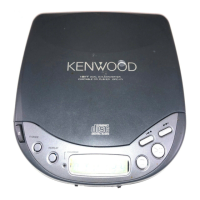
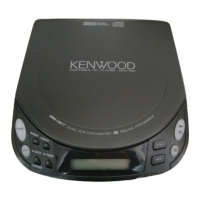
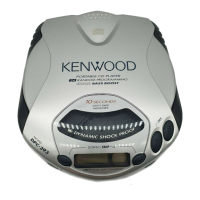
This document is an instruction manual for the KENWOOD portable compact disc players DPC-951, DPC-751, DPC-651, and DPC-551.
Function Description:
The KENWOOD portable compact disc players are designed to provide music entertainment on the go. They are compatible with three power supply options: dry cell batteries, car battery, and mains power, offering versatility for various environments. A key feature is the Digital Automatic Skip Correction (D.A.S.C.) function, which guards against sound skips by storing approximately 3 seconds of CD playback digital data in memory. This ensures uninterrupted audio even during vibrations or shocks. The unit also incorporates a Digital Sound Processor (DSP) for tone control and to simulate a live concert hall feeling. Convenient features like "Hold" prevent accidental operations, and "Resume" memorizes the last stopped playback position.
Important Technical Specifications:
- Models: DPC-951, DPC-751, DPC-651, DPC-551
- System: Compact disc digital audio system
- Laser: Semiconductor laser
- Frequency Response: 20 Hz ~ 20 kHz, ±3 dB
- PHONES Output Level/Impedance: Max. 1 V/22 Ω (Headphone output: 16 Ω, 1 kHz: 9 mW + 9 mW)
- Power Supply:
- External DC supply: DC 12 V
- Supplied rechargeable battery: DC 2.4 V (NB-100 for DPC-951, NB-88 for DPC-751/651/551)
- Commercially-available alkaline batteries (LR6, AA): 2 batteries, DC 3 V
- Battery Life (continuous repeat playback, D.A.S.C. ON):
- Commercially-available alkaline batteries (2): Approx. 4.5 hours
- Supplied rechargeable battery: Approx. 4 hours (DPC-951), Approx. 2.5 hours (DPC-751/651/551)
- With 2 commercially-available alkaline batteries and supplied rechargeable battery: Approx. 9.5 hours (DPC-951), Approx. 8 hours (DPC-751/651/551)
- With 4 commercially-available alkaline batteries: Approx. 12 hours
- Battery Life (continuous repeat playback, D.A.S.C. OFF):
- Commercially-available alkaline batteries (2): Approx. 5.5 hours
- Supplied rechargeable battery: Approx. 4.5 hours (DPC-951), Approx. 3 hours (DPC-751/651/551)
- With 2 commercially-available alkaline batteries and supplied rechargeable battery: Approx. 11 hours (DPC-951), Approx. 9.5 hours (DPC-751/651/551)
- With 4 commercially-available alkaline batteries: Approx. 16 hours
- Dimensions: W: 128 mm (5-1/16"), H: 27 mm (1-1/16"), D: 157 mm (6-3/16")
- Weight (net): 274 g (9.7 oz) for DPC-951, 270 g (9.5 oz) for DPC-751/651/551
Usage Features:
- Power Supply Options: Can be powered by dry cell batteries, mains power (via AC adapter), or a car battery (via optional car battery adapter).
- Battery Management: Rechargeable batteries should be charged for about 3 hours (NB-100) or 2 hours (NB-88/NB-77) for full capacity. The unit retains stored memory even when powered off, but for long periods (over one week), batteries should be removed.
- Headphone Connection: Uses headphones equipped with a stereo mini-plug.
- Disc Loading: Open the top cover, place the disc with the labeled side up, and close the cover securely.
- Playback Control:
- Start Playback: Press the PLAY/PAUSE button.
- Volume Adjustment: Use the VOLUME control on the unit or remote controller.
- Pause/Stop Playback: Press the PLAY/PAUSE button to pause, press again to resume. Press the STOP button to stop playback, press again to turn off power.
- Auto Power-Off: If no operation key is pressed for 3 minutes in stop mode, the unit automatically turns off to save battery.
- D.A.S.C. (Sound Skip Guard): Can be switched ON/OFF. While ON, it prevents sound skips by buffering data. Switching it OFF prolongs battery life in stable environments.
- Track Selection: Skip forward/backward by pressing the corresponding buttons. Fast forward/reverse by holding the buttons.
- Program Playback: Program up to 20 tracks in a desired order.
- AI Edit Playback: Plays all tracks within a set time period (15, 30, 45, or 60 minutes) by fading out each track.
- Versatile Playback Modes:
- One-track repeat: Repeats the current track.
- All-track repeat: Repeats all tracks on the disc.
- Shuffle play: Plays tracks in a random order.
- Scan play: Plays a part of every track for 20 seconds.
- DSP (Digital Sound Processor): Select from six tone set-ups: B.BOOST (Bass boost), LIVE, POPS, ROCK, FUSION, and OFF (original tone).
- HOLD/RESUME Switch:
- RESUME position: Playback resumes from the last stopped position. Memory is cleared if the top cover is opened.
- HOLD position: Disables all operation keys (except OPEN knob and volume control) to prevent accidental operation.
- Automobile Use: Install in a place not subject to direct sunlight. Do not leave in the car when not in use to prevent damage. Can be connected to a car stereo using an optional car cassette adapter.
Maintenance Features:
- Lens Care: Clean the lens using a commercially-available camera blower. Avoid chemical lens cleaners.
- Main Unit Care: Clean with a soft, dry cloth. For serious stains, use a moistened cloth. Do not use volatile solvents like alcohol, paint thinner, gasoline, or benzine.
- Headphone Plug Care: Wipe with a soft cloth to prevent noise or malfunction.
- Disc Handling: Hold discs by the edges to avoid touching the playing surface. Do not attach paper or tape.
- Disc Cleaning: Wipe fingerprints or foreign matter lightly with a soft cotton cloth from the center outwards in a radial manner.
- Disc Storage: Remove discs from the player and store them in their cases when not in use for long periods.
- Damaged Discs: Never play cracked, warped, or tape-repaired discs to avoid danger.
- Rechargeable Batteries: Use only specified KENWOOD rechargeable batteries (NB-100/NB-88/NB-77). Do not disassemble, incinerate, heat, or short circuit batteries. Recycle or dispose of properly according to state laws.
- Troubleshooting: A dedicated section provides remedies for common issues like no operation, no sound, sound skips, noise interference, and charging problems. It advises against using contact cleaner containing oil and notes that erroneous operation may occur when plugging/unplugging headphones.

 Need help?

 To Next Page
 General