EasyManua.ls Logo

Kenwood KDC-268U - User Manual

Kenwood KDC-268U
22 pages
Print Icon
To Next Page IconTo Next Page
Loading...
Data Size: B6L (182 mm x 128 mm)
Book Size: B6L (182 mm x 128 mm)
B5A-1329-00 (KN)
For your records
Record the serial number, found on the back of the unit, in the
spaces designated on the warranty card, and in the space provided
below. Refer to the model and serial numbers whenever you
call upon your Kenwood dealer for information or service on the
product.
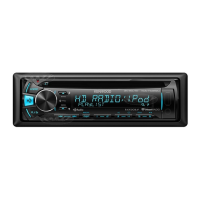
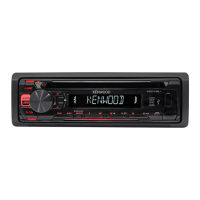
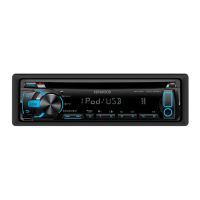
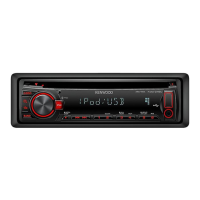
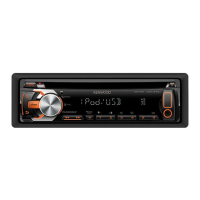
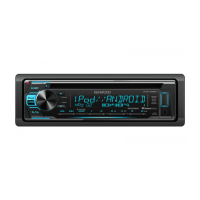
Model KDC-268U/ KDC-168U/ KDC-138U/ KDC-118/ KDC-MP168U
Serial number
KDC-268U
KDC-168U
KDC-138U
CD-RECEIVER
INSTRUCTION MANUAL
KDC-118
KDC-MP168U
JS_KWD_KDC_268U_KN_C_3.indd 1JS_KWD_KDC_268U_KN_C_3.indd 1 12/7/2016 8:19:58 AM12/7/2016 8:19:58 AM

Questions and Answers

  • A
    Andrew RyanAug 3, 2025
    How to fix no sound on Kenwood KDC-268U Car Receiver?
    • W
      William VargasAug 3, 2025
      If you can't hear any sound from your Kenwood Car Receiver, first, adjust the volume to the desired level. If the problem persists, check the cords and connections to ensure they are properly connected.
  • Z
    Zachary MarquezAug 8, 2025
    What to do if my Kenwood KDC-268U says “READ ERROR”?
    • R
      robertpachecoAug 8, 2025
      If your Kenwood Car Receiver displays “READ ERROR”, try copying the files and folders onto the USB device again. If the problem continues, reset the USB device or try using a different USB device.
  • J
    Joseph NguyenAug 14, 2025
    What to do if the disc cannot be ejected from Kenwood KDC-268U?
    • R
      Rachel PhillipsAug 14, 2025
      If the disc cannot be ejected from your Kenwood Car Receiver, press and hold the M button to forcibly eject it. If this does not work, try resetting the unit.
  • T
    taylorjamesAug 20, 2025
    Why does my Kenwood KDC-268U Car Receiver say “NO DEVICE” or “READING” keeps flashing?
    • M
      Mallory RamosAug 20, 2025
      If your Kenwood Car Receiver shows “NO DEVICE” or “READING” keeps flashing, try switching off the developer options on your Android device. If that doesn't work, reconnect the Android device. If the issue persists, the connected Android device may not support [BROWSE MODE].
  • Z
    zacharymarshallAug 27, 2025
    Why iHeartRadio station cannot be selected on Kenwood Car Receiver?
    • W
      wesleyfowlerAug 27, 2025
      If you cannot select an iHeartRadio station on your Kenwood Car Receiver, it may be because “Explicit Content” is checked in the web version of iHeartRADIO [Account Settings], which makes custom stations unavailable.

Summary

BEFORE USE

Important Usage Information

Crucial information for proper use and safety.

Safety Warnings

Critical safety precautions regarding driving and battery handling.

Operational Cautions

Important notes on volume and general safe operation practices.

GETTING STARTED

Setting Display Language

Steps to set display language and disable demo mode.

RADIO OPERATION

Station Tuning Methods

Methods for finding radio stations, including auto and manual tuning.

MEDIA SOURCES

Playback and Navigation Controls

Controls for playback and navigation on faceplate and remote.

PANDORA SERVICE

Pandora Preparation

Steps before listening, including app install and account setup.

Starting Pandora Playback

How to connect your device and start Pandora playback.

IHEARTRADIO SERVICE

iHeartRadio Preparation

Steps before listening, including app install and account setup.

Starting iHeartRadio

How to connect your device and start iHeartRadio playback.

AUDIO SETTINGS

Equalizer Pro Settings

Detailed explanation of equalizer settings.

TROUBLESHOOTING

General Troubleshooting

Common issues like no sound or wiring errors.

Radio Reception Issues

Troubleshooting specific radio reception problems.

CD;USB;iPod Playback Problems

Issues related to disc or USB device playback.

Android Device Issues

Troubleshooting issues with Android device connectivity and playback.

Pandora Service Problems

Common problems encountered with the Pandora service.

iHeartRadio Service Issues

Solutions for issues with iHeartRadio functionality.

iHeartRadio Specific Errors

Specific error messages and their remedies for iHeartRadio.

INSTALLATION AND CONNECTION

Installation Safety Warnings

Essential safety warnings before installation.

Installation Cautions

Important cautions for safe installation by professionals.

In-Dash Mounting Procedure

Step-by-step guide for in-dash installation.

Alternative Mounting Method

Alternative installation method without using the sleeve.

WIRING CONNECTIONS

Important Wiring Advice

Crucial advice on wiring harness and professional installation.

Detailed Wiring Diagram

Detailed diagram showing wire connections to speakers and power.

TECHNICAL SPECIFICATIONS

Tuner Specifications

Technical specifications for FM and AM radio functions.

CD Player Specifications

Technical specifications for CD playback capabilities.

USB Specifications

Technical specifications for USB connectivity and file support.

Kenwood KDC-268U Specifications

General IconGeneral
Max Power Output50W x 4
RMS Power Output22W x 4
TunerFM/AM
BluetoothNo
USB PortYes
AUX InputYes
DisplayLCD
Pre-out Voltage2.5V
RDSYes
MP3 PlaybackYes
WMA PlaybackYes
FLAC PlaybackNo
Detachable FaceplateYes
CD PlayerYes
CD-R/RW PlaybackYes
Preset EQYes
Subwoofer OutputYes
Channels4
USB CompatibilityMP3, WMA
Preamp Outputs1 pair

Related product manuals