
 Need help?
Do you have a question about the Kenwood KDC-3047 and is the answer not in the manual?
General safety precautions and initial setup instructions for the unit.
Instructions for cleaning the unit, handling terminals, lens fogging, and CDs.
How to exit the demonstration mode and adjust the unit's clock.
Explanation of power, source selection, and volume controls.
Instructions for playing music, folder/song selection, and disc removal.
How to select tuner source, bands, stations, and use traffic information.
Procedure for detaching and reattaching the unit's faceplate.
How the unit mutes volume and handles phone calls.
Meaning of indicators and options for text display.
Overview of the function setting menu and its categories.
Settings for clock sync, dimmer, and text scrolling.
Configuration for tuner seek modes, local seek, and auto memory.
Settings for mono reception, news, and alternative frequency.
Settings for RDS regional, auto TP seek, and naming AUX source.
Options for mixed preset memory, beep settings, and Russian language.
Settings for power off timer, built-in AUX, and CD reading modes.
Configuration for subwoofer output, bass boost, and EQ presets.
Adjustments for bass, mid, treble levels, balance, and fader.
Supreme technology, volume offset, and subwoofer phase/filter settings.
Controls for repeat play, random play, and scan play functions.
How to search for music using different modes.
Procedure for searching music by track number via remote.
How to search for stations based on program type.
How to preset/recall program types and change PTY language.
Basic operations for CD/Audio, Tuner, and General controls.
Instructions for preparing and changing the remote control battery.
Information on playable audio files, disc media, and file formats.
Guidance on waste disposal and laser product classification.
List of accessories provided with the unit.
Step-by-step guide for installing the unit in a vehicle.
Pin assignments and functions for ISO connectors.
Illustrations of typical vehicle connections for ignition and battery.
Steps to remove the hard rubber frame using a tool.
Procedure for detaching and removing the main unit from the console.
Solutions for subwoofer setup, phase, and output problems.
Troubleshooting for beep sounds, radio reception, and disc playback.
Explanations for various error codes and status messages.
Detailed specifications for tuner, audio, and CD player sections.
Specifications for general operation, voltage, current, and auxiliary input.
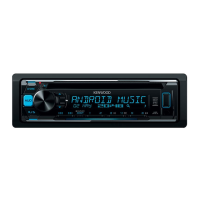
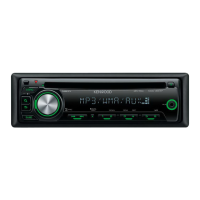
This document describes the Kenwood KDC-3247AY CD receiver, along with related models KDC-3047, KDC-3047GY, KDC-3047M, KDC-3347, and KDC-314. It serves as a user manual, providing instructions for operation, installation, and maintenance.
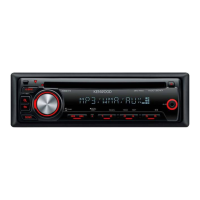
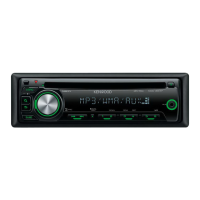
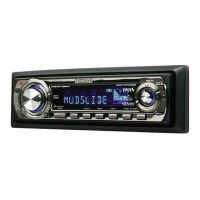
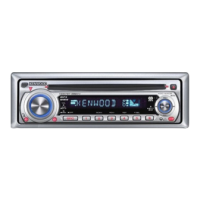
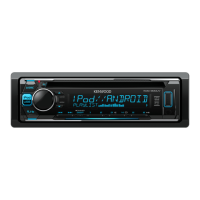
The Kenwood KDC-3247AY is a CD receiver designed for in-car audio systems. Its primary functions include playing music from CDs and audio files, listening to radio broadcasts, and providing auxiliary input for external devices.
Music Disc/Audio File Operation: The unit supports playback of MP3 (.mp3) and WMA (.wma) audio files from CD-R/RW/ROM discs. It is compatible with ISO 9660 Level 1/2, Joliet, Romeo, and Long file name formats. Playback order for audio files follows a folder/file tree structure.
Tuner Operation: The unit features an FM/AM tuner with Program Type (PTY) functionality.
General Functions:
FM Tuner Section:
MW Tuner Section:
LW Tuner Section:
CD Player Section:
Audio Section:
Auxiliary Input:
General:
Before First Use: The unit is initially set in Demonstration mode. This mode must be canceled upon first use by turning the [VOL] knob when "CANCEL DEMO" is displayed, then selecting "YES."
Resetting the Unit: If the unit malfunctions, pressing the Reset button (located behind the detachable faceplate) returns it to factory settings.
Detachable Faceplate: The faceplate can be detached for security purposes, deterring theft. It should be removed immediately after pressing the release button to prevent damage from vibration.
Remote Control (KDC-3347 accessory): A remote control unit (RC-405) is provided with the KDC-3347 model for convenient operation, including volume control, source selection, music/folder selection, and direct music search. The remote uses a CR2025 button battery.
Installation: Installation involves connecting the wiring harness to the vehicle's speaker and power connectors, then mounting the unit in the console. Proper grounding and secure connections are crucial. The unit should be mounted at an angle of 30° or less.
Troubleshooting Guide: The manual provides a guide for common issues and their solutions, such as subwoofer setup problems, Power OFF Timer not functioning, volume adjustment issues, poor radio reception, and disc/audio file playback errors. It also lists error messages like "TOC ERROR," "ERROR 05," "ERROR 99," "IN (Blink)," "PROTECT," "NA FILE," "COPY PRO," and "NO MUSIC/ERROR 15," along with their meanings and recommended actions.
Cleaning the Unit: The faceplate should be wiped with a dry soft cloth. For stubborn stains, a cloth moistened with neutral cleaner followed by a clean, dry cloth is recommended. Spray cleaners should not be applied directly to the unit.
Handling CDs:
Lens Fogging: In cold weather, condensation may form on the CD player's lens. If this occurs, remove the disc and wait for the condensation to evaporate before attempting to play.
Battery Replacement (Remote Control): The remote control battery (CR2025) should be replaced when needed by pulling out the battery tray and inserting a new battery with correct polarity. Used batteries should be disposed of promptly and kept out of reach of children.
Environmental Considerations: The product complies with the EMC Directive 2004/108/EC and the Turkish "Regulation on the Restriction of the Use of Certain Hazardous Substances in Electrical and Electronic Equipment." Products and batteries marked with the crossed-out wheeled bin symbol should not be disposed of as household waste but recycled at appropriate facilities. The "Pb" sign on batteries indicates the presence of lead.
Laser Product Safety: The unit is a Class 1 LASER PRODUCT, meaning it utilizes laser beams of a weaker class, posing no danger of hazardous radiation outside the unit.
 General
| Brand | Kenwood |
|---|---|
| Model | KDC-3047 |
| Category | Car Receiver |
| Language | English |


 To Next Page