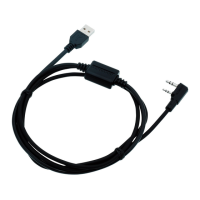
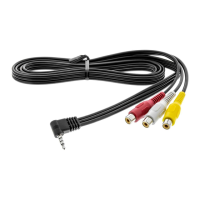
This document, titled "Troubleshooting for KPG-36X and KPG-46X," provides guidance for diagnosing and resolving potential problems encountered when using KPG-36X or KPG-46X devices with a Personal Computer (PC). It also addresses common issues previously experienced by users of these devices. The document is supplied on an "as-is" basis, and JVCKENWOOD Corporation disclaims any warranty regarding its suitability for any particular purpose. The information provided is subject to change without notice.
Function Description:
The KPG-36X and KPG-46X are devices that facilitate communication between a PC and other Kenwood equipment, likely transceivers or similar radio communication devices. They act as an interface, allowing for the writing and reading of data, potentially including firmware updates and configuration settings. The devices feature a switch to select between two communication modes: [USB] and [UART]. This selection determines the type of driver required for installation and the communication protocol used.
Important Technical Specifications:
- Communication Modes: The KPG-36X and KPG-46X support both [USB] (Universal Serial Bus) and [UART] (Universal Asynchronous Receiver/Transmitter) communication modes.
- Drivers:
- For [UART] mode, the "CP210x_VCP_Windows" driver is required.
- For [USB] mode, the "Kenwood_Type_1_USB_Driver" is required.
- Baud Rate (USB Mode): When operating in [USB] mode, the baud rate configuration by PC software is invalid, and the value is fixed at 12 Mbps.
- Compatibility:
- When connected to NX-5000 series and NX-3000 series devices, [USB] mode is recommended (though [UART] can also be used).
- For models other than the NX-5000 and NX-3000 series, users should refer to the specific model's manual for guidance on selecting between [USB] and [UART]. If no specific description is found, [UART] mode should be used.
- Operating Systems: The troubleshooting steps provided are applicable for Windows 7, Windows 8.1, and Windows 10.
Usage Features:
- Mode Selection: Users must manually select between [USB] and [UART] using a physical switch on the KPG-36X or KPG-46X device. It is crucial not to switch modes while communicating with a PC to avoid potential issues.
- Driver Installation: Proper driver installation is essential for the device to function correctly. Users must install the appropriate driver corresponding to the selected communication mode ([USB] or [UART]).
- COM Port Management: The devices are assigned a COM port number by the PC. Users may need to change this COM port number, especially if the automatically assigned number is large or if a desired number is already "in use" by another device. This process involves using the Device Manager and command prompt, often requiring administrative privileges.
- Troubleshooting Steps: The document outlines several solutions for common problems, including:
- Verifying successful driver installation.
- Trying different USB ports on the PC, including rear panel ports over front panel ports.
- Restarting Windows or re-connecting the device to the USB port.
- Disconnecting other USB devices.
- Using a USB hub with an external power supply.
- Ensuring the transceiver is turned ON when using [USB] mode, as the transceiver will not be recognized as a COM port otherwise.
- Uninstallation Procedure: Detailed steps are provided for uninstalling the KPG-36X or KPG-46X drivers, which is useful for resolving persistent issues or preparing for reinstallation. This process also involves using the "Programs and Features" (or "Apps and Features" in Windows 10) section of the Control Panel.
- Performance (Writing/Reading Data): The time required for communication (writing and reading data) in [USB] mode largely depends on the PC used. Firmware writing using KPG-36X or KPG-46X with Fpro (Version 6.30 or later) or KFL (Version 1.22 or later) may take longer.
Maintenance Features:
- Driver Reinstallation: If the device is not working properly, a common troubleshooting step involves uninstalling and then reinstalling the drivers to ensure a clean installation.
- COM Port Reset: The document provides a method to delete reserved COM port numbers, which can be helpful if the assigned COM port number is too large or if previous installations have left behind "in use" COM port information for devices that are no longer physically connected. This ensures that a suitable COM port can be assigned to the KPG-36X or KPG-46X.
- Administrative Privileges: Many of the advanced troubleshooting and maintenance operations, such as changing COM port numbers or uninstalling drivers, require administrative privileges on the PC.
- Device Manager Utilization: The Device Manager is a key tool for managing the KPG-36X and KPG-46X, allowing users to check driver status, uninstall devices, and modify port settings. The "Show hidden devices" option in the Device Manager is particularly useful for identifying and managing devices that are no longer physically present but whose installation information is retained.
- Careful Device Deletion: When uninstalling ports or devices, users are cautioned to be careful not to delete necessary devices to avoid unintended system issues.

 Need help?
 General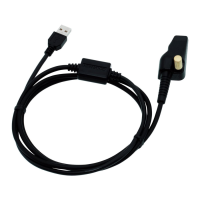

 To Next Page