EasyManua.ls Logo

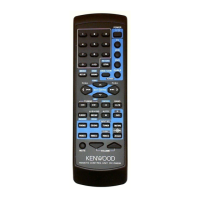
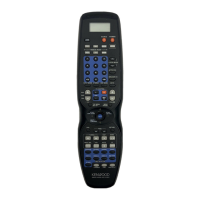
Kenwood RC-R0816 - User Manual

Kenwood RC-R0816
2 pages
Print Icon
To Next Page IconTo Next Page
Loading...
Simplified Remote Control Operation Guide
1. Confirm the brand of Product that you are
trying to control and write down the 3 digit
code
2. Press and hold the SOURCE POWER Key
3. While holding the SOURCE POWER Key enter
the 3 digit Code for the device
4. The Remote control will respond with the word
O.K (RC-R0816 Only) or ERROR. (Please Begin
from Step 1 if ERROR Shows)
5. Release the SOURCE POWER key
6. Select and press the button of the type of
Device that you have just input the code for in
the REMOTE MODE AREA…There are 6
Choices
7. Press and Hold the SOURCE POWER Key and
point the remote control at the device you are
programming
8. If the Unit turns OFF or ON, the code the you
have input is correct
9. If the Unit does not respond, please try another
code or use the remote controls Learning
Functions (RC-R0816 Only)
Question and Answer IconNeed help?

Do you have a question about the Kenwood RC-R0816 and is the answer not in the manual?

Kenwood RC-R0816 Specifications

General IconGeneral
TypeRemote Control
BrandKenwood
ModelRC-R0816
Power SourceBattery
Battery TypeCR2025
CompatibilityKenwood Car Audio Systems

Summary

Simplified Remote Control Operation Guide

Device Code Programming Steps

Detailed steps for entering and confirming 3-digit codes to operate external devices via the remote.

Simplified Remote Control Learning

Remote Learning Procedure

Steps for teaching the Kenwood remote new functions from another device's remote control.

Related product manuals