EasyManua.ls Logo

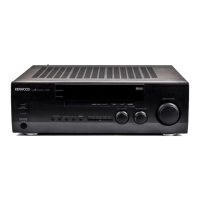
Kenwood VR-3100 - User Manual

Kenwood VR-3100
114 pages
Print Icon
To Next Page IconTo Next Page
Loading...

Other manuals for Kenwood VR-3100

Question and Answer IconNeed help?

Do you have a question about the Kenwood VR-3100 and is the answer not in the manual?

Summary

Chapter One: Moving Around

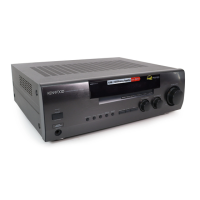
Whats on the Front Panel of Your Kenwood Audio-Video Receiver?

Identifies and describes the controls and indicators on the receiver's front panel.

Whats on PowerTouch?

Explains the PowerTouch remote control system's interface and basic operation.

How is PowerTouch Powered?

Details the power source and battery requirements for the PowerTouch remote.

How Do I Use PowerTouch?

Provides instructions on operating the receiver and connected devices via PowerTouch.

Chapter Two: Using PowerTouch

How Do I Adjust the Sound?

Instructions for adjusting volume, tone, loudness, and speaker levels for optimal audio output.

How Do I Operate Devices?

Guides on using PowerTouch to control various connected audio-video devices like TVs, VCRs, etc.

How Do I Record (Edit Mode?)?

Explains the process of recording and editing audio/video content using the PowerTouch system.

How Do I Adjust PowerTouchs Display?

Details how to adjust screen brightness, contrast, and display modes for better visibility.

How Do I Perform Several Actions at Once?

Covers creating and using macros to perform multiple actions with a single touch.

How Do I Control Home Automation Equipment?

Instructions for controlling home automation devices like X-10, Lutron, and Makita.

Chapter Three: Using PowerTouch in Multiple Zones (VR-3100 Only)

How Do I Switch Control Modes?

Explains how to switch between control modes for different zones in a multi-zone setup.

Why Dont I See All My Devices?

Addresses issues where connected devices are not appearing or selectable on the PowerTouch interface.

Summary

Chapter One: Moving Around

Whats on the Front Panel of Your Kenwood Audio-Video Receiver?

Identifies and describes the controls and indicators on the receiver's front panel.

Whats on PowerTouch?

Explains the PowerTouch remote control system's interface and basic operation.

How is PowerTouch Powered?

Details the power source and battery requirements for the PowerTouch remote.

How Do I Use PowerTouch?

Provides instructions on operating the receiver and connected devices via PowerTouch.

Chapter Two: Using PowerTouch

How Do I Adjust the Sound?

Instructions for adjusting volume, tone, loudness, and speaker levels for optimal audio output.

How Do I Operate Devices?

Guides on using PowerTouch to control various connected audio-video devices like TVs, VCRs, etc.

How Do I Record (Edit Mode?)?

Explains the process of recording and editing audio/video content using the PowerTouch system.

How Do I Adjust PowerTouchs Display?

Details how to adjust screen brightness, contrast, and display modes for better visibility.

How Do I Perform Several Actions at Once?

Covers creating and using macros to perform multiple actions with a single touch.

How Do I Control Home Automation Equipment?

Instructions for controlling home automation devices like X-10, Lutron, and Makita.

Chapter Three: Using PowerTouch in Multiple Zones (VR-3100 Only)

How Do I Switch Control Modes?

Explains how to switch between control modes for different zones in a multi-zone setup.

Why Dont I See All My Devices?

Addresses issues where connected devices are not appearing or selectable on the PowerTouch interface.

Kenwood VR-3100 Specifications

General IconGeneral
Digital inputscoaxial, optical
Video Connectionscomposite, S-Video
Tuning rangeFM, AM
Input Sensitivity200mV
Input Impedance47k ohms
Speaker load impedance8 ohms
Power Output100 watts per channel into 8Ω (stereo)

Related product manuals