16 ADB_ADJ-BA-e-2032
Procedure:
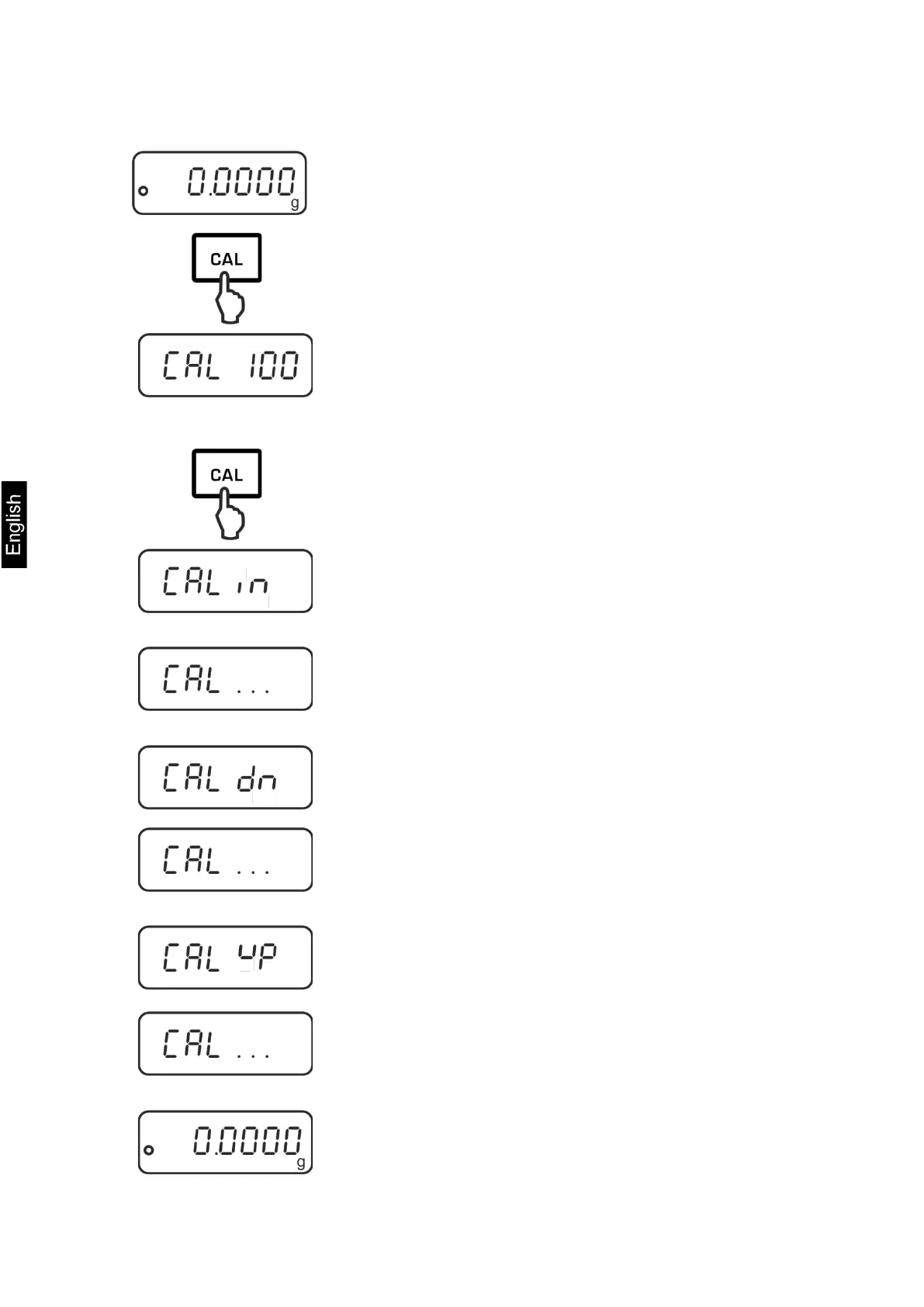
Press CAL in the weighing mode.
The device will display the value of the required
adjustment weight (e.g. 100 g).
In the ADB 200-4A model, select <CAL 200> by
pressing TARE.
Press CAL again, you will see the indication <CAL in>.
No objects may be left on the weighing plate.
Wait until the <CAL dn>, indication, then carefully set
the adjustment weight in the centre of the weighing
plate and close the windshield door.
When the adjustment is successfully completed, you
will see the <CAL up> indication.
Remove the adjustment weight, the balance will be
switched back to the weighing mode.


 To Next Page
 Loading...