Need help?
Do you have a question about the KESNOS PD160A and is the answer not in the manual?
Welcome message and recommendation to keep the manual for reference.
Instructions on how to contact Kesnos Customer Service for faster support.
Leave the unit standing upright and outside the box for 24 hours before plugging it in.
Important safety precautions to follow for safe operation and maintenance.
Specifies the working environment temperature range and clearance for the unit.
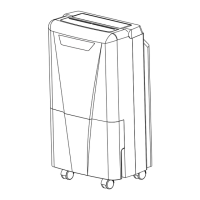
Identifies parts visible from the front of the dehumidifier.
Identifies parts visible from the rear of the dehumidifier.
Overview of the control panel, indicators, and buttons.
Explains the function of each button on the control panel.
How to set the desired humidity level and timer functions.
How to adjust fan speed and lock the control panel.
Explains water overflow protection and the automatic defrost function.
Describes the meaning of various indicator lights on the control panel.
Analyzes causes and provides methods for humidity reading discrepancies.
Notes on air outlet, overheating, and proper shutdown procedures.
Step-by-step guide on how to empty and reinsert the water tank.
Notes on not removing the float and proper cleaning methods for the water tank.
Instructions on connecting a hose for continuous water drainage.
Guide on how to clean the unit's body and air filter.
Steps for storing the dehumidifier when not in use for an extended period.
Addresses reasons and solutions when the dehumidifier fails to operate.
Explains why humidity readings might be incorrect or settings not met.
Solutions for when the dehumidifier is not effectively removing moisture.
Addresses causes and solutions for loud noise and continuous operation.
Troubleshooting steps for water leakage from the unit.
Guidance on contacting customer service if issues persist.
Important precautions regarding placement, objects, and cleaning.
Advice on filter cleaning, drying, and moving the unit.
Lists detailed technical specifications for the dehumidifier model.
Warning regarding chemical exposure as per California law.
Details the 12-month warranty coverage and exclusions.
Information on how to get customer support and extend the warranty.
Directs users to the website for FAQs and more information.
Provides social media handles and QR code for live chat.
 General
| Brand | KESNOS |
|---|---|
| Model | PD160A |
| Category | Dehumidifier |
| Language | English |

 To Next Page