When the Chart Screen is displayed, press to view the details of
the chart data. A cursor will appear on the most recent data
point. The date and time of storage will be displayed below
the chart, and the data value will be displayed above the chart.
Again, if there is no stored data, only the cursor and the axis will
appear.
Press or to review the data points.
Hold or to quickly scroll through
the data.
Press or to view the data for the other measurements at the
same date and time.
Press to return to the normal Chart Screen.
Press to illuminate the backlight for one minute.
Press to manually store data. (Instruction Manual, page 9)
Press to enter the Main Setup Menu. (Instruction Manual, page 9)
Hold for 2 seconds to turn the unit off.
Pressure/Altitude Adjustment
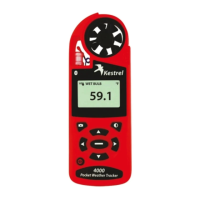
The Kestrel 4000 will measure air pressure in order to calculate
barometric pressure and altitude. Changes in either air
pressure or altitude will affect these readings, so it's important
to make adjustments as necessary.
Altitude Adjustment
Obtain a barometric air pressure reading
from a local weather source to use as your
reference pressure. From the Current
Altitude Screen, press to enter the
adjustment mode. Press or to adjust the reference pressure.
You will notice that the Altitude will change with changes in
the reference pressure. Press to exit the adjustment mode.
Pressure Adjustment
Obtain your altitude from a topographical
map or landmark. From the Current
Barometric Pressure Screen, press to enter
the adjustment mode. Press or to adjust
the reference altitude. You will notice that the Barometric
Pressure will change with changes in the reference altitude.
Press to exit the adjustment mode.
Value
Cursor
Chart
Date &
Time


 To Previous Page
 Loading...