5
Please visit www.kestrelinstruments.com/support/drop_support for more information.
Connecting your DROP to the Kestrel LiNK Application
Please note: You must connect the DROP to our Kestrel LiNK application PRIOR to using it in the eld to ensure the date and
time are updated on the DROP and the settings are correct.
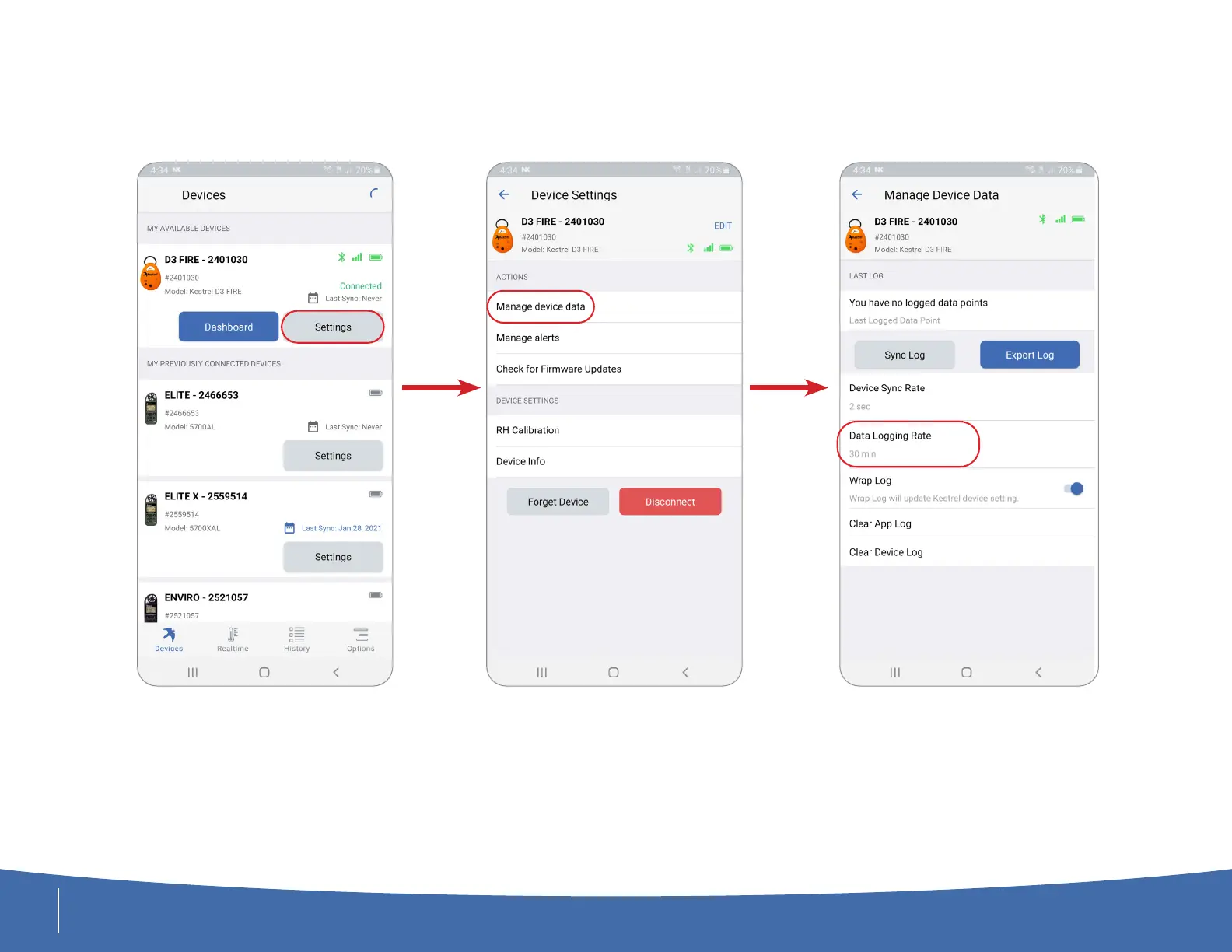
From the Devices screen,
select the Settings button.
Navigate to the Manage
Device Data Screen.
Here you can set the Data
Logging Rate on the DROP.
Time and Date are updated
upon connecting.



 To Next Page