
 Need help?
Do you have a question about the Ketotek E0162-US and is the answer not in the manual?
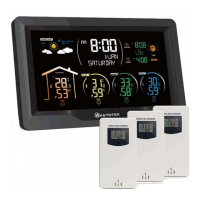
Identifies all display elements on the front of the weather station, including time, date, temperature, and forecast icons.
Explains the automatic time synchronization using radio signals like DCF, WWVB, and MSF.
Covers the perpetual calendar up to 2099 and selectable day-of-week languages.
Details the dual daily alarms and the automatic snooze feature with adjustable duration.
Mentions the display of sunrise/sunset times and moon phases based on city selection.
Outlines the ranges and features for indoor/outdoor temperature and humidity, including min/max display and trend.
Describes upper/lower limit alerts for temperature/humidity and frost warnings.
Specifies details about the wireless sensor, including mounting, frequency, range, and capacity for multiple sensors.
Explains atmospheric pressure measurement ranges and the weather forecasting function based on barometric pressure.
Details the power adapter requirements and optional battery backup for the weather station and sensor.
Guides on inserting the adapter, batteries, and initiating the search for outdoor sensor signals.
Instructions for setting up wireless sensors, inserting batteries, and initial signal transmission.
Explains the device's mode for receiving signals from multiple channels at set intervals.
Provides steps for re-receiving signals if the weather station fails to connect to the outdoor sensor.
Describes the alert displayed when the sensor's working voltage is low.
Details the daily automatic synchronization with RCC signals and retry attempts.
Explains how to manually initiate RCC signal reception and interpret its status indicators.
Mentions DST indication and recommendations to avoid interference sources for radio reception.
Guides on setting button tone, temperature unit, pressure unit, RCC/DST activation, time zone, and time format.
Covers setting the minute of the time and the year within the device's parameters.
Details how to set the current month and the specific date.
Explains how to select the display language for week/month and set the current weather condition.
Focuses on setting the time zone and configuring the Radio Controlled Clock (RCC) and Daylight Saving Time (DST) functions.
Describes how to view, turn on/off, and set the hours and minutes for the daily alarms and snooze function.
Explains how the alarm rings, how to stop it, and how to activate or deactivate snooze mode.
Guides on selecting a city from a list or manually setting a custom city using codes and coordinates.
Explains how sunrise/sunset times, moon phases, and tide phases are displayed after city selection.
Details the four display modes for indoor comfort level and mildew risk based on temperature and humidity.
Explains how to set and view upper/lower limit alerts for temperature and humidity, and frost warnings.
Guides on entering alert setting mode and using buttons to set values for temperature and humidity alerts.
Describes the conditions under which the frost alarm is triggered and its visual indication.
Outlines the methods to stop active alarms, including pressing keys and returning to normal ranges.
Explains how to switch between viewing min/max temperature/humidity and how to reset this data.
Describes how to interpret rising, falling, or constant trends for temperature and humidity based on cumulative changes.
Explains the display codes (LL.L, HH.H) for temperature and humidity when values are out of range.
Details that the forecast is based on barometric pressure trends and provides its accuracy and coverage radius.
Explains how weather changes are animated and when specific icons like 'snowy' appear.
Describes how the station displays trends in barometric pressure using upward, downward, or stable indicators.
Explains how the backlight functions when powered by batteries or adapter, including brightness adjustment and auto-dimming.
Guides on setting up night mode for automatic dimming, including entry and exit times.
Describes the battery icons that indicate when to replace the batteries in the indoor unit or outdoor sensor.
 General
| Brand | Ketotek |
|---|---|
| Model | E0162-US |
| Category | Weather Station |
| Language | English |

 To Next Page