HOW TO INSTALL THE STYLES
The complete installation of the Styles requires about 19 minutes.
For all models of the AUDYA series (AUDYA - AUDYA4 - AUDYA5 -AUDYA8) with the 2010 -
2011 Upgrade and the Operating System 5.4B:
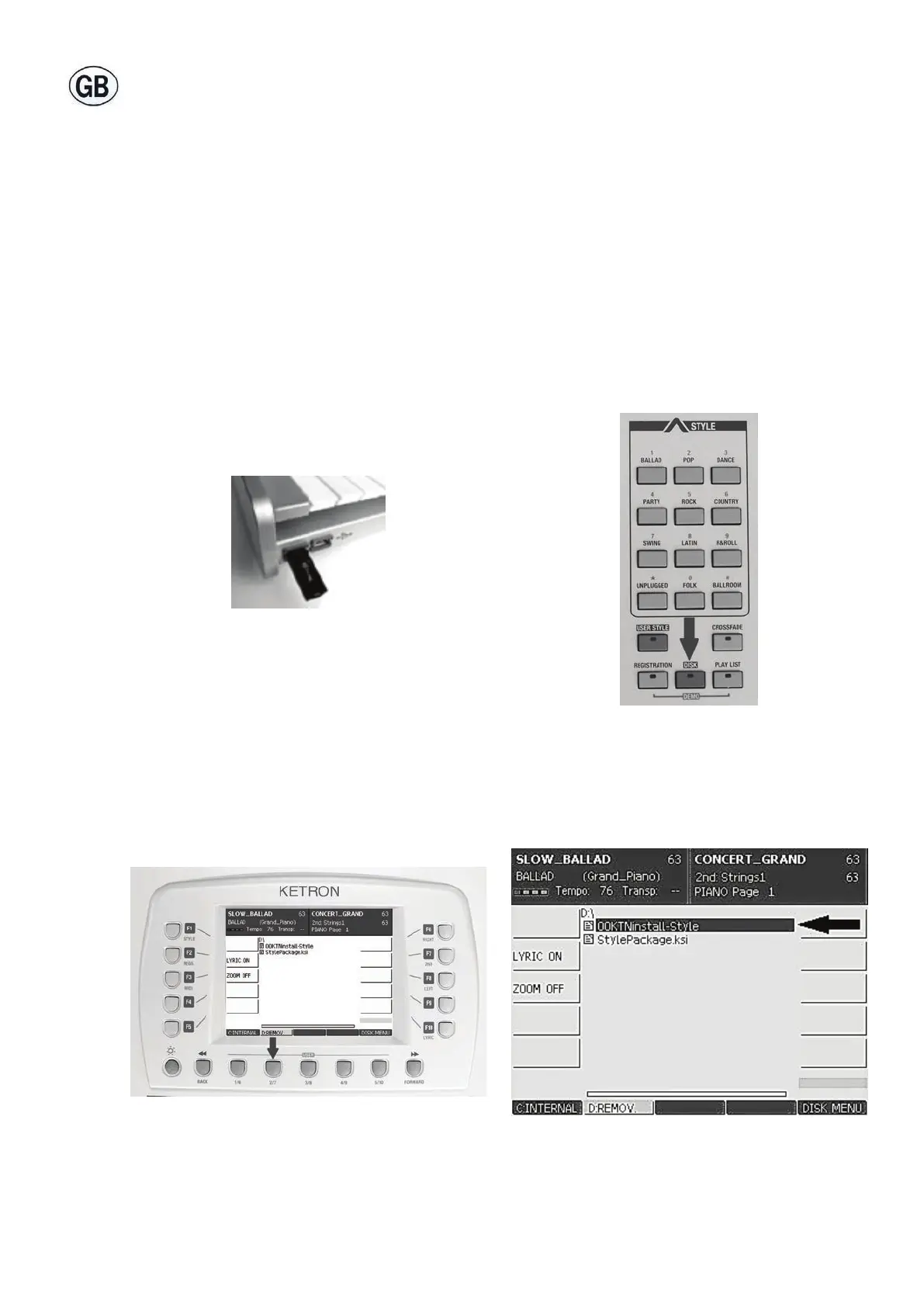
1. Insert the pen drive into the front left hand external USB socket (Fig. 6).
2. Press the DISK button (Fig. 7).
3. Press the USER 2/7 (D:REMOV) button (Fig. 8).
4. Select the 00KTNinstall-Style le using the cursor keys (Fig. 9) .
5. Press the ENTER button (Fig. 10).
Fig. 8 Fig. 9
Fig. 6 Fig. 7



 To Next Page