/23
Finally, further towards the right you will find:
• DATA/VALUE, also called the Dial. Allows you to select files and parameters and edit the values selected.
• ENTER: Use to confirm different operations or enter the folders selected
• EXIT: Use to cancel an operation or escape from the current screen and display the previous screen, or exit a folder
and back root.
• SAVE: Saves any modifications made on the instrument.
Please note: If you press the EXIT and SAVE keys together, a global Midi RESET is carried out.
• MEDIA: Displays the memory devices installed on the instrument or connected via the USB ports
• MENU: Displays and gives access to different operative menus of the instrument.
• TEMPO and TRANSPOSER: These keys respectively control the speed in bpm and tone transposition of music files
and Styles. Press these keys together to display the main screen of the instrument called “Home”.
INTRODUCTION
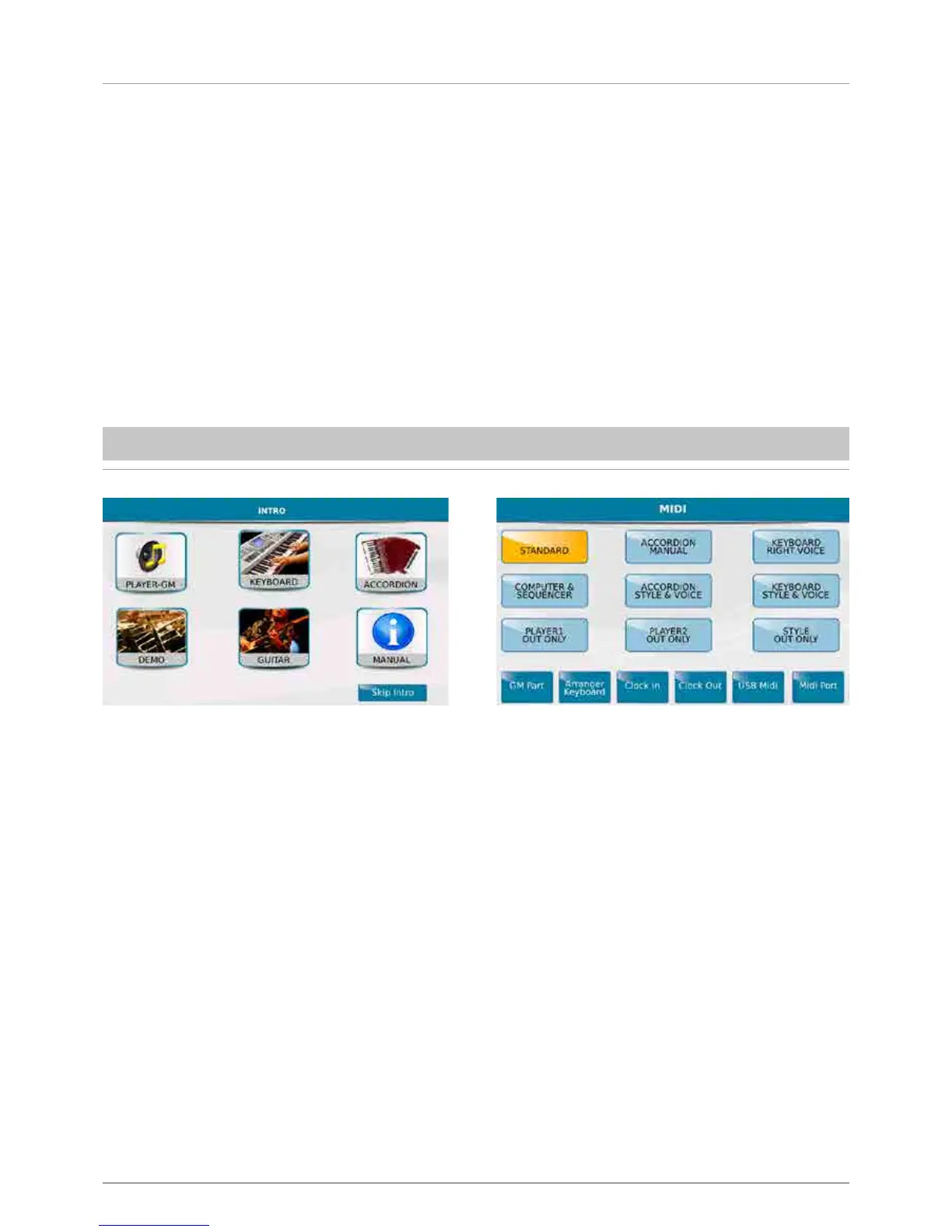
The Introduction screen (INTRO) is displayed automatically when you turn on the instrument and provides access to the
main functions, such as:
- PLAYER-GM: To use the MIDJPRO as AUDIO and MIDI file reader.
- KEYBOARD: To control the MIDJPRO by means of a MIDI Master Keyboard.
- ACCORDION: To control the MIDJPRO by means of a MIDI Accordion.
Even if you enter Player GM mode for example, you may control the MIDJPRO with a Master Keyboard or accordion, by
modifying the Midi settings. To do this, press the Menu key on the panel and select the different MIDI functions from the
display.
- STANDARD: Allows you to control the instrument by an external Midi controller (via the Midi In) to play the Styles and
Voices of the Arranger.
- ACCORDION MANUAL: To control the Arranger by means of a MIDI Accordion.
- COMPUTER SEQUENCER: To connect the MIDJPRO to a computer as an external GM module.
You will find the following additional keys on the introduction screen:
- DEMO: Use this control to listen to short demonstrations.
- GUITAR: To control a guitar or a second microphone, connected to the MICRO 2 IN plug. (The two input sources
are selected with the relevant physical selector).
- MANUAL: To open the Instruction Manual of the instrument.
- SKIP INTRO: To skip the initial intro screen.



 To Next Page