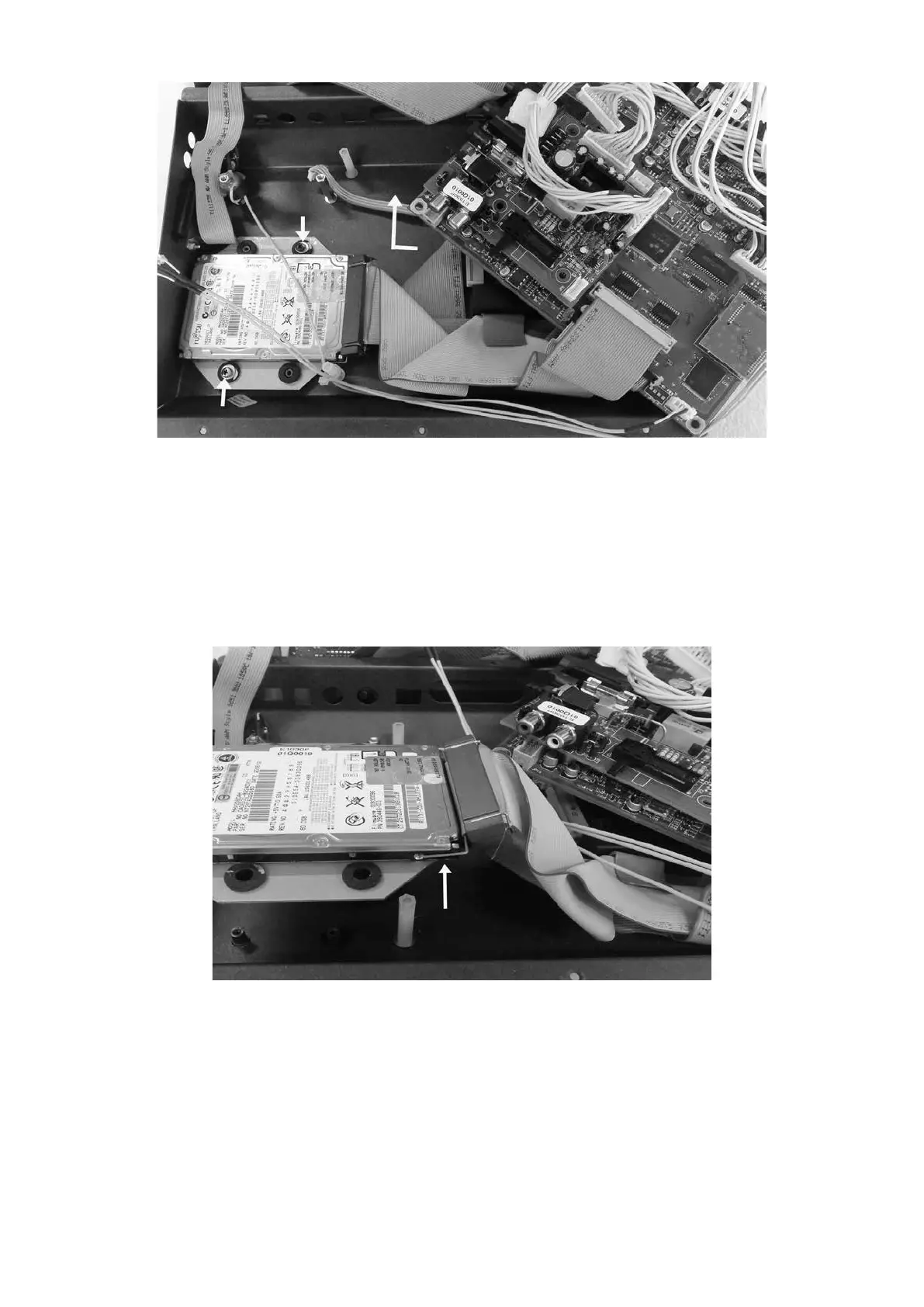
5. Spostare le 2 schede come indicato.
6. Svitare le due viti di ssaggio dell’hard disk.
5. Move the 2 boards as indicated.
6. Remove both screws and washers securing the hard disk.
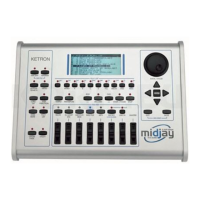
7. Sollevare l’hard disk, slarlo dalla sede e scollegare il connettore allargando contemporaneamente
le due alette dello stesso connettore.
8. Rovesciare l’hard disk e svitare le quattro viti che ssano il supporto all’hard disk facendo atten-
zione a non perdere le quattro rondelle che si trovano tra il supporto e l’hard disk.
7. Lift the hard drive, remove it from the instrument and eject the connector from the PCB by wide-
ning the two securing tabs.
8. Turn over the hard drive assembly and remove the four screws that secure the hard disk. Taking
care not to lose the four bre washers that are located between the metal plate and the hard disk.


 To Next Page